free cyber security tools
Cybersecurity used to be something many people ignored until a serious problem happened. A hacked social media account, stolen banking information, or suspicious email was often the first wake-up call. But in 2026, the internet has changed dramatically. Cybercriminals are smarter, scams are more convincing, and artificial intelligence has transformed online threats into something far more dangerous than most people expected.
The average internet user is now exposed to AI-generated phishing emails, fake customer support messages, cloned voices, deepfake videos, malicious browser extensions, and identity theft attempts almost daily. Even experienced users sometimes struggle to tell the difference between what is real and what is fake.
That is why free cybersecurity tools have become one of the most searched technology topics online.
People are actively looking for:
- AI cybersecurity tools that detect scams automatically
- Online privacy tools that stop websites from tracking personal data
- Anti-phishing software that blocks dangerous links
- Deepfake scam protection tools
- Browser security extensions
- Password managers and encrypted communication apps
- Free VPN services for safer browsing online
The good news is that you no longer need to spend hundreds of dollars to protect yourself online. Some of the most powerful AI-powered cybersecurity tools available today are completely free and trusted by millions of users worldwide.
In this guide, we will explore the top free privacy and cybersecurity tools for safer browsing online, explain how they work, compare their strengths, and show you how to build a powerful personal cybersecurity setup without spending money.
The Rise of AI Cybersecurity Tools in 2026
Artificial intelligence is no longer just helping businesses automate tasks or create content. It is now deeply integrated into cybersecurity systems.
Modern AI cybersecurity tools can:
- Detect suspicious login attempts instantly
- Analyze unusual browsing behavior
- Identify phishing emails before users open them
- Detect fake websites
- Monitor leaked passwords
- Spot AI-generated scam patterns
- Warn users about deepfake videos and cloned voices
This shift matters because traditional antivirus software alone is no longer enough.
Cybercriminals now use AI to automate scams at massive scale. Instead of targeting a few people manually, attackers can launch thousands of personalized phishing attacks within minutes.
According to cybersecurity researchers, phishing and identity theft remain among the fastest-growing cybercrime threats globally. AI-generated scams are especially dangerous because they sound human, emotionally convincing, and highly personalized.
That is why AI-powered protection tools are becoming essential for everyday internet users.
Why Free Cybersecurity Tools Are Becoming More Popular
Not everyone can afford expensive enterprise security software. Students, freelancers, remote workers, creators, gamers, and small business owners often need affordable protection.
Fortunately, many companies now offer free cybersecurity tools because:
- They want to build trust with users
- Free plans attract future premium customers
- Cloud-based AI systems reduce operating costs
- Open-source communities contribute security improvements
- Online privacy awareness is growing rapidly
This means users can now access advanced protection features such as:
- Password encryption
- Threat detection
- Secure messaging
- Anti-phishing scanning
- Browser protection
- VPN services
- Malware scanning
- Dark web monitoring
without paying anything upfront.
11 Best Free AI-Powered Cybersecurity Tools Everyone Should Use in 2026
1. Bitwarden — One of the Best Free Cybersecurity Tools for Password Protection
One of the biggest online security mistakes people still make is reusing weak passwords across multiple accounts.
Hackers know this.
If attackers steal one password, they often test it across email accounts, social media platforms, banking apps, and online stores.
This is why password managers are now considered essential online privacy tools.
Bitwarden is one of the most trusted free cybersecurity tools available today.
Why Bitwarden Stands Out
- End-to-end encrypted password storage
- Cross-device syncing
- AI-assisted password strength analysis
- Secure password generator
- Autofill login protection
- Two-factor authentication support
Unlike writing passwords in notes apps or browsers, Bitwarden encrypts everything securely.
You can learn more through the official Bitwarden website.
Best For
- Students
- Freelancers
- Remote workers
- Small businesses
- Families
Why It Matters in 2026
AI-generated phishing websites are becoming harder to recognize visually. Bitwarden helps by only autofilling credentials on legitimate websites.
That simple feature alone can stop many phishing attacks.
2. Proton VPN — One of the Top Free Privacy and Cybersecurity Tools for Safer Browsing Online
Public Wi-Fi remains one of the easiest ways hackers steal information.
Whether in airports, cafés, hotels, or schools, unsecured networks create major privacy risks.
VPNs encrypt internet traffic so outsiders cannot easily monitor online activity.
Proton VPN has become one of the most respected online privacy tools because it combines strong encryption with a transparent privacy-first reputation.
Key Features
- Unlimited free bandwidth
- No activity logging
- Strong encryption
- DNS leak protection
- AI-assisted threat monitoring
- Secure browsing on public Wi-Fi
Why Proton VPN Is Trending
People are becoming more aware of:
- Data tracking
- ISP monitoring
- Geo-targeted advertising
- Browser fingerprinting
- Government surveillance concerns
VPN usage continues growing because users want more control over personal data.
3. Malwarebytes — Powerful Anti-Phishing Software for Everyday Users
Traditional antivirus software mainly focused on malware files.
Modern threats are more sophisticated.
Today’s phishing attacks often rely on fake login pages, browser hijacking, malicious downloads, and AI-generated scam messages.
Malwarebytes combines malware detection with AI-powered behavioral monitoring.
Features That Make It Effective
- Real-time scam detection
- Browser threat protection
- AI-driven malware scanning
- Phishing website blocking
- Ransomware monitoring
- Adware detection
Why Users Love It
The interface is simple.
Many cybersecurity tools overwhelm beginners with technical dashboards. Malwarebytes feels approachable even for non-technical users.
That simplicity matters because cybersecurity only works when people actually use the tools consistently.
4. uBlock Origin — Lightweight Browser Protection That Improves Online Privacy
Many users think ad blockers are only for removing annoying ads.
In reality, they are powerful online privacy tools.
Modern ads often contain:
- Trackers
- Data collection scripts
- Fingerprinting systems
- Malicious redirects
- Hidden crypto miners
uBlock Origin blocks many dangerous scripts before they load.
Benefits
- Faster browsing
- Improved privacy
- Reduced tracking
- Protection against malicious ad networks
- Lower browser memory usage
Why It Matters
Malvertising attacks are increasing.
Cybercriminals now hide malware inside advertising systems on legitimate websites.
Blocking these scripts significantly reduces exposure.
5. Signal — Secure Messaging for Privacy Protection
Messaging apps contain enormous amounts of personal information.
Photos, private conversations, banking screenshots, location details, passwords, and business information are often stored inside chats.
Signal is widely respected because of its strong end-to-end encryption.
Why Signal Is One of the Best Online Privacy Tools
- Encrypted messaging
- Secure voice calls
- Disappearing messages
- Screenshot protection
- Minimal data collection
You can explore the platform through the official Signal website.
Why This Matters in 2026
Deep-fake scams increasingly use voice cloning.
Cybercriminals can now imitate family members or co-workers convincingly.
Secure communication tools help reduce the risk of manipulated conversations and intercepted messages.
6. Brave Browser — AI Cybersecurity Tools for Safer Browsing
Browsers have become one of the biggest cybersecurity battlegrounds online.
Most attacks begin inside browsers through:
- Fake login pages
- Tracking scripts
- Phishing links
- Malicious extensions
- Pop-up scams
Brave Browser focuses heavily on privacy and security.
Key Features
- Built-in ad blocking
- Tracker blocking
- Fingerprinting protection
- HTTPS upgrades
- AI-powered phishing detection
- Privacy-focused browsing
Why Brave Is Growing Fast
Users increasingly want privacy without needing dozens of browser extensions.
Brave simplifies that experience.
7. Have I Been Pwned — Check If Your Data Was Leaked
Many people do not realize their personal information has already been exposed online.
Email addresses, passwords, phone numbers, and usernames are constantly leaked in data breaches.
Have I Been Pwned allows users to check whether their credentials appeared in known breaches.
Why It’s Valuable
- Free breach monitoring
- Password exposure alerts
- Identity theft awareness
- Easy-to-use interface
Why This Matters
AI-powered scams become more effective when criminals already possess real personal information.
Knowing whether your data leaked helps you act quickly.
8. DuckDuckGo Privacy Essentials — Easy Online Privacy Protection
Many websites track users aggressively.
This tracking creates detailed advertising profiles that follow people across the internet.
DuckDuckGo Privacy Essentials helps reduce that tracking.
Main Features
- Tracker blocking
- Smarter encryption
- Privacy grading
- Cookie management
- Safer search experience
Why Users Like It
It works quietly in the background without requiring technical expertise.
9. NordPass Free — AI-Assisted Password Security
Password security remains one of the most important cybersecurity habits.
NordPass uses AI-assisted analysis to help users identify weak or reused passwords.
Important Features
- Password health reports
- Secure storage
- Autofill protection
- Biometric login support
Why It Helps
People often underestimate how quickly hackers crack weak passwords.
AI-powered attacks now automate password guessing faster than ever.
10. GlassWire — Visual Network Security Monitoring
Most users never see what applications are doing behind the scenes.
GlassWire changes that.
It visually monitors network activity and alerts users to suspicious connections.
Features
- Real-time network monitoring
- Firewall alerts
- Usage tracking
- Suspicious traffic detection
Why It Matters
Many malicious apps silently communicate with remote servers.
GlassWire helps users notice unusual behavior early.
11. Deepware Scanner — Detecting Deepfake Videos in 2026
Deepfake scams are becoming a major cybersecurity threat.
AI-generated videos can imitate public figures, coworkers, celebrities, or family members convincingly.
Deepware Scanner helps analyze videos for deepfake indicators.
Why Deepfake Detection Matters
- Fake investment scams are increasing
- AI-generated celebrity scams are spreading
- Voice cloning fraud is growing
- Video impersonation attacks are becoming more common
Deepfake detection tools will likely become standard cybersecurity software in the future.
Comparison Table: Best Free Cybersecurity Tools in 2026
| Tool | Main Purpose | Best Feature | Platform |
|---|---|---|---|
| Bitwarden | Password protection | Encrypted password storage | Windows, Android, iOS |
| Proton VPN | Privacy protection | Unlimited free VPN | Multi-platform |
| Malwarebytes | Anti-phishing software | AI threat detection | Windows, Mac |
| uBlock Origin | Browser privacy | Tracker blocking | Chrome, Firefox |
| Signal | Secure messaging | End-to-end encryption | Mobile/Desktop |
| Brave Browser | Safe browsing | Built-in privacy protection | All devices |
| Have I Been Pwned | Breach monitoring | Data leak alerts | Web |
| DuckDuckGo Privacy Essentials | Tracker blocking | Privacy grading | Browsers |
| NordPass Free | Password security | Password health checks | Multi-platform |
| GlassWire | Network monitoring | Suspicious traffic alerts | Windows |
| Deepware Scanner | Deepfake detection | AI video analysis | Web |
How AI Cybersecurity Tools Protect Against Modern Phishing Attacks
Phishing scams no longer look suspicious.
Modern attacks imitate:
- Banks
- Online stores
- Government agencies
- Delivery companies
- Streaming services
- Employers
AI-generated phishing emails now include:
- Personalized names
- Realistic language
- Perfect grammar
- Fake urgency
- Convincing branding
This makes anti-phishing software essential.
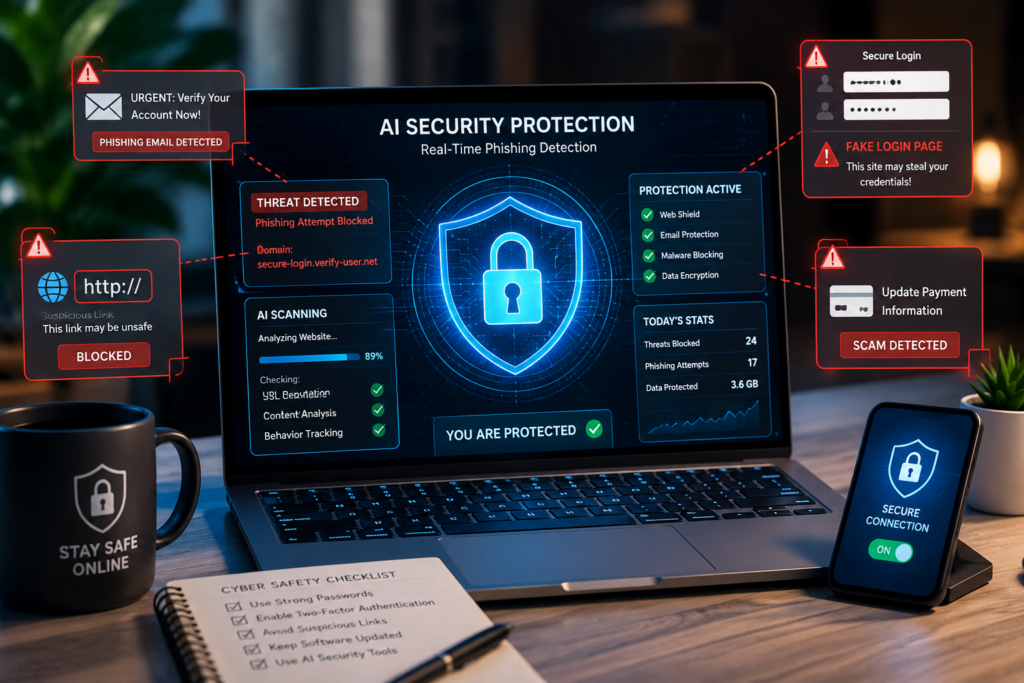
AI cybersecurity tools analyze:
- Link behavior
- Website reputation
- Login page structure
- Domain history
- Behavioral anomalies
before users interact with dangerous content.
How to Build a Complete Free Cybersecurity Setup
The smartest approach is combining multiple tools together.
Recommended Setup
Browser Protection
- Brave Browser
- u-Block Origin
- DuckDuckGo Privacy Essentials
Password Security
- Bitwarden
- NordPass Free
Secure Communication
- Signal
Privacy Protection
- Proton VPN
Threat Monitoring
- Malwarebytes
- GlassWire
Deepfake Detection
- Deep-ware Scanner
Using layers of protection dramatically reduces cybersecurity risks.
Common Cybersecurity Mistakes People Still Make
Even with powerful tools available, many users still make dangerous mistakes.
Reusing Passwords
One leaked password can compromise multiple accounts.
Ignoring Software Updates
Updates often patch critical vulnerabilities.
Clicking Emotional Scam Messages
Scammers manipulate fear, urgency, and excitement.
Trusting Viral Videos Too Quickly
Deep-fake technology is improving rapidly.
Installing Random Browser Extensions
Many extensions secretly collect data.
The Future of Free Cybersecurity Tools Beyond 2026
Cybersecurity is entering a new AI-driven era.
Future tools may include:
- Real-time deep-fake voice detection
- AI-powered scam prediction
- Behavioral identity verification
- Emotion-aware phishing detection
- Automated personal cybersecurity assistants
As AI threats evolve, defensive AI systems will evolve too.
This creates a constant digital arms race between attackers and defenders.
How AI Cybersecurity Tools Are Stopping Phishing Attacks in 2026
Phishing attacks are no longer the obvious scams people used to laugh at years ago. In the past, most phishing emails were easy to identify because they contained broken grammar, suspicious links, fake promises, and poorly designed messages. But in 2026, phishing scams have evolved into something far more dangerous.
Today’s cybercriminals are using artificial intelligence to create highly convincing attacks that look almost identical to legitimate communication from banks, social media platforms, online stores, government agencies, delivery services, and even employers. These AI-generated phishing messages are often personalized using leaked data collected from social media accounts, previous data breaches, or public online profiles.
As a result, millions of internet users are now searching for AI cybersecurity tools that can identify threats before damage occurs.
Modern AI-powered cybersecurity systems are becoming one of the strongest defenses against phishing because they can analyze behavior patterns, suspicious links, fake domains, and unusual activities in real time.
Why Phishing Attacks Are More Dangerous in 2026
The biggest reason phishing attacks have become more successful is automation.
Cybercriminals no longer need to manually create scam emails one by one. AI tools now allow attackers to generate thousands of highly personalized phishing messages within minutes.
These attacks often include:
- Real names
- Company branding
- Personalized account details
- AI-generated customer support responses
- Fake invoices
- Delivery notifications
- Banking alerts
- Job offers
- Investment opportunities
Some phishing scams even imitate conversations users previously had online, making them appear extremely believable.
This is where AI cybersecurity tools are changing the game.
Instead of relying only on traditional antivirus databases, modern cybersecurity systems now use machine learning and behavioral analysis to recognize phishing attempts instantly.
How AI Cybersecurity Tools Detect Phishing Attacks
AI-powered security systems work differently from older security software.
Traditional antivirus tools mainly searched for known malware signatures. That approach is no longer enough because modern phishing attacks constantly change their appearance.
AI cybersecurity tools analyze patterns and behaviors instead of only looking for known threats.
Here are some of the major ways these systems stop phishing attacks.
1. AI Analyzes Suspicious Email Language
One of the smartest features of modern AI cybersecurity tools is language analysis.
Artificial intelligence can scan emails and detect suspicious communication patterns such as:
- Urgent requests
- Emotional manipulation
- Fake warnings
- Unusual sentence structures
- Impersonation attempts
- Financial pressure tactics
For example, phishing emails often use fear to force quick action.
Common scam phrases include:
- “Your account will be suspended immediately”
- “Verify your identity now”
- “Unauthorized login attempt detected”
- “Payment failed”
- “Click here urgently”
AI systems can recognize these manipulative patterns even when the wording changes slightly.
This makes phishing detection much faster and more accurate.
2. AI Cybersecurity Tools Scan Dangerous Links in Real Time
Modern phishing attacks often rely on fake websites that closely resemble legitimate platforms.
Some fake login pages now look almost identical to:
- Gmail
- PayPal
- Netflix
- Amazon
- Banking websites
AI-powered anti-phishing software scans links before users even click them.
These tools analyze:
- Domain reputation
- Website behavior
- Hosting location
- SSL certificate validity
- Redirect patterns
- Website age
- Hidden scripts
If the system detects suspicious activity, it warns users immediately.
This real-time protection is extremely important because many phishing websites exist only for a few hours before disappearing.
Traditional security systems sometimes fail to catch these temporary scam pages quickly enough, but AI systems can identify suspicious behavior patterns almost instantly.
3. AI Detects Fake Websites Using Behavioral Analysis
Cybercriminals have become very skilled at copying the visual appearance of trusted websites.
Some fake pages are nearly impossible to distinguish from real ones with the human eye alone.
AI cybersecurity tools use behavioral analysis to identify differences that users may never notice.
These systems monitor:
- Login page behavior
- Form submission patterns
- Data requests
- Unusual pop-ups
- Script activity
- Browser fingerprinting attempts
For example, a fake banking website may secretly attempt to collect passwords, device information, or security codes in suspicious ways.
AI can detect these unusual patterns before the user submits sensitive information.
This layer of intelligent analysis provides protection that traditional security systems often miss.
AI-Powered Browser Protection Is Becoming Essential
Browsers are now the primary gateway for phishing attacks.
That is why many AI cybersecurity tools are now integrated directly into browsers through:
- Browser extensions
- AI security plugins
- Built-in anti-phishing systems
- Safe browsing technologies
Popular privacy-focused browsers and browser protection tools use artificial intelligence to:
- Block dangerous websites
- Warn users about suspicious downloads
- Detect tracking scripts
- Prevent malicious redirects
- Identify fake login pages
This is especially important because phishing attacks increasingly happen through social media platforms, search engines, online ads, and messaging apps.
How AI Cybersecurity Tools Protect Against Spear Phishing
One of the most dangerous forms of phishing in 2026 is spear phishing.
Unlike general phishing attacks sent to thousands of people, spear phishing specifically targets individuals or organizations using personalized information.
These attacks may include:
- The victim’s real name
- Workplace details
- Friend or family references
- Real business conversations
- Fake invoices
- AI-generated voice messages
Spear phishing attacks are extremely dangerous because they feel authentic.
AI cybersecurity systems help by monitoring communication patterns and identifying unusual requests or suspicious behavior.
For example:
- An email from a “manager” requesting urgent payment
- A fake supplier invoice
- A cloned voice message requesting money transfers
- A suspicious password reset request
AI systems can compare these activities against normal behavioral patterns and flag inconsistencies.
Why Traditional Antivirus Software Alone Is No Longer Enough
Many users still rely only on traditional antivirus programs.
While antivirus software remains important, phishing attacks in 2026 are often designed to bypass older detection methods.
Modern threats focus more on:
- Social engineering
- Identity theft
- Psychological manipulation
- Fake websites
- Account takeovers
- Credential theft
In many cases, no malware file is even downloaded.
This means traditional antivirus tools may not detect the attack at all.
AI cybersecurity tools solve this problem by focusing on behavior rather than just files.
That shift is one of the biggest changes in modern cybersecurity.
Best AI Cybersecurity Tools for Phishing Protection
Several free cybersecurity tools now include powerful AI anti-phishing protection.
Some of the most trusted options include:
| Tool | Main Protection Feature | Best For |
|---|---|---|
| Malwarebytes | AI phishing detection | Everyday users |
| Bitwarden | Safe autofill login protection | Password security |
| Brave Browser | AI safe browsing | Private browsing |
| Proton VPN | Encrypted internet traffic | Online privacy |
| DuckDuckGo Privacy Essentials | Tracker blocking | Browser protection |
These tools work best when combined together instead of relying on only one layer of protection.
Signs You May Be Targeted by a Phishing Attack
Even with AI protection, users should still recognize warning signs.
Common phishing red flags include:
- Unexpected login requests
- Urgent payment demands
- Strange email addresses
- Suspicious attachments
- Emotional pressure tactics
- Messages asking for verification codes
- Fake security alerts
- Too-good-to-be-true offers
Cybersecurity awareness remains extremely important because attackers constantly adapt.
The Future of AI Anti-Phishing Technology
AI-powered phishing attacks will likely continue growing over the next few years.
But defensive AI systems are also becoming smarter.
Future AI cybersecurity tools may soon include:
- Real-time deepfake voice detection
- AI scam call blocking
- Behavioral identity verification
- Emotion-based phishing analysis
- AI-generated scam prediction systems
- Automated digital identity monitoring
The cybersecurity industry is moving rapidly toward intelligent automated defense systems that can protect users before scams even reach them.
Thoughts on AI Cybersecurity Tools and Phishing Protection
Phishing scams are no longer simple fake emails from unknown strangers. They have evolved into sophisticated AI-powered attacks capable of deceiving even experienced internet users.
That is why AI cybersecurity tools are becoming essential for anyone who uses the internet regularly.
Whether you are browsing social media, shopping online, managing a business, or checking emails, intelligent cybersecurity protection now plays a critical role in keeping personal information safe.
The encouraging news is that many powerful anti-phishing software solutions and online privacy tools are available for free.
By combining strong password protection, browser security, encrypted communication, VPN protection, and AI-powered phishing detection, users can dramatically reduce the risk of becoming victims of modern cybercrime in 2026 and beyond.
Top Free Online Privacy Tools for Safer Browsing and Data Protection
The internet has become deeply woven into everyday life. People now work remotely, shop online, communicate through social media, stream entertainment, manage finances digitally, and store personal memories in cloud platforms. While this level of convenience has transformed modern life, it has also created serious privacy concerns that many internet users are only beginning to fully understand.
In 2026, online privacy is no longer just a concern for cybersecurity experts or technology enthusiasts. It has become a major issue for everyday users who are increasingly aware that their online activities are constantly being tracked, analyzed, collected, and sometimes exploited.
Every search, click, app download, social media interaction, and online purchase creates digital footprints. Many companies collect this information to build advertising profiles, while cybercriminals search for opportunities to exploit weak security systems and steal sensitive data.
This growing awareness is why millions of people are now searching for top free online privacy tools for safer browsing and data protection.
Fortunately, users no longer need expensive software or advanced technical skills to improve online privacy. Many trusted free cybersecurity tools now provide powerful protection against trackers, phishing attacks, data leaks, browser surveillance, and malicious online activity.
In this section, we will explore the best online privacy tools available in 2026, how they work, why they matter, and how users can combine them to create a safer and more private internet experience.
Why Online Privacy Matters More Than Ever in 2026
Many people still underestimate how much personal data is collected every single day.
Modern websites, apps, advertisers, and online services can gather information such as:
- Browsing habits
- Search history
- Device information
- IP addresses
- Location data
- Shopping behavior
- Interests and preferences
- Social media interactions
- Contact information
This data is often used for targeted advertising, but it can also become valuable to hackers, scammers, and malicious third parties.
At the same time, cybercriminals are becoming more sophisticated.
AI-powered scams, phishing attacks, fake websites, identity theft, and data breaches are now occurring at massive scale.
This combination of aggressive data collection and rising cybercrime has made online privacy tools essential for safer browsing online.
How Online Privacy Tools Protect Users
Online privacy tools work by reducing the amount of information exposed while browsing the internet.
These tools help users:
- Block trackers
- Hide IP addresses
- Encrypt internet traffic
- Prevent browser fingerprinting
- Secure passwords
- Detect phishing websites
- Block malicious scripts
- Reduce targeted advertising
- Protect personal communication
The goal is not necessarily becoming invisible online, but minimizing unnecessary exposure and improving security.
Think of privacy tools as digital shields that reduce opportunities for cybercriminals and data collectors.
Best Free Online Privacy Tools Everyone Should Use in 2026
1. Proton VPN — One of the Best Free Privacy Tools for Secure Browsing
VPNs have become one of the most popular online privacy tools in recent years.
A VPN, or Virtual Private Network, encrypts internet traffic and helps hide a user’s IP address. This makes it harder for hackers, internet service providers, advertisers, and public Wi-Fi attackers to monitor online activity.
Proton VPN remains one of the most trusted free cybersecurity tools because of its strong privacy reputation and unlimited free plan.
Why Proton VPN Is So Popular
- Strong encryption technology
- No-log privacy policy
- Unlimited free bandwidth
- Protection on public Wi-Fi
- Reduced online tracking
- Improved browsing privacy
Why This Matters in 2026
Public Wi-Fi networks in airports, hotels, cafés, and schools remain major cybersecurity risks. Attackers often target unsecured connections to intercept personal information.
VPN encryption helps reduce these risks significantly.
2. Brave Browser — A Privacy-Focused Browser Built for Modern Security
Traditional browsers collect enormous amounts of user data.
This includes browsing activity, search history, cookies, tracking identifiers, and behavioral patterns.
Brave Browser was designed specifically to prioritize privacy and reduce online tracking.
Key Privacy Features
- Built-in ad blocker
- Tracker blocking
- Fingerprinting protection
- HTTPS enforcement
- Cookie management
- AI-powered phishing protection
Unlike many traditional browsers, Brave blocks many tracking systems automatically without requiring extra extensions.
Why Users Prefer Privacy Browsers
Modern websites contain hidden scripts that monitor user behavior continuously.
Privacy-focused browsers reduce this tracking while also improving browsing speed and security.
3. uBlock Origin — One of the Most Effective Browser Privacy Extensions
Many users install ad blockers simply to remove annoying advertisements.
But ad blockers now play a much bigger role in online security.
Modern advertisements often include:
- Tracking systems
- Data collection scripts
- Malicious redirects
- Hidden malware
- Browser fingerprinting tools
uBlock Origin blocks many of these harmful scripts before they load.
Benefits of uBlock Origin
- Faster browsing
- Reduced tracking
- Improved privacy
- Lower risk of malicious ads
- Reduced browser memory usage
Why Malicious Ads Are Dangerous
Cybercriminals increasingly use advertising networks to spread malware and phishing links.
This tactic, known as “malvertising,” has become a growing cybersecurity problem.
Blocking suspicious ad scripts significantly improves online safety.
4. Bitwarden — Password Protection and Privacy in One Tool
Weak passwords remain one of the biggest cybersecurity vulnerabilities online.
Many people still:
- Reuse passwords
- Use simple passwords
- Store passwords insecurely
- Share passwords through messages
Bitwarden helps solve these problems securely.
Why Password Managers Matter
Password managers generate and store strong passwords securely using encryption.
Bitwarden also protects against phishing attacks by only autofilling credentials on trusted websites.
Important Features
- End-to-end encryption
- Cross-device syncing
- Secure password generation
- Two-factor authentication support
- Password breach alerts
Why Password Privacy Matters
Data breaches happen constantly.
When passwords leak online, hackers often test those credentials across multiple platforms.
Strong password management dramatically reduces this risk.
5. DuckDuckGo Privacy Essentials — Simpler Privacy for Everyday Users
Many privacy tools can feel intimidating to beginners.
DuckDuckGo Privacy Essentials focuses on simplicity.
The extension helps users block trackers and improve browsing privacy without technical complexity.
Features
- Tracker blocking
- Privacy scoring for websites
- Smarter encryption
- Cookie management
- Private search support
Why Simplicity Matters
Cybersecurity tools only work if people consistently use them.
Simple privacy tools encourage wider adoption.
6. Signal — Secure Messaging for Private Communication
Messaging apps contain large amounts of sensitive personal information.
Photos, financial discussions, passwords, personal conversations, and work-related communication often pass through messaging platforms daily.
Signal is widely respected because it prioritizes privacy and minimal data collection.
Key Features
- End-to-end encrypted messaging
- Secure voice and video calls
- Disappearing messages
- Screenshot protection
- Minimal metadata collection
Why Secure Messaging Is Critical
AI-powered voice cloning and impersonation scams are becoming more common.
Secure communication tools help reduce the risk of manipulated or intercepted conversations.
How Browser Fingerprinting Threatens Online Privacy
Many users know about cookies, but fewer understand browser fingerprinting.
Browser fingerprinting collects unique information about a user’s device and browser setup, including:
- Screen resolution
- Device type
- Installed fonts
- Browser version
- Operating system
- Plugins and extensions
Combined together, this data can create highly unique digital identities.
Even users who block cookies may still be tracked through fingerprinting techniques.
Privacy-focused browsers and online privacy tools help reduce this tracking.
How AI Is Changing Online Privacy Protection
Artificial intelligence is now playing a major role in privacy protection.
Modern AI cybersecurity tools can:
- Detect suspicious websites
- Analyze risky browsing behavior
- Block phishing attempts
- Monitor leaked credentials
- Identify fake login pages
- Detect malware scripts automatically
This shift is important because modern cyber threats change rapidly.
Traditional rule-based systems often struggle to keep up with constantly evolving attacks.
AI systems adapt faster.
Comparison Table: Best Free Online Privacy Tools in 2026
| Privacy Tool | Main Purpose | Best Feature | Platform |
|---|---|---|---|
| Proton VPN | Internet privacy | Unlimited free VPN | Multi-platform |
| Brave Browser | Safe browsing | Built-in privacy protection | Windows, Android, iOS |
| uBlock Origin | Tracker blocking | Lightweight script blocking | Browsers |
| Bitwarden | Password security | Secure encrypted storage | Multi-platform |
| DuckDuckGo Privacy Essentials | Browser privacy | Tracker protection | Browsers |
| Signal | Private messaging | End-to-end encryption | Mobile/Desktop |
Common Online Privacy Mistakes People Still Make
Even privacy-conscious users sometimes make dangerous mistakes.
Using Weak Passwords
Weak passwords remain one of the easiest ways hackers gain access to accounts.
Clicking Unknown Links
Phishing scams increasingly use realistic branding and AI-generated messaging.
Installing Random Browser Extensions
Some extensions secretly collect browsing data.
Oversharing on Social Media
Personal information can help attackers create convincing phishing attacks.
Ignoring Software Updates
Outdated software often contains security vulnerabilities.
How to Build a Complete Free Privacy Protection Setup
The best online privacy strategy combines multiple tools together.
Recommended Setup
Browser Security
- Brave Browser
- uBlock Origin
- DuckDuckGo Privacy Essentials
Password Protection
- Bitwarden
Private Communication
- Signal
Internet Privacy
- Proton VPN
Using layered protection greatly improves online safety.
The Future of Online Privacy in 2026 and Beyond
Privacy concerns will likely continue growing over the next several years.
Future privacy technologies may include:
- AI-powered scam prevention
- Real-time deepfake detection
- Automated tracker blocking
- Behavioral identity protection
- Decentralized digital identity systems
- Advanced anti-fingerprinting technology
As AI-generated scams become more advanced, online privacy tools will also become smarter and more automated.
Thoughts on Online Privacy Tools and Safer Browsing
The internet offers incredible convenience, but it also exposes users to growing privacy risks and cybersecurity threats.
From phishing attacks and identity theft to invasive tracking systems and AI-powered scams, the digital world is becoming increasingly complex.
The encouraging reality is that users now have access to powerful free online privacy tools that can significantly improve safety without requiring technical expertise or expensive software.
By combining trusted cybersecurity tools such as VPNs, secure browsers, password managers, encrypted messaging apps, and tracker blockers, users can dramatically reduce online exposure and browse more confidently.
In 2026, online privacy is no longer just about hiding information.
It is about protecting personal freedom, digital identity, financial security, and peace of mind in an increasingly connected world.
How to Detect and Avoid Deepfake Scams Using Free AI Security Tools
A few years ago, most internet scams relied on fake emails, suspicious text messages, or poorly designed websites. Today, cybercrime has entered a completely different era. Artificial intelligence has made it possible for scammers to create fake videos, cloned voices, manipulated livestreams, and highly realistic digital impersonations that can deceive even careful internet users.
These scams are known as deepfake scams, and they are becoming one of the fastest-growing cybersecurity threats in 2026.
What makes deepfake scams especially dangerous is how believable they look and sound. Criminals can now imitate celebrities, business executives, politicians, coworkers, customer support agents, friends, and even family members using AI-generated audio and video technology.
In many cases, victims do not realize they were deceived until money, personal information, or sensitive data has already been stolen.
This growing threat is why millions of users are now searching for ways to stop deepfake scams using free AI security tools.
Fortunately, cybersecurity companies and privacy-focused developers are building powerful AI cybersecurity tools that can help detect manipulated content, identify suspicious activity, and reduce the risk of becoming a victim.
In this section, we will explore how deepfake scams work, why they are spreading rapidly, how to recognize warning signs, and the best free tools people can use to protect themselves online.
What Are Deepfake Scams?
Deepfake scams use artificial intelligence to create fake media that appears real.
These scams typically involve:
- AI-generated videos
- Cloned voices
- Fake livestreams
- Manipulated interviews
- Synthetic audio recordings
- AI-generated social media content
Deepfake technology uses machine learning models trained on real images, videos, and voice recordings to imitate real people convincingly.
In simple terms, scammers feed AI systems with enough samples of someone’s face or voice, and the AI learns how to recreate them artificially.
The result can look shockingly realistic.
Why Deepfake Scams Are Exploding in 2026
Several factors are driving the rapid growth of deepfake scams.
AI Tools Are Becoming More Accessible
Years ago, creating realistic fake videos required advanced technical skills and expensive computing systems.
Now, many AI generation tools are cheap, easy to use, or publicly available.
This has lowered the barrier for cybercriminals.
Social Media Provides Unlimited Training Data
People upload enormous amounts of personal content online every day.
Videos, livestreams, interviews, podcasts, TikToks, Instagram reels, YouTube content, and voice recordings all provide training material for AI systems.
The more public content available, the easier it becomes to clone someone’s appearance or voice.
AI Voices Are Becoming Extremely Realistic
Modern AI voice cloning tools can imitate:
- Tone
- Emotion
- Accent
- Speech rhythm
- Pauses
- Pronunciation
Some cloned voices are now realistic enough to fool close friends or family members during phone calls.
Emotional Manipulation Makes Deepfake Scams Effective
Most deepfake scams rely on emotional pressure.
Scammers often create fake urgency by pretending to be:
- A family member in danger
- A company executive requesting money
- A celebrity promoting fake investments
- A customer support agent requesting verification
- A friend asking for financial help
Emotional reactions often override logical thinking.
Common Types of Deepfake Scams in 2026
Deepfake scams are evolving rapidly, but several patterns have become especially common.
1. Celebrity Investment Deepfake Scams
One of the most widespread scams involves fake videos of celebrities promoting cryptocurrency platforms, investment opportunities, or financial giveaways.
Scammers use AI-generated videos to make it appear as though public figures are encouraging viewers to invest money.
These scams often spread through:
- YouTube ads
- TikTok videos
- Facebook posts
- Fake livestreams
- Sponsored advertisements
The videos may look convincing, but the investment platforms are fraudulent.
2. AI Voice Cloning Family Emergency Scams
This scam is becoming increasingly alarming.
A victim receives a phone call from someone who sounds exactly like a loved one.
The cloned voice may claim:
- They were arrested
- They were kidnapped
- They had an accident
- They urgently need money
Because the voice sounds authentic, victims often panic and send money quickly.
AI voice cloning now requires only a short audio sample to generate realistic speech patterns.
3. Deepfake Business Email and Executive Fraud
Businesses are also major targets.
Scammers create AI-generated voice calls or fake video meetings impersonating executives or managers.
Employees may receive instructions to:
- Transfer funds
- Share passwords
- Approve payments
- Send sensitive files
These attacks combine social engineering with AI impersonation.
4. Fake Customer Support Scams
Some cybercriminals use AI-generated support videos or voice systems pretending to represent:
- Banks
- Tech companies
- Payment platforms
- Telecom providers
Victims may be asked to share:
- Login credentials
- Verification codes
- Banking details
- Remote computer access
These scams can appear highly professional.
Warning Signs of Deepfake Scams
Although deepfake technology is improving rapidly, there are still signs users can watch for.
Unusual Facial Movements
Some fake videos show:
- Unnatural blinking
- Lip-sync mismatches
- Distorted facial expressions
- Blurred edges around faces
Strange Voice Behavior
AI-generated voices may sound slightly robotic or emotionally inconsistent.
Pay attention to:
- Odd pauses
- Repeated phrases
- Unnatural tone changes
- Unusual breathing patterns
Urgent Financial Requests
Many scams rely on panic.
Be cautious if someone suddenly demands:
- Immediate payment
- Gift cards
- Cryptocurrency transfers
- Banking details
Especially if they pressure secrecy.
Suspicious Video Quality
Deepfake videos often hide flaws using:
- Low resolution
- Compression artifacts
- Fast motion
- Poor lighting
Lower quality can mask AI imperfections.
How Free AI Security Tools Help Detect Deepfake Scams
Modern AI cybersecurity tools are now using machine learning to fight AI-generated fraud.
Instead of only relying on human judgment, these systems analyze digital patterns that may indicate manipulation.
AI Video Analysis Tools
Some tools examine videos for:
- Facial inconsistencies
- Synthetic image patterns
- Pixel irregularities
- Lip-sync mismatches
- AI rendering artifacts
These systems can often detect subtle manipulation invisible to the human eye.
AI Voice Detection Systems
Voice analysis tools evaluate:
- Audio waveform abnormalities
- Speech consistency
- AI-generated sound signatures
- Synthetic voice patterns
These tools are becoming increasingly important as voice scams grow.
Browser Security Tools
Some AI cybersecurity tools monitor:
- Scam websites
- Fake livestream pages
- Suspicious advertisements
- Malicious redirects
This reduces exposure to deepfake scams before users even engage with the content.
Best Free AI Security Tools for Deepfake Scam Protection
Several free cybersecurity tools now help users reduce the risk of AI-powered scams.
| Tool | Main Purpose | Best Feature |
|---|---|---|
| Deepware Scanner | Deepfake detection | AI video analysis |
| Malwarebytes | Scam protection | AI phishing detection |
| Brave Browser | Safer browsing | Tracker and scam blocking |
| Bitwarden | Credential protection | Safe login autofill |
| Proton VPN | Online privacy | Encrypted browsing |
These tools work best when combined together.
How Social Media Increases Deepfake Risks
Many people unknowingly make themselves easier targets.
Publicly sharing large amounts of video and voice content gives scammers more training material.
This includes:
- TikTok videos
- Podcasts
- Instagram reels
- YouTube content
- Public livestreams
The more audio and visual content available, the easier it becomes for AI systems to imitate someone convincingly.
Practical Ways to Protect Yourself from Deepfake Scams
Technology helps, but awareness remains critical.
Verify Before Acting
If someone requests money urgently:
- Call them directly
- Use another communication method
- Ask personal verification questions
Limit Public Voice Content
Reducing publicly available voice recordings can lower cloning risks.
Use Strong Online Privacy Settings
Restrict unnecessary public access to personal information.
Avoid Emotional Decision-Making
Scammers rely heavily on panic and urgency.
Take time to verify situations calmly.
Use Multi-Layered Cybersecurity Protection
Combining multiple AI cybersecurity tools creates stronger protection.
Why Deepfake Scams Will Continue Growing
Deepfake technology is still improving rapidly.
Future scams may become even harder to detect as AI systems gain:
- Better facial realism
- Improved emotional speech
- Real-time video generation
- Interactive AI conversations
This means cybersecurity awareness will become increasingly important for everyday internet users.
The Future of AI Cybersecurity Against Deepfake Threats
Cybersecurity companies are now investing heavily in AI-powered defense systems.
Future protection technologies may include:
- Real-time deepfake detection during video calls
- AI voice authentication systems
- Identity verification algorithms
- Digital authenticity watermarks
- Automated scam prediction systems
The battle between AI-generated scams and AI cybersecurity tools is only beginning.
Thoughts on Detecting and Avoiding Deepfake Scams
Deepfake scams represent one of the most alarming cybersecurity challenges of the AI era.
What once seemed like science fiction is now becoming part of everyday online life. Criminals can imitate voices, create fake videos, manipulate livestreams, and exploit emotional trust in ways that are increasingly difficult to detect manually.
But while the threat is growing, users are not powerless.
Free AI cybersecurity tools, browser protection systems, online privacy tools, and scam detection software now provide valuable protection against many modern threats.
The most important defense remains a combination of technology, awareness, skepticism, and cautious decision-making.
In 2026, online safety is no longer just about avoiding viruses.
It is about learning how to navigate a digital world where seeing and hearing something online no longer automatically means it is real.
Best Anti-Phishing Software and Browser Security Extensions Everyone Should Install
Cybersecurity threats are evolving faster than ever, and phishing attacks remain one of the most dangerous online risks in 2026. What makes phishing especially dangerous is that it targets human behavior rather than just software vulnerabilities. A single click on a fake login page, malicious email, or deceptive advertisement can expose passwords, banking information, business accounts, personal photos, or even entire digital identities.
The alarming part is that phishing scams no longer look obviously fake.
Modern cybercriminals now use artificial intelligence to create realistic scam emails, cloned websites, fake customer support chats, malicious browser pop-ups, and highly personalized messages that can fool even experienced internet users.
This growing threat explains why millions of people are searching for the best anti-phishing software and browser security extensions everyone should install.
Fortunately, modern AI cybersecurity tools are becoming smarter as well. Today’s anti-phishing systems can detect suspicious websites, analyze dangerous links, monitor fake login pages, block malicious scripts, and warn users before they interact with harmful content.
In this section, we will explore how anti-phishing software works, why browser protection has become essential, the best free tools available in 2026, and how users can build a layered defense against online scams.
Why Phishing Attacks Are Still So Effective in 2026
Despite years of cybersecurity awareness campaigns, phishing remains one of the most successful cybercrime tactics in the world.
Why?
Because phishing attacks exploit human emotions.
Most scams rely on:
- Fear
- Urgency
- Curiosity
- Excitement
- Financial pressure
- Trust
Cybercriminals understand that people are more likely to make mistakes when they panic or act quickly.
Modern phishing attacks often imitate:
- Banks
- Government agencies
- Delivery companies
- Streaming platforms
- Employers
- Social media platforms
- Customer support teams
Some attacks now even include AI-generated conversations that sound completely natural.
This is why anti-phishing software has become one of the most important cybersecurity tools for everyday internet users.
What Is Anti-Phishing Software?
Anti-phishing software is designed to detect and block phishing attempts before users become victims.
These tools protect against:
- Fake websites
- Malicious links
- Scam emails
- Credential theft
- Browser hijacking
- Fake login pages
- Malware downloads
- AI-generated scam pages
Unlike traditional antivirus software, anti-phishing systems focus heavily on web activity and online behavior.
Modern AI cybersecurity tools use machine learning to identify suspicious patterns in real time.
Why Browser Security Extensions Are More Important Than Ever
Most phishing attacks now happen inside browsers.
Users encounter scams through:
- Search engines
- Social media platforms
- Ads
- Email links
- Messaging apps
- Fake download pages
- Malicious browser notifications
That means browsers have become one of the most critical cybersecurity battlegrounds.
Browser security extensions add an extra layer of protection by monitoring websites, scripts, trackers, and suspicious activity before harmful content fully loads.
This proactive protection is extremely valuable because many phishing scams exist only temporarily before disappearing.
How AI Cybersecurity Tools Detect Phishing Websites
Modern anti-phishing software no longer relies only on blacklists of known dangerous websites.
Cybercriminals constantly create new fake pages, making static databases insufficient.
AI-powered cybersecurity systems analyze behavioral patterns such as:
- Suspicious domain names
- Fake login structures
- Unusual redirects
- Hidden scripts
- Website age
- Hosting behavior
- Phishing language patterns
- Abnormal form requests
AI systems can identify phishing risks even when a scam website has never been reported before.
This real-time analysis dramatically improves online safety.
Best Anti-Phishing Software Everyone Should Use in 2026
Several free cybersecurity tools now provide excellent anti-phishing protection.
1. Malwarebytes — AI-Powered Anti-Phishing Protection
Malwarebytes has evolved beyond traditional antivirus protection.
It now includes intelligent web protection systems capable of detecting:
- Scam websites
- Dangerous downloads
- Fake login pages
- Browser hijacking attempts
- Malicious scripts
Why Malwarebytes Stands Out
- Real-time AI threat detection
- Simple interface
- Strong browser protection
- Ransomware monitoring
- Phishing detection
Best For
- Everyday internet users
- Students
- Remote workers
- Small businesses
One reason Malwarebytes remains popular is its balance between strong protection and user-friendly design.
2. Bitwarden — Password Protection Against Phishing
Many people think password managers only store passwords.
But modern password managers also help prevent phishing attacks.
Bitwarden protects users by only autofilling login credentials on legitimate websites.
If users accidentally visit a fake login page, Bitwarden often refuses to autofill passwords.
Why This Matters
Fake websites may visually look identical to real ones, but the underlying domain differs slightly.
This small difference is enough for Bitwarden to detect suspicious pages.
Important Features
- End-to-end encryption
- Password generation
- Secure autofill
- Breach monitoring
- Two-factor authentication support
3. Brave Browser — Built-In Browser Security and Privacy Protection
Brave Browser includes multiple built-in protections designed to improve privacy and block online threats.
Security Features
- AI phishing detection
- Tracker blocking
- HTTPS enforcement
- Ad blocking
- Fingerprinting protection
- Script blocking
Why Brave Is Effective
Many phishing attacks rely on malicious ads and tracking systems.
Blocking these elements reduces exposure to dangerous websites.
Brave also improves browsing speed by reducing unnecessary scripts.
4. uBlock Origin — Lightweight but Powerful Browser Protection
uBlock Origin is widely respected because it blocks many harmful elements before they fully load.
What It Blocks
- Malicious advertisements
- Tracking scripts
- Suspicious pop-ups
- Redirects
- Cryptocurrency mining scripts
Why This Matters
Malicious advertisements, also called malvertising, are becoming increasingly common.
Attackers sometimes place dangerous ads even on legitimate websites.
Blocking these scripts reduces phishing exposure significantly.
5. DuckDuckGo Privacy Essentials — Simpler Protection for Everyday Users
Some cybersecurity tools overwhelm beginners with technical settings.
DuckDuckGo Privacy Essentials focuses on simplicity.
Features
- Tracker blocking
- Privacy grading
- Encryption support
- Safer browsing
Why Simplicity Helps
People are more likely to use security tools consistently when they are easy to understand.
Simple browser protection remains one of the most effective cybersecurity strategies.
Comparison Table: Best Anti-Phishing Software and Browser Security Extensions
| Tool | Main Purpose | Best Feature | Platform |
|---|---|---|---|
| Malwarebytes | Anti-phishing protection | AI threat detection | Windows, Mac |
| Bitwarden | Password security | Safe autofill protection | Multi-platform |
| Brave Browser | Secure browsing | Built-in privacy tools | All devices |
| uBlock Origin | Browser protection | Lightweight script blocking | Browsers |
| DuckDuckGo Privacy Essentials | Privacy browsing | Tracker blocking | Browsers |
How Browser Extensions Improve Online Privacy
Browser extensions are no longer just optional add-ons.
They now play a major role in:
- Blocking trackers
- Preventing phishing attacks
- Reducing browser fingerprinting
- Blocking suspicious scripts
- Preventing malicious redirects
- Protecting passwords
This matters because many websites collect far more information than users realize.
Some websites track:
- Browsing behavior
- Device information
- Search patterns
- Mouse movement
- Click behavior
Privacy-focused browser tools reduce this exposure.
Common Signs of a Phishing Website
Even with strong anti-phishing software, users should still recognize warning signs.
Misspelled Domain Names
Scammers often create domains that closely imitate legitimate websites.
Example:
- paypaI.com instead of paypal.com
Urgent Security Warnings
Fake pages often pressure users into immediate action.
Suspicious Pop-Ups
Unexpected verification requests or aggressive notifications can indicate scams.
Poor Website Behavior
Some fake pages contain broken layouts, unusual redirects, or malfunctioning buttons.
Requests for Sensitive Information
Legitimate companies rarely request passwords or verification codes unexpectedly.
Why Multi-Layered Cybersecurity Protection Matters
No single cybersecurity tool can stop every threat.
The best defense combines multiple layers.
Recommended Setup
Browser Security
- Brave Browser
- uBlock Origin
- DuckDuckGo Privacy Essentials
Password Protection
- Bitwarden
Anti-Phishing Detection
- Malwarebytes
Online Privacy
- Proton VPN
Layered protection greatly reduces the chances of successful attacks.
How AI Is Transforming Anti-Phishing Technology
Artificial intelligence is changing cybersecurity rapidly.
Modern AI cybersecurity tools can now:
- Analyze suspicious websites instantly
- Detect behavioral anomalies
- Predict phishing risks
- Identify malicious scripts automatically
- Monitor leaked credentials
- Detect fake customer support pages
AI systems improve continuously because they learn from new attack patterns.
This makes them more adaptive than traditional rule-based protection systems.
The Future of Browser Security in 2026 and Beyond
Future browser protection technologies may include:
- Real-time deepfake scam detection
- AI-generated scam prediction
- Voice phishing detection
- Behavioral identity verification
- Automated fraud prevention systems
Browsers are evolving into intelligent security platforms rather than simple internet navigation tools.
Thoughts on Anti-Phishing Software and Browser Security Extensions
Phishing scams are becoming more advanced, more personalized, and more difficult to recognize manually.
What once looked like obvious spam has evolved into sophisticated AI-generated attacks capable of imitating legitimate websites, trusted brands, and even real people.
That is why anti-phishing software and browser security extensions are no longer optional tools for tech enthusiasts. They are becoming essential digital safety tools for anyone who uses the internet regularly.
The encouraging news is that many powerful free cybersecurity tools are available today that provide strong protection without requiring advanced technical knowledge.
By combining browser security extensions, password managers, anti-phishing software, VPN protection, and privacy-focused browsing tools, users can dramatically reduce their exposure to phishing attacks and online fraud.
In 2026, staying safe online is no longer just about avoiding viruses.
It is about building intelligent digital habits and using modern AI cybersecurity tools that can keep up with the rapidly evolving threat landscape.
Final Thoughts: Why Online Privacy and Cybersecurity Matter More Than Ever
The internet has become incredibly convenient, but also increasingly dangerous.
Cybersecurity is no longer optional.
Whether you are:
- A student
- Freelancer
- Remote worker
- Parent
- Gamer
- Small business owner
- Content creator
your personal data has value.
And criminals know it.
The encouraging reality is that powerful free cybersecurity tools are now accessible to almost everyone. You no longer need advanced technical knowledge or expensive enterprise software to improve your online safety significantly.
By combining trusted AI cybersecurity tools, online privacy tools, and anti-phishing software, you can dramatically reduce the risk of phishing attacks, deep-fake scams, identity theft, and online tracking.
The smartest users in 2026 are not necessarily the most technical.
They are simply the most prepared.