Category: Cybersecurity & Online Privacy

  • AI Cyber Attacks: 10 Shocking Secrets to Safely Prevent Data Breaches in 2026 and Beyond

    AI Cyber Attacks: 10 Shocking Secrets to Safely Prevent Data Breaches in 2026 and Beyond

    AI Cyber Attacks Are Changing the Game

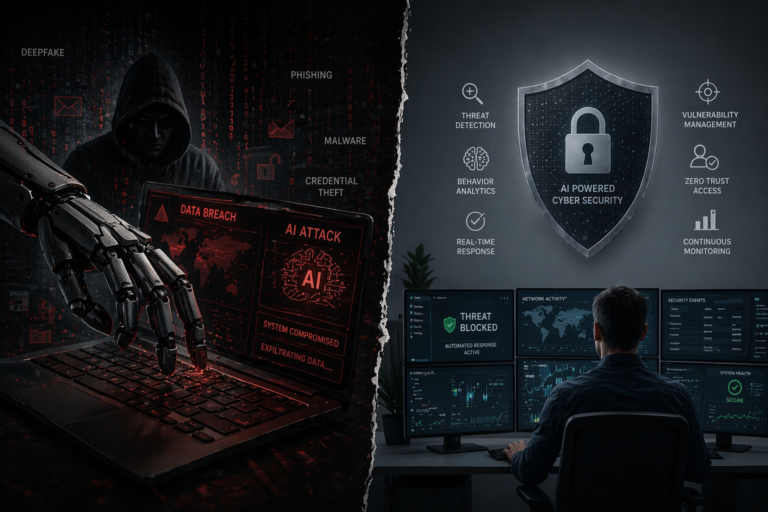
    There’s no denying it—AI cyber attacks are no longer a futuristic concept. They are happening right now, and they’re evolving faster than most people can keep up with. In 2026, hackers are no longer just skilled individuals typing away in dark rooms. They are leveraging powerful AI hacking tools to automate attacks, analyze vulnerabilities, and exploit systems at a scale we’ve never seen before.

    What makes this shift particularly alarming is how accessible these tools have become. Tasks that once required deep technical expertise can now be executed with minimal effort, thanks to artificial intelligence. From phishing emails that sound eerily human to malware that adapts in real time, the landscape of cybersecurity threats 2026 is more complex than ever.

    But here’s the good news: understanding how these attacks work gives you the upper hand. This guide will walk you through 10 shocking secrets behind modern AI-driven cybercrime and, more importantly, how you can stay safe.

    Understanding AI Cyber Attacks in 2026

    What Are AI Cyber Attacks?

    At their core, AI cyber attacks are malicious activities powered or enhanced by artificial intelligence. These attacks use machine learning algorithms to:

    • Analyze massive datasets quickly
    • Identify system vulnerabilities
    • Automate attack execution
    • Adapt strategies in real time

    Unlike traditional attacks, AI-driven threats are smarter, faster, and more scalable.

    How Hackers Use AI to Steal Data in 2026

    Understanding how hackers use AI to steal data in 2026 is crucial for effective data breach prevention. Here are some of the most common tactics:

    • AI-generated phishing emails that mimic real communication styles
    • Deepfake technology to impersonate executives or trusted contacts
    • Automated vulnerability scanning tools
    • AI-powered password cracking systems
    • Behavioral analysis to bypass security systems

    A helpful breakdown of modern cybersecurity risks can be found at
    https://www.ibm.com/topics/cybersecurity

    Table: Traditional vs AI-Powered Cyber Attacks

    Feature Traditional Cyber Attacks AI Cyber Attacks
    Speed Slow, manual execution Extremely fast and automated
    Accuracy Limited targeting Highly precise targeting
    Adaptability Static methods Self-learning and adaptive
    Scale Limited reach Massive, global scale
    Detection Easier to detect Harder due to sophistication

    AI Cyber Attacks: 10 Shocking Secrets You Must Know

    1. AI Cyber Attacks Can Learn From Your Behavior

    Modern AI systems analyze user behavior patterns such as login times, typing speed, and browsing habits. Hackers use this data to mimic legitimate users.

    Prevention Tips

    • Use multi-factor authentication (MFA)
    • Monitor unusual login behavior
    • Avoid predictable routines online

    2. AI Hacking Tools Make Attacks Fully Automated

    One of the biggest cybersecurity threats 2026 is automation. Hackers can launch thousands of attacks simultaneously using AI.

    Prevention Tips

    • Invest in AI-based security tools
    • Regularly update systems
    • Conduct automated security scans

    3. AI-Powered Phishing Is Almost Impossible to Detect

    Gone are the days of poorly written scam emails. AI now generates perfectly crafted messages tailored to individuals.

    Prevention Tips

    • Double-check email sources
    • Avoid clicking unknown links
    • Use advanced spam filters

    4. Deepfake Technology Is Fueling Data Breaches

    Hackers use AI-generated voices and videos to trick employees into revealing sensitive data.

    Prevention Tips

    • Verify requests through multiple channels
    • Train employees on deepfake risks
    • Implement strict verification protocols

    5. AI Can Crack Passwords Faster Than Ever

    AI-powered systems can test billions of password combinations in seconds.

    Prevention Tips

    • Use strong, unique passwords
    • Enable password managers
    • Implement biometric authentication

    6. AI Malware Evolves in Real Time

    Unlike traditional malware, AI-driven malware adapts to security measures.

    Prevention Tips

    • Use real-time threat detection tools
    • Keep antivirus updated
    • Monitor system anomalies

    7. AI Exploits Human Psychology

    AI doesn’t just target systems—it targets people. It analyzes emotional triggers to craft convincing scams.

    Prevention Tips

    • Stay skeptical of urgent requests
    • Avoid emotional decision-making online
    • Educate teams on social engineering

    8. Businesses Are Prime Targets in 2026

    The latest AI cybersecurity threats businesses must prepare for in 2026 include targeted attacks on corporate systems.

    Prevention Tips

    • Implement zero-trust security models
    • Conduct regular audits
    • Train employees continuously

    For deeper insights into enterprise-level protection strategies:
    https://www.cisa.gov/cybersecurity

    9. AI Cyber Attacks Are Harder to Detect

    AI can disguise attacks to look like normal activity, making detection extremely difficult.

    Prevention Tips

    • Use AI-driven threat detection
    • Monitor network traffic closely
    • Analyze behavioral patterns

    10. Prevention Requires AI Too

    The only way to fight AI is with AI. Modern security systems use machine learning to detect and stop threats.

    How to Protect Against Automated Data Breaches Using AI Security Tools

    • Deploy AI-based intrusion detection systems
    • Use predictive analytics
    • Automate response strategies

    AI-Powered Cyber Attacks Examples and Prevention Tips

    Here are real-world-style scenarios:

    Example 1: AI Phishing Attack

    A fake email from your “bank” asks you to verify your account.

    Solution: Always verify through official channels.

    Example 2: Deepfake CEO Fraud

    An employee receives a video call from a “CEO” requesting urgent payment.

    Solution: Confirm requests via internal communication systems.

    Example 3: Automated Data Breach

    AI scans a company’s system and finds weak endpoints.

    Solution: Conduct regular penetration testing.

    How to Protect Against AI Cyber Attacks in 2026 and Beyond

    Essential Strategies for Data Breach Prevention

    • Adopt Zero Trust Architecture
    • Use AI-powered cybersecurity tools
    • Train employees regularly
    • Encrypt sensitive data
    • Monitor systems 24/7

    Key Tools to Consider

    • AI threat detection software
    • Endpoint security platforms
    • Cloud security solutions
    • Identity and access management systems

     How Hackers Use AI to Steal Data in 2026

    If you think cybercrime is still about lone hackers manually breaking into systems, 2026 tells a very different story. Today’s AI cyber attacks are powered by intelligent systems that can think, learn, and adapt—often faster than the defenses designed to stop them. Understanding how hackers use AI to steal data in 2026 is no longer optional; it’s the foundation of effective data breach prevention.

    Let’s walk through what’s really happening behind the scenes—and why it matters to you.

    The Shift From Manual Hacking to Intelligent Automation

    In the past, launching a cyberattack required time, skill, and persistence. Hackers had to manually scan systems, write code, and test vulnerabilities. Now, AI hacking tools have changed everything.

    With AI, attackers can:

    • Scan thousands of systems in minutes
    • Identify weak points automatically
    • Launch attacks without human intervention
    • Continuously improve their methods based on success rates

    This shift means attacks are not just faster—they’re smarter and more precise.

    How AI Identifies and Exploits Vulnerabilities

    One of the most dangerous aspects of AI cyber attacks is how efficiently AI can discover vulnerabilities.

    Instead of guessing, AI systems:

    • Analyze massive datasets of previous breaches
    • Learn common patterns in weak security systems
    • Predict where new vulnerabilities are likely to exist

    For example, an AI system can scan a company’s network and instantly detect:

    • Outdated software
    • Weak authentication protocols
    • Misconfigured cloud settings

    Once a vulnerability is found, the AI doesn’t wait—it exploits it immediately. This is why cybersecurity threats 2026 are so difficult to manage.

    AI-Powered Phishing: Smarter, More Personal Attacks

    Phishing has evolved dramatically. In 2026, it’s no longer about generic “You’ve won a prize” emails.

    AI now enables:

    • Personalized messages based on social media data
    • Perfect grammar and natural tone
    • Context-aware conversations that feel real

    Imagine receiving an email that references your recent online activity or even mimics your boss’s writing style. That’s the reality of AI-powered cyber attacks examples and prevention tips in action.

    These attacks are effective because they:

    • Build trust quickly
    • Avoid suspicion
    • Trigger emotional responses

    And once a victim clicks a link or shares credentials, the data breach begins.

    Deepfake Technology: When Seeing Is No Longer Believing

    Another alarming way hackers use AI is through deepfake technology. This goes beyond text—AI can now replicate voices and faces with shocking accuracy.

    Hackers use deepfakes to:

    • Impersonate executives during video calls
    • Send fake voice messages requesting sensitive data
    • Trick employees into approving transactions

    This tactic is especially dangerous for businesses, making it one of the latest AI cybersecurity threats businesses must prepare for in 2026.

    AI in Password Cracking and Credential Theft

    Passwords are still a primary line of defense—but AI is making them easier to break.

    Modern AI hacking tools can:

    • Analyze leaked password databases
    • Predict password patterns
    • Test millions (or billions) of combinations instantly

    This means weak or reused passwords are almost guaranteed to be compromised.

    Even more concerning, AI can:

    • Monitor login behavior
    • Mimic user patterns
    • Bypass detection systems

    This is why traditional password security alone is no longer enough for data breach prevention.

    Automated Malware That Learns and Adapts

    Malware has also evolved. In 2026, it’s no longer static—it’s intelligent.

    AI-driven malware can:

    • Change its code to avoid detection
    • Learn from failed attacks
    • Adjust strategies in real time

    For example:

    • If antivirus software blocks one method, the malware tries another
    • If a system detects unusual behavior, the malware slows down to remain hidden

    This adaptability makes AI cyber attacks incredibly difficult to stop once they begin.Social Engineering Meets Artificial Intelligence

    One of the most underestimated threats is how AI enhances social engineering.

    Hackers now use AI to:

    • Analyze personality traits from online activity
    • Identify emotional triggers
    • Craft messages that manipulate behavior

    For instance:

    • Urgent messages that create panic
    • Friendly tones that build trust
    • Authority-based requests that demand compliance

    These tactics exploit human psychology, making them highly effective and a key part of how hackers use AI to steal data in 2026.

    The Role of Data in Fueling AI Attacks

    AI thrives on data—and ironically, the more data available online, the more powerful these attacks become.

    Hackers collect data from:

    • Social media profiles
    • Public databases
    • Previous data breaches

    This information helps AI systems:

    • Build detailed profiles of targets
    • Customize attacks
    • Increase success rates dramatically

    In essence, your digital footprint becomes a roadmap for attackers.

    Why AI Cyber Attacks Are So Hard to Detect

    Traditional security systems rely on recognizing known threats. But AI changes the rules.

    AI attacks:

    • Don’t follow predictable patterns
    • Continuously evolve
    • Blend in with normal activity

    This makes them:

    • Harder to identify
    • Faster to execute
    • More damaging overall

    It’s a major reason why cybersecurity threats 2026 are considered more dangerous than ever before.

    Key Takeaways: Staying One Step Ahead

    Understanding how hackers use AI to steal data in 2026 gives you a powerful advantage. While the technology behind these attacks is complex, the core idea is simple: automation + intelligence = scale and precision.

    To protect yourself, remember:

    • AI-driven attacks are fast—so your response must be faster
    • Human error is still the biggest vulnerability
    • Proactive security is far more effective than reactive fixes

    The rise of AI cyber attacks marks a turning point in cybersecurity. Hackers are no longer just exploiting systems—they’re leveraging intelligence to outsmart them.

    But awareness changes everything.

    By understanding these tactics, you’re not just another target—you’re someone who sees the threat coming and knows how to respond. And in a world driven by AI, that awareness is your strongest defense.

    AI Cyber Attacks and the Latest Cybersecurity Threats 2026 You Must Know

    If subtopic one revealed how attacks happen, this section focuses on what’s coming next. The reality is simple: AI cyber attacks are evolving so quickly that what worked last year may already be outdated today. The cybersecurity threats 2026 landscape is defined by speed, automation, and a level of sophistication that often blurs the line between human and machine behavior.

    To stay protected, you need a clear understanding of the latest AI cybersecurity threats businesses must prepare for in 2026—not just in theory, but in real-world application.

    Why Cybersecurity Threats in 2026 Are Different

    Traditional cyber threats were reactive. Hackers would try something, wait for results, then adjust. In 2026, AI has flipped that model entirely.

    Today’s threats are:

    • Predictive – AI anticipates vulnerabilities before they are exploited
    • Adaptive – Attacks evolve mid-execution
    • Scalable – One system can target thousands of victims simultaneously
    • Personalized – Each attack is tailored to its target

    This transformation is largely driven by the widespread availability of AI hacking tools, which allow even low-skilled attackers to execute highly advanced operations.

    1. AI-Driven Phishing Campaigns Are More Convincing Than Ever

    Phishing remains one of the most effective attack methods—but AI has made it significantly more dangerous.

    Instead of generic emails, attackers now use AI to:

    • Study your communication patterns
    • Mimic writing styles of trusted contacts
    • Reference real events from your digital life

    These messages feel authentic because they are built from real data. This makes them a major contributor to data breach prevention challenges.

    What makes this threat unique in 2026:

    • Near-perfect language and tone
    • Real-time conversation capabilities (chat-based phishing)
    • Multi-channel attacks (email, SMS, social media)

    2. Deepfake Identity Attacks Are Becoming Mainstream

    One of the most alarming cybersecurity threats 2026 is the rise of deepfake-based fraud.

    AI can now generate:

    • Realistic voice clones
    • Video impersonations
    • Synthetic identities

    Imagine receiving a voice note from your CEO asking for urgent access to sensitive data—it sounds exactly like them. This is no longer hypothetical.

    For businesses, this represents one of the latest AI cybersecurity threats businesses must prepare for in 2026, especially in finance, HR, and executive communications.

    3. AI-Powered Malware That Thinks for Itself

    Malware used to be static—once detected, it could be removed. Not anymore.

    AI-driven malware now:

    • Learns from failed attempts
    • Changes its code to avoid detection
    • Adjusts behavior based on the environment

    This creates a moving target for cybersecurity systems, making AI cyber attacks far more persistent and damaging.

    4. Automated Vulnerability Exploitation at Scale

    One of the biggest shifts in 2026 is how quickly vulnerabilities are exploited.

    Using AI hacking tools, attackers can:

    • Scan millions of systems globally
    • Identify weaknesses instantly
    • Launch coordinated attacks within minutes

    This reduces the window for response, making data breach prevention more urgent than ever.

    5. AI-Enhanced Social Engineering Attacks

    Social engineering has always relied on human psychology—but AI has refined it into a science.

    Attackers now use AI to:

    • Analyze personality traits
    • Identify emotional triggers
    • Craft highly persuasive messages

    For example:

    • Urgent financial requests during stressful times
    • Friendly messages that build trust over time
    • Authority-based instructions that feel legitimate

    These tactics are subtle, effective, and increasingly common in AI cyber attacks.

    6. Cloud Security Exploits Are Rising Rapidly

    As more businesses move to the cloud, attackers are following closely behind.

    AI systems can:

    • Detect misconfigured cloud settings
    • Identify weak access controls
    • Exploit vulnerabilities across multiple platforms

    This makes cloud environments a key focus in the latest AI cybersecurity threats businesses must prepare for in 2026.

    7. AI-Powered Credential Stuffing and Account Takeovers

    Credential theft is still one of the easiest ways into a system—but AI has made it faster and more efficient.

    Attackers use AI to:

    • Analyze leaked credentials
    • Predict password variations
    • Automate login attempts across platforms

    This results in:

    • Higher success rates
    • Faster account takeovers
    • Increased financial and data loss

    8. Data Poisoning Attacks on AI Systems

    Here’s a lesser-known but critical threat: attackers are now targeting AI itself.

    Data poisoning involves:

    • Feeding incorrect data into AI systems
    • Manipulating outcomes
    • Causing systems to make flawed decisions

    For businesses relying on AI, this can lead to:

    • Incorrect analytics
    • Security blind spots
    • Compromised decision-making

    9. AI-Driven Ransomware Evolution

    Ransomware is not new—but AI has made it smarter.

    Modern ransomware can:

    • Identify the most valuable data to encrypt
    • Adjust ransom demands based on the victim
    • Avoid detection until maximum damage is done

    This makes it one of the most financially damaging cybersecurity threats 2026.

    10. The Rise of Autonomous Cyber Attacks

    Perhaps the most concerning trend is the emergence of fully autonomous attacks.

    These systems can:

    • Plan attacks
    • Execute them
    • Adjust strategies without human input

    This level of independence represents a new era of AI cyber attacks, where threats operate continuously and intelligently.

    Why Businesses Must Pay Attention Now

    The latest AI cybersecurity threats businesses must prepare for in 2026 are not just technical challenges—they are strategic risks.

    A single breach can lead to:

    • Financial loss
    • Reputation damage
    • Legal consequences
    • Loss of customer trust

    And because AI attacks scale so easily, even small businesses are now prime targets.

    Key Takeaways: Navigating Cybersecurity Threats 2026

    To stay ahead of these evolving threats:

    • Adopt AI-powered security solutions to match the sophistication of attackers
    • Train employees regularly to recognize modern attack patterns
    • Implement strong access controls across all systems
    • Continuously monitor and update security protocols

    The landscape of AI cyber attacks in 2026 is both complex and rapidly evolving. What makes these threats particularly dangerous is not just their technical capability, but their ability to blend seamlessly into everyday digital interactions.

    But there’s a silver lining—awareness is a powerful defense.

    By understanding the cybersecurity threats 2026 brings, you’re not just reacting to risks—you’re preparing for them. And in a world where AI is shaping both attacks and defenses, that preparation makes all the difference.

    AI Cyber Attacks: AI-Powered Cyber Attacks Examples and Prevention Tips

    Understanding theory is helpful—but seeing how AI cyber attacks play out in real-world situations is what truly sharpens your awareness. In 2026, these attacks are no longer abstract concepts; they are happening daily, affecting individuals, startups, and global enterprises alike.

    In this section, we’ll walk through AI-powered cyber attacks examples and prevention tips, breaking each scenario down in a way that feels relatable and practical. The goal is simple: help you recognize these threats early and respond effectively.

    Example 1: AI-Generated Phishing That Feels Personal

    What Happens

    You receive an email that appears to be from your bank. It addresses you by name, references a recent transaction, and asks you to confirm your account details. Everything looks legitimate—logo, tone, even the timing.

    Behind the scenes, AI has:

    • Scraped your data from previous leaks or social platforms
    • Analyzed your transaction habits
    • Crafted a message tailored specifically to you

    This is one of the most common ways how hackers use AI to steal data in 2026.

    Why It Works

    • The message feels familiar and urgent
    • It uses accurate personal details
    • It mimics trusted communication patterns

    Prevention Tips

    • Never click links directly from emails—visit official websites instead
    • Enable multi-factor authentication (MFA)
    • Use spam filters powered by AI for better data breach prevention

    Example 2: Deepfake Voice Scam Targeting Employees

    What Happens

    An employee receives a voice message from what sounds like their CEO requesting urgent access to confidential data or approval for a payment.

    The voice is convincing because AI has:

    • Cloned speech patterns from public recordings
    • Recreated tone, pitch, and emotion

    This is quickly becoming one of the latest AI cybersecurity threats businesses must prepare for in 2026.

    Why It Works

    • It exploits authority and urgency
    • The voice sounds authentic
    • Employees may hesitate to question leadership

    Prevention Tips

    • Always verify sensitive requests through a second channel
    • Establish strict internal approval processes
    • Train staff to recognize deepfake risks

    Example 3: AI-Powered Password Cracking

    What Happens

    Hackers use advanced AI hacking tools to analyze millions of leaked passwords and predict patterns. If you reuse passwords or rely on simple combinations, your account becomes an easy target.

    AI systems can:

    • Learn common password structures
    • Predict variations of your existing passwords
    • Test combinations at lightning speed

    Why It Works

    • Many users reuse passwords
    • Weak passwords are still common
    • Traditional defenses can’t keep up with AI speed

    Prevention Tips

    • Use strong, unique passwords for every account
    • Adopt a password manager
    • Enable biometric or multi-factor authentication

    Example 4: Automated Data Breach Through Vulnerability Scanning

    What Happens

    A company’s system has a minor security flaw—something that might go unnoticed for weeks. An AI system scans the network, identifies the vulnerability, and exploits it within minutes.

    This is a classic example of AI cyber attacks operating at scale.

    Why It Works

    • AI detects vulnerabilities faster than humans
    • Exploitation happens instantly
    • Businesses often delay updates or patches

    Prevention Tips

    • Run regular automated security scans
    • Keep all software updated
    • Use AI-driven monitoring tools for continuous protection

    Example 5: AI Malware That Adapts to Security Systems

    What Happens

    Malware enters a system and begins to operate quietly. When detected, it changes its behavior to avoid removal.

    This type of attack represents the evolving nature of cybersecurity threats 2026.

    Why It Works

    • The malware learns from detection attempts
    • It modifies its code in real time
    • Traditional antivirus tools struggle to keep up

    Prevention Tips

    • Use advanced endpoint protection systems
    • Monitor unusual system behavior
    • Implement real-time threat detection

    Example 6: AI Social Engineering Through Chatbots

    What Happens

    You engage with what seems like a customer support chatbot. Over time, it asks for sensitive information under the guise of “verification.”

    In reality, it’s an AI system designed to extract data gradually.

    Why It Works

    • Conversations feel natural and ongoing
    • Trust builds over time
    • Requests seem harmless at first

    Prevention Tips

    • Avoid sharing sensitive data via chat
    • Verify platforms before interacting
    • Be cautious of repeated or unusual requests

    Example 7: AI-Driven Ransomware Attack

    What Happens

    A company’s data is encrypted, and a ransom is demanded. The AI system behind the attack has already identified the most valuable files and set a ransom based on the company’s ability to pay.

    Why It Works

    • Targets high-value data first
    • Adjusts demands strategically
    • Delays detection until maximum impact

    Prevention Tips

    • Maintain regular backups
    • Segment networks to limit damage
    • Use AI tools to detect unusual file activity

    Example 8: Data Harvesting From Social Media

    What Happens

    Hackers use AI to collect publicly available information from your social media profiles. This data is then used to craft personalized attacks.

    This method plays a major role in how hackers use AI to steal data in 2026.

    Why It Works

    • People overshare personal information
    • Data is easily accessible
    • Attacks feel highly personalized

    Prevention Tips

    • Limit what you share online
    • Adjust privacy settings
    • Regularly review your digital footprint

    Example 9: AI-Based Credential Stuffing

    What Happens

    Hackers take stolen usernames and passwords and use AI to test them across multiple platforms automatically.

    Why It Works

    • Many users reuse login details
    • AI increases speed and efficiency
    • Attacks happen silently in the background

    Prevention Tips

    • Avoid password reuse
    • Enable login alerts
    • Use identity protection services

    Example 10: AI Manipulating Business Data Systems

    What Happens

    Attackers inject false data into a company’s AI systems, causing incorrect decisions or security failures.

    This is an emerging risk among the latest AI cybersecurity threats businesses must prepare for in 2026.

    Why It Works

    • AI systems rely heavily on data accuracy
    • Manipulated data leads to flawed outcomes
    • Detection is difficult

    Prevention Tips

    • Validate data sources
    • Monitor AI system outputs
    • Implement strict data governance policies

    Key Lessons From These AI-Powered Cyber Attacks Examples

    Across all these scenarios, a few patterns stand out:

    • Automation is the backbone of modern attacks
    • Personalization increases success rates
    • Human error remains a major vulnerability

    These insights are critical for improving data breach prevention strategies.

    Practical Prevention Checklist

    To stay protected from AI cyber attacks, make these habits part of your routine:

    • Use strong authentication methods
    • Stay updated on cybersecurity threats 2026
    • Be cautious with emails and messages
    • Regularly update software and systems
    • Invest in AI-based security tools

    Seeing these AI-powered cyber attacks examples and prevention tips in action makes one thing clear: the threat is not just technological—it’s deeply human.

    Hackers are no longer just breaking systems; they’re understanding people, predicting behavior, and exploiting trust. But with awareness and the right precautions, you can turn that knowledge into a powerful defense.

    In the end, staying safe in 2026 isn’t about fear—it’s about being informed, prepared, and just a little more cautious than the average user.

     How to Protect Against Automated Data Breaches Using AI Security Tools

    By now, one thing should be clear: AI cyber attacks are not slowing down—they’re accelerating. The same intelligence that powers innovation is also fueling increasingly sophisticated threats. So the real question is no longer if attacks will happen, but how prepared you are when they do.

    The encouraging part? You’re not defenseless. In fact, the most effective way to counter these threats is by using the very technology behind them. This is where understanding how to protect against automated data breaches using AI security tools becomes essential for modern data breach prevention.

    Let’s explore how you can stay ahead in a world defined by cybersecurity threats 2026.

    Why Traditional Security Is No Longer Enough

    Before diving into solutions, it’s important to understand why older security approaches fall short.

    Traditional cybersecurity systems:

    • React after an attack has already started
    • Depend heavily on known threat signatures
    • Struggle to keep up with rapid attack evolution

    Meanwhile, AI hacking tools operate:

    • In real time
    • At massive scale
    • With the ability to learn and adapt

    This mismatch is exactly why many organizations are turning to AI-driven defense systems.

    What Are AI Security Tools and How Do They Work?

    AI security tools use machine learning and data analysis to detect, prevent, and respond to threats automatically.

    They can:

    • Monitor network activity continuously
    • Identify unusual behavior patterns
    • Predict potential vulnerabilities
    • Respond instantly to suspicious actions

    In essence, they shift cybersecurity from reactive to proactive—an essential step in combating AI cyber attacks.

    Core AI Security Tools for Data Breach Prevention

    To effectively handle how to protect against automated data breaches using AI security tools, you need a layered approach. Here are the most important categories:

    1. AI-Powered Threat Detection Systems

    These tools analyze network traffic and user behavior to detect anomalies.

    Key Benefits:

    • Early detection of suspicious activity
    • Reduced false positives
    • Continuous learning from new threats

    They are particularly effective against evolving cybersecurity threats 2026.

    2. Automated Incident Response Platforms

    Once a threat is detected, speed matters. AI-driven response tools act instantly.

    What they do:

    • Isolate compromised systems
    • Block malicious traffic
    • Alert security teams in real time

    This reduces damage and improves overall data breach prevention.

    3. Behavioral Analytics Tools

    These tools focus on how users interact with systems.

    They can:

    • Detect unusual login times or locations
    • Identify abnormal data access patterns
    • Flag insider threats

    Since many AI cyber attacks mimic legitimate behavior, this layer is critical.

    4. AI-Based Endpoint Protection

    Endpoints (laptops, phones, servers) are common entry points for attackers.

    AI-powered endpoint tools:

    • Detect malware before it executes
    • Monitor device activity
    • Block suspicious processes automatically

    5. Predictive Vulnerability Management Tools

    Instead of waiting for weaknesses to be exploited, these tools predict them.

    They:

    • Scan systems continuously
    • Prioritize high-risk vulnerabilities
    • Recommend fixes before attackers strike

    This proactive approach is key to handling latest AI cybersecurity threats businesses must prepare for in 2026.

    How to Build an AI-Driven Cybersecurity Strategy

    Using tools alone isn’t enough—you need a strategy that ties everything together.

    Here’s a practical roadmap:

    Step 1: Adopt a Zero Trust Security Model

    Zero Trust means no user or system is trusted by default.

    Key principles:

    • Verify every access request
    • Limit permissions strictly
    • Continuously monitor activity

    This approach significantly reduces the risk of AI cyber attacks.

    Step 2: Integrate AI Across All Security Layers

    Don’t rely on a single solution.

    Instead:

    • Combine detection, response, and analytics tools
    • Ensure systems communicate with each other
    • Use centralized dashboards for visibility

    Step 3: Train People Alongside Technology

    Even the best AI tools can’t fix human error.

    Focus on:

    • Employee awareness programs
    • Phishing simulation exercises
    • Clear reporting procedures

    Human vigilance remains a critical factor in data breach prevention.

    Step 4: Automate Routine Security Tasks

    AI excels at handling repetitive processes.

    Automate:

    • System monitoring
    • Patch management
    • Threat detection

    This frees up human teams to focus on complex challenges.

    Step 5: Continuously Update and Test Systems

    Cybersecurity is not a one-time effort.

    To stay ahead of cybersecurity threats 2026:

    • Run regular penetration tests
    • Update software frequently
    • Review security policies

    Common Mistakes to Avoid

    Even with advanced tools, mistakes can create vulnerabilities.

    Avoid these pitfalls:

    • Relying solely on traditional security systems
    • Ignoring software updates
    • Overlooking employee training
    • Using weak or reused passwords
    • Failing to monitor systems continuously

    Each of these can open the door to AI cyber attacks.

    Balancing Automation With Human Oversight

    While AI is powerful, it shouldn’t operate unchecked.

    The best approach combines:

    • AI speed and accuracy
    • Human judgment and experience

    Security teams should:

    • Review AI-generated alerts
    • Validate automated actions
    • Continuously refine system settings

    This balance ensures both efficiency and control.

    Future Trends in AI Cybersecurity

    Looking ahead, the fight between attackers and defenders will continue to evolve.

    Expect to see:

    • More advanced AI security tools
    • Increased use of predictive analytics
    • Greater integration of automation
    • Rising demand for cybersecurity professionals

    At the same time, AI hacking tools will also become more sophisticated, making continuous improvement essential.

    Quick Action Checklist for Immediate Protection

    If you want to act right now, start with these steps:

    • Enable multi-factor authentication on all accounts
    • Use AI-powered antivirus and security tools
    • Regularly back up important data
    • Monitor accounts for unusual activity
    • Limit access to sensitive information

    These simple actions can dramatically improve your resilience against AI cyber attacks.

    Learning how to protect against automated data breaches using AI security tools is not just about technology—it’s about mindset. It’s about moving from reactive defense to proactive protection.

    In a world where AI cyber attacks are becoming more intelligent and widespread, your best defense is to stay informed, stay prepared, and embrace the tools designed to keep you safe.

    Because in 2026 and beyond, cybersecurity isn’t just an IT issue—it’s a fundamental part of living and working in a digital world.

    Final Thoughts: Staying Ahead of AI Cyber Attacks

    The rise of AI cyber attacks is both fascinating and frightening. As technology evolves, so do the tactics used by cybercriminals. But while the threats are real, so are the solutions.

    The key takeaway? Awareness is your first line of defense. By understanding how these attacks work and implementing proactive strategies, you can significantly reduce your risk.

    As we move deeper into 2026 and beyond, one thing is clear: cybersecurity is no longer optional—it’s essential.

    Conclusion

    AI is reshaping the digital world, and with it comes a new wave of cybersecurity threats 2026 that demand attention. From automated attacks to deepfake scams, the risks are growing—but so are the tools to fight them.

    By applying the insights and strategies outlined in this guide, you’re not just reacting to threats—you’re staying ahead of them. Whether you’re an individual or a business, investing in data breach prevention today will save you from costly consequences tomorrow.

    Stay informed. Stay protected. And most importantly, stay one step ahead of the hackers.


  • Privacy Tools 2026: 12 Powerful Free Cybersecurity Tools That Secure Your Data from AI Tracking, Hackers & Data Brokers

    Privacy Tools 2026: 12 Powerful Free Cybersecurity Tools That Secure Your Data from AI Tracking, Hackers & Data Brokers


     PRIVACY TOOLS 2026 AND THE NEW DIGITAL REALITY

    The internet in 2026 is not the same internet many people grew up with. Every click, search, and scroll is now analyzed by artificial intelligence systems designed to predict behavior, target ads, and in some cases, even profile your identity. This is where privacy tools 2026 become more than just optional software—they become essential digital protection layers.

    Today, users face three major threats:

    • AI tracking systems that analyze browsing behavior
    • Data brokers collecting and selling personal information
    • Hackers using automated tools to exploit weak digital security

    The solution? A strong stack of online privacy tools and cybersecurity tools free of cost that help you regain control over your digital footprint.

    In this guide, we explore 12 powerful free privacy tools in 2026 that are actively used to protect users from surveillance, tracking, identity theft, and data leaks.

    We also break down how to protect personal data from data brokers using free tools and how to build a strong digital privacy shield even if you’re not a tech expert.

     WHY ONLINE PRIVACY TOOLS MATTER MORE THAN EVER

    The rise of AI surveillance has changed how data is collected. Instead of simple cookies, companies now use:

    • Browser fingerprinting
    • Cross-device tracking
    • AI behavior prediction models
    • Real-time data broker syncing

    This makes cybersecurity tools free and privacy tools 2026 essential for everyone, not just IT professionals.

    According to the Electronic Frontier Foundation (EFF), modern tracking systems can identify users even without login data:
    https://www.eff.org/issues/privacy

    This means your identity can be reconstructed from patterns alone.

     HOW AI TRACKING AND DATA BROKERS WORK

    Before diving into tools, it’s important to understand the threat.

    AI Tracking Systems in Privacy Tools 2026 Era

    AI tracking uses machine learning to analyze:

    • Mouse movement
    • Typing speed
    • Search history patterns
    • App usage behavior

    Even without cookies, AI can identify users with shocking accuracy.

    Data Brokers and Privacy Tools 2026 Protection Needs

    Data brokers collect:

    • Emails
    • Phone numbers
    • Purchase history
    • Location data

    They sell this data to advertisers, insurers, and sometimes unknown third parties.

    To fight this, users rely on how to protect personal data from data brokers free tools strategies, which we cover below.

     12 BEST FREE CYBERSECURITY TOOLS THAT ACTUALLY WORK

    Below is a carefully selected list of cybersecurity tools free users can rely on in 2026.

    1.  Brave Browser (Anti-Tracking Engine)

    Brave is one of the strongest online privacy tools available today.

    Key Features:

    • Blocks ads and trackers automatically
    • Prevents fingerprinting
    • Built-in HTTPS upgrade system

    Why it matters:

    It reduces exposure to AI tracking systems significantly.

    2. Proton VPN (Free Tier)

    A top-tier VPN for securing internet traffic.

    Benefits:

    • Encrypts browsing data
    • Hides IP address
    • Prevents ISP tracking

    3.  DuckDuckGo Privacy Browser

    A search engine and browser focused on anonymity.

    Features:

    • No search tracking
    • Private browsing by default
    • Tracker blocking

    4.  Bitwarden Password Manager

    Why it’s important:

    Weak passwords are the easiest entry point for hackers.

    Features:

    • Secure password storage
    • Auto password generation
    • Free encrypted vault

    5.  Malwarebytes Free Scanner

    Purpose:

    Detects and removes malware that steals personal data.

    6.  Tor Browser (Maximum Anonymity)

    Features:

    • Routes traffic through multiple nodes
    • Prevents location tracking
    • Best for high privacy needs

    7.  Have I Been Pwned

    A tool for checking if your data has been leaked.

    https://haveibeenpwned.com

    8.  uBlock Origin

    Features:

    • Blocks ads
    • Stops hidden trackers
    • Improves browsing speed

    9.  SimpleLogin (Email Alias Tool)

    Protects your real email from spam and brokers.

    10.  Firefox Focus

    A privacy-first mobile browser.

    11.  NextDNS

    Advanced DNS filtering tool.

    12.  Signal Messaging App

    End-to-end encrypted communication tool.

     PRIVACY TOOLS 2026 COMPARISON TABLE

    Tool Purpose AI Tracking Protection Hacker Protection Data Broker Defense
    Brave Browser High Medium High
    Proton VPN Network Security High High Medium
    DuckDuckGo Search Privacy High Low Medium
    Bitwarden Password Security Low High High
    Tor Anonymous Browsing Very High High High
    uBlock Origin Tracker Blocking High Medium Medium

     HOW TO PROTECT PERSONAL DATA FROM DATA BROKERS FREE TOOLS

    If your goal is to learn how to protect personal data from data brokers free tools, follow these strategies:

    Step 1: Remove existing data

    • Use data removal services (manual opt-out where possible)

    Step 2: Block future tracking

    • Use Brave + uBlock Origin

    Step 3: Hide identity patterns

    • Use VPN + Tor browser combinations

    Step 4: Reduce data exposure

    • Use alias emails (SimpleLogin)

     CYBERSECURITY TOOLS FREE USERS SHOULD STACK TOGETHER

    A strong privacy stack includes:

    • Browser protection → Brave
    • VPN encryption → Proton VPN
    • Tracker blocking → uBlock Origin
    • Password safety → Bitwarden
    • Anonymous browsing → Tor

    Together, these form a strong defense against modern surveillance.

     FREE TOOLS TO PREVENT ONLINE TRACKING AND IDENTITY THEFT 2026

    Identity theft is rising due to AI automation.

    To prevent it:

    • Use strong password managers
    • Monitor data leaks
    • Avoid sharing unnecessary personal details
    • Enable 2FA everywhere

     CYBERSECURITY TOOLS THAT BLOCK HACKERS AND AI SURVEILLANCE 2026

    Hackers now use AI-driven tools, meaning defense must also be AI-aware.

    Best defenses include:

    • Firewalls (NextDNS)
    • Encrypted messaging (Signal)
    • Secure browsers (Firefox Focus)
    • Malware scanners (Malwarebytes)

     Understanding AI Tracking and Modern Digital Surveillance

    The idea of online privacy has changed dramatically, and in the world of privacy tools 2026, one truth stands out clearly: you are being tracked even when you think you are not. Modern digital surveillance is no longer limited to cookies or simple browsing history. Instead, it is powered by artificial intelligence systems that analyze behavior, predict actions, and build detailed digital identities from everyday online activity.

    To understand why online privacy tools are now essential, you first need to understand how AI tracking actually works in today’s internet ecosystem.

     How AI Tracking Works in 2026

    AI tracking is not just about “watching what you click.” It is about understanding who you are based on patterns.

    Modern systems use:

    • Behavioral profiling – tracking how fast you scroll, what you pause on, and what you ignore
    • Browser fingerprinting – collecting device data like screen size, fonts, time zone, and system settings
    • Cross-platform tracking – connecting your identity across apps, websites, and devices
    • Predictive AI models – forecasting your interests, habits, and even purchasing decisions

    This means even without logging into an account, your device can still be recognized almost like a digital fingerprint.

    This is exactly why cybersecurity tools free and advanced privacy tools 2026 solutions have become so important—they are designed to disrupt this invisible tracking layer.

     Why Traditional Privacy Settings Are No Longer Enough

    Many users still rely on basic privacy settings like “Do Not Track” or clearing browser history. Unfortunately, these methods are no longer effective against modern surveillance systems.

    Here’s why:

    • AI does not rely only on cookies anymore
    • Data is collected from multiple sources simultaneously
    • Even anonymous browsing can be re-identified through patterns
    • Websites often share tracking data with third-party systems instantly

    So even if you think you are browsing privately, AI systems may still be building a profile of your behavior in the background.

    This is where best free privacy tools to stop AI tracking in 2026 become necessary—they actively block tracking mechanisms rather than just hiding history after the fact.

    The New Reality of Digital Surveillance

    Digital surveillance in 2026 is subtle, continuous, and automated. Unlike older forms of tracking, it does not require human monitoring. Instead, AI systems constantly analyze:

    • What you search for
    • How long you stay on a page
    • What devices you switch between
    • Your location patterns
    • Your online interactions across platforms

    Over time, this data creates a detailed behavioral identity that can be sold to advertisers, insurers, and data brokers.

    This is why how to protect personal data from data brokers free tools has become a major search trend. People are increasingly aware that their information is being packaged and resold without direct consent.

     Why AI Tracking Is a Growing Concern

    The biggest issue with AI tracking is not just privacy invasion—it is control.

    Once systems understand your behavior patterns, they can:

    • Influence what content you see
    • Shape product recommendations
    • Target you with hyper-personalized ads
    • Predict financial or personal decisions

    This makes cybersecurity tools that block hackers and AI surveillance 2026 more relevant than ever, because surveillance is no longer passive—it is actively shaping digital experiences.

     The Role of Privacy Tools 2026 in Fighting AI Surveillance

    Modern privacy tools 2026 are designed to break this cycle of constant monitoring. Instead of reacting after data is collected, they prevent data collection in the first place.

    They work by:

    • Blocking trackers before they load
    • Masking digital fingerprints
    • Encrypting traffic so AI cannot analyze behavior
    • Isolating browsing sessions to prevent identity linking

    In simple terms, they reduce the “data trail” you leave behind every time you go online.

     Key Takeaway

    AI tracking has transformed the internet into a system where privacy is no longer automatic—it must be actively protected. Without the right tools, your online behavior can be continuously analyzed and monetized.

    Understanding this reality is the first step toward using effective online privacy tools and building a safer digital life in 2026 and beyond.

     Best Free Cybersecurity Tools to Block Hackers and Malware

    As digital threats continue to evolve, the importance of privacy tools 2026 becomes even more obvious. While AI tracking focuses on monitoring behavior, hackers focus on something more direct—stealing access, data, and control. This is where strong cybersecurity tools free of charge play a critical role in protecting everyday users.

    In 2026, cyberattacks are no longer random attempts. They are automated, AI-assisted, and highly targeted. That means even casual internet users are now potential targets. Fortunately, there are reliable online privacy tools and security applications that can significantly reduce these risks without costing anything.

     The Growing Threat of Hackers in 2026

    Hackers today use advanced tools powered by automation and artificial intelligence. Instead of manually targeting individuals, they deploy systems that scan millions of users for weaknesses.

    Common attack methods include:

    • Phishing emails designed with AI-generated messages
    • Malware hidden in fake downloads or browser extensions
    • Credential stuffing using leaked passwords
    • Remote access attacks targeting unsecured devices

    This is why cybersecurity tools that block hackers and AI surveillance 2026 have become essential even for non-technical users.

     Why Free Cybersecurity Tools Still Matter

    Many people assume that only paid software offers real protection, but that is no longer true. Several cybersecurity tools free for public use now offer enterprise-level protection features.

    These tools help users:

    • Detect malware before it causes damage
    • Block unsafe websites automatically
    • Secure passwords and login credentials
    • Encrypt browsing activity
    • Warn users about data breaches

    When combined properly, these tools form a strong defense system against most common cyber threats.

     Essential Free Cybersecurity Tools in 2026

    Below are some of the most effective online privacy tools and security utilities used to block hackers and malware attacks.

     1. Antivirus and Malware Protection Tools

    These tools scan your device in real time and remove harmful files before they spread.

    They protect against:

    • Spyware
    • Ransomware
    • Trojan viruses

     2. Password Managers

    Weak passwords remain one of the biggest security risks online.

    A good password manager:

    • Generates strong passwords automatically
    • Stores them securely in encrypted vaults
    • Prevents reuse of passwords across platforms

     3. Secure Browsers and Extensions

    Browsers are the main entry point for cyber threats.

    Secure browsers help by:

    • Blocking malicious scripts
    • Preventing tracking attempts
    • Filtering unsafe websites

    Extensions like tracker blockers also support free tools to prevent online tracking and identity theft 2026 strategies.

     4. Firewall Protection Tools

    Firewalls act as a digital barrier between your device and external threats.

    They:

    • Monitor incoming and outgoing traffic
    • Block unauthorized access attempts
    • Prevent suspicious connections

     Cybersecurity Tools Comparison for 2026 Users

    Tool Category Main Function Protection Level Ease of Use
    Antivirus Tools Malware detection & removal High Easy
    Password Managers Credential protection Very High Easy
    Secure Browsers Tracking & phishing protection High Very Easy
    Firewalls Network security control Very High Moderate

    This combination is often recommended as the foundation of any privacy tools 2026 setup.

     Why Hackers Target Everyday Users

    A common misconception is that hackers only target big companies. In reality, individuals are often easier targets because:

    • They use weaker passwords
    • They lack updated security tools
    • They ignore software updates
    • They underestimate risk exposure

    This makes how to protect personal data from data brokers free tools and cybersecurity tools combined strategy extremely important for everyday browsing.

    The Smart Approach to Cyber Protection

    Instead of relying on a single tool, experts recommend a layered approach:

    • One tool for malware protection
    • One for password security
    • One for browsing safety
    • One for network protection

    This layered setup ensures that even if one defense fails, others remain active.

    It also significantly reduces exposure to cybersecurity tools that block hackers and AI surveillance 2026 level threats.

     Key Insight

    Hackers in 2026 are not just attacking systems—they are attacking habits, weak passwords, and unprotected browsers. The good news is that with the right cybersecurity tools free of charge, most of these threats can be blocked before they cause harm.

    Building a strong security foundation is no longer optional—it is a basic requirement for safe digital living.

     How to Stop Data Brokers from Collecting Your Personal Information

    In today’s digital world, one of the most overlooked threats is not hackers or viruses—it is data brokers. These companies quietly collect, package, and sell your personal information without direct interaction. That is why understanding privacy tools 2026 is not just about browsing safety anymore, but also about controlling how your identity is traded behind the scenes.

    Unlike traditional cyber threats, data brokers operate legally in many regions. They gather information from apps, websites, public records, and even offline sources, then build detailed profiles that can include your location, interests, income estimates, and online behavior patterns.

    This is where online privacy tools and free data protection strategies become essential for protecting your digital identity.

     What Are Data Brokers and Why Should You Care?

    Data brokers are companies that collect and sell personal data to advertisers, insurance companies, recruiters, and analytics firms.

    They often gather information such as:

    • Full name and address
    • Email and phone numbers
    • Shopping habits
    • Social media activity
    • Device and location data
    • Political and lifestyle preferences

    Once collected, this data is combined into detailed profiles that you never directly agreed to create.

    This is why searches like how to protect personal data from data brokers free tools have grown rapidly in recent years.

     The Hidden Risk of Data Broker Profiling

    The biggest issue with data brokers is not just privacy loss—it is how the data is used.

    Your profile can be used to:

    • Target you with highly personalized ads
    • Adjust pricing for products and services
    • Influence loan or insurance decisions
    • Predict your financial behavior
    • Track your movements across platforms

    Even worse, data breaches can expose this information to malicious actors.

    This makes cybersecurity tools that block hackers and AI surveillance 2026 systems even more important, because leaked broker data often becomes a target for identity theft.

     Free Tools to Reduce Data Broker Exposure

    Fortunately, there are effective cybersecurity tools free of cost and privacy services that can reduce or eliminate data broker exposure.

     1. Data Removal Services (Free Tiers)

    Some services help you opt out of major data broker databases.

    They work by:

    • Searching for your personal data listings
    • Submitting removal requests
    • Monitoring reappearance of your data

     2. Email Alias Tools

    Email aliases prevent your real email from being exposed.

    Benefits include:

    • Blocking spam sources
    • Preventing identity linking
    • Reducing data leakage from signups

    This is one of the most effective free tools to prevent online tracking and identity theft 2026 users can rely on.

     3. Tracker Blocking Browsers

    Modern browsers with built-in protection reduce data collection at the source.

    They:

    • Block third-party cookies
    • Prevent cross-site tracking
    • Reduce fingerprinting attempts

    These are essential online privacy tools for everyday browsing.

     4. Data Leak Monitoring Tools

    These tools scan the web for compromised personal data.

    They alert you when:

    • Your email appears in a breach
    • Passwords are exposed
    • Personal data is leaked online

     Data Broker Protection Tools Overview

    Tool Type Function Effectiveness Ease of Use
    Data Removal Services Delete personal listings High Medium
    Email Aliases Hide real identity High Easy
    Privacy Browsers Block tracking scripts Medium–High Very Easy
    Breach Monitors Detect leaks High Easy

     Why Blocking Data Brokers Is Becoming Urgent in 2026

    Data brokers are expanding rapidly due to AI automation. Instead of manual data collection, AI systems now:

    • Scrape massive datasets automatically
    • Merge data from multiple platforms
    • Build predictive behavior models
    • Sell insights in real-time markets

    This makes privacy tools 2026 systems more important than ever, especially for users who want to reduce long-term digital exposure.

     Practical Steps to Reduce Data Broker Tracking

    If you want to take immediate control of your personal data, follow these steps:

    • Opt out of major data broker sites regularly
    • Use alias emails for all online registrations
    • Avoid sharing unnecessary personal details
    • Use privacy-focused browsers
    • Monitor breaches consistently

    These steps form a strong foundation for anyone serious about how to protect personal data from data brokers free tools strategies.

     Key Insight

    Data brokers thrive on invisibility. Most users never realize how much of their personal life is already stored and sold. But with the right combination of awareness and online privacy tools, you can significantly reduce your digital footprint and regain control over your identity.

    Privacy is no longer just about hiding—it is about actively managing what information about you exists online.

     Building a Complete Free Privacy Stack for Total Online Protection

    By the time you reach this stage, one thing becomes clear: using a single tool is not enough anymore. In 2026, digital threats are layered—AI tracking, hackers, and data brokers all operate at the same time. That is why the smartest approach is building a full privacy tools 2026 stack, where multiple online privacy tools work together like a digital defense system.

    Instead of relying on one app or one browser setting, you combine several cybersecurity tools free of cost into a structured system that protects your identity from all angles.

    Think of it like building layers of armor—each layer protects a different weakness.

     What Is a Privacy Stack in Privacy Tools 2026?

    A privacy stack is a combination of tools that work together to protect your:

    • Browsing activity
    • Personal identity
    • Device security
    • Communication privacy
    • Data exposure

    In simple terms, it is your complete digital protection setup using privacy tools 2026 solutions instead of relying on a single defense.

     The 5 Essential Layers of a Strong Privacy Stack

    To build a reliable system, you need five key layers. Each one solves a different privacy problem.

     1. Browser Protection Layer (Stops AI Tracking)

    This is your first line of defense against tracking systems.

    Best tools include:

    • Privacy-focused browsers
    • Tracker-blocking extensions
    • Anti-fingerprinting settings

    This layer directly reduces exposure to best free privacy tools to stop AI tracking in 2026 threats by preventing data collection at the source.

     2. Identity Protection Layer (Stops Data Brokers)

    This layer protects your personal identity from being collected or sold.

    It includes:

    • Email alias services
    • Fake or masked contact details for signups
    • Data removal tools

    This is essential for anyone learning how to protect personal data from data brokers free tools methods effectively.

     3. Security Protection Layer (Stops Hackers)

    This is where most users make mistakes—weak passwords and no malware protection.

    Your stack should include:

    • Password manager
    • Antivirus software
    • Malware scanner

    These cybersecurity tools free options prevent unauthorized access and protect stored credentials.

     4. Network Protection Layer (Stops Surveillance & Tracking)

    This layer protects your internet traffic itself.

    It includes:

    • VPN services
    • Secure DNS tools
    • Encrypted traffic routing

    This is critical for blocking cybersecurity tools that block hackers and AI surveillance 2026 level tracking systems.

     5. Communication Protection Layer (Stops Data Leakage)

    Your messages and calls also need protection.

    Use:

    • Encrypted messaging apps
    • Secure email platforms
    • Private file-sharing tools

    This prevents third parties from accessing sensitive conversations.

     Complete Privacy Stack Comparison

    Layer Purpose Example Tools Protection Level
    Browser Protection Stops tracking scripts Brave, uBlock Origin High
    Identity Protection Blocks data brokers SimpleLogin, opt-out tools Very High
    Security Protection Stops hackers Bitwarden, Malware scanners Very High
    Network Protection Hides IP & traffic VPN, DNS tools High
    Communication Protection Encrypts messages Signal, secure email High

     Why a Privacy Stack Matters More in 2026

    The internet is no longer a single-layer environment. AI systems now collect data from:

    • Browsers
    • Apps
    • Devices
    • Networks
    • Third-party databases

    This means even if one layer fails, others must continue protecting you.

    That is why privacy tools 2026 strategies are shifting from single tools to full ecosystems.

     Common Mistake Most Users Make

    Many people install one privacy tool and assume they are safe. For example:

    • Using only a VPN but ignoring browser tracking
    • Using antivirus but ignoring data brokers
    • Using privacy browser but reusing weak passwords

    This creates gaps that attackers or trackers can still exploit.

    A proper online privacy tools stack removes these weak points entirely.

     Simple Beginner Setup (Recommended Stack)

    If you are just starting, here is a simple but powerful setup:

    • Brave Browser (tracking protection)
    • Bitwarden (password security)
    • Proton VPN (network encryption)
    • SimpleLogin (email protection)
    • uBlock Origin (ad + tracker blocking)

    This alone covers most free tools to prevent online tracking and identity theft 2026 needs.

    Privacy in 2026 is not about hiding—it is about structure. The more structured your protection system is, the harder it becomes for AI trackers, hackers, and data brokers to build a profile of you.

    A strong privacy tools 2026 stack gives you something most users have lost: control over your digital identity.

    When your tools work together, you are no longer reacting to threats—you are preventing them entirely.

     Final Conclusion on Building Total Digital Protection

    As we reach the end of this guide on privacy tools 2026, one truth stands out clearly: digital privacy is no longer something you can afford to ignore or postpone. The modern internet is shaped by AI tracking systems, aggressive data brokers, and increasingly automated cyberattacks that target both individuals and businesses.

    What makes this reality more serious is not just the presence of these threats, but how silently they operate. Most users are tracked, analyzed, and profiled long before they ever realize it. This is why understanding and using online privacy tools has shifted from being a technical choice to a basic digital survival skill.

    Throughout this article, we explored how cybersecurity tools free of charge can protect you from hackers, how best free privacy tools to stop AI tracking in 2026 reduce surveillance, and how how to protect personal data from data brokers free tools strategies can limit the exposure of your private information.

    We also saw that no single tool is enough. Real protection comes from combining multiple layers—browser security, identity protection, network encryption, password management, and communication privacy. Together, these form a complete defense system against modern threats like AI surveillance, identity theft, and data exploitation.

     Key Takeaway

    If there is one lesson to carry forward, it is this:
    privacy is not a product—it is a system.

    The users who stay safe in 2026 and beyond will not be the ones who avoid the internet, but the ones who actively build strong protection using cybersecurity tools that block hackers and AI surveillance 2026 technologies.

    Every small step matters:

    • Blocking trackers reduces profiling
    • Using VPNs hides your identity trail
    • Password managers prevent account breaches
    • Data removal tools reduce your exposure footprint

    When combined, these steps significantly reduce the ability of third parties to monitor or exploit your digital life

    The future of the internet is evolving fast, but so are the tools designed to protect you. By adopting the right privacy tools 2026 stack, you are not just improving your security—you are reclaiming control over your personal data in a world that increasingly treats information as currency.

    Digital privacy is no longer optional. It is power. And with the right tools, that power stays in your hands.

    for more inquiry on the topic visit:


  • Zero Trust Security: 9 Powerful Simple Ways to Secure Your Online Data Safely in 2026

    Zero Trust Security: 9 Powerful Simple Ways to Secure Your Online Data Safely in 2026

    Zero Trust Security Explained Simply for a Safer Digital Life

    In today’s world, where everything from banking to communication happens online, online data protection is no longer optional—it is survival. Cybercriminals are getting smarter, AI-powered attacks are increasing, and traditional security methods are struggling to keep up.

    This is where zero trust security comes in.

    If you’ve ever wondered “why should I trust every login or device trying to access my account?”, then you’re already thinking like zero trust security.

    In simple terms, zero trust security means:

    “Never trust, always verify.”

    It assumes that no user, device, or application should be trusted automatically—even if it is inside your network.

    This beginner guide to zero trust cybersecurity for home users will break everything down in a simple, human way so you can apply it in your daily digital life.

    Zero Trust Security Explained Simply for Non Technical Users 2026

    To understand zero trust security explained simply for non technical users 2026, imagine your home:

    • You don’t leave your door open just because someone says they are your friend.
    • You check, verify, and sometimes even ask for ID.

    Zero trust works the same way in digital security.

    Instead of trusting devices or users automatically, it continuously verifies identity, behavior, and access permissions.

    Key Idea Behind Zero Trust Security:

    • No automatic trust
    • Continuous verification
    • Strict access control
    • Least privilege principle (only give access to what is needed)

    This is one of the best ways to secure online accounts using zero trust model today.

    Why Zero Trust Security Matters in Internet Security 2026

    The digital landscape in 2026 is not the same as a few years ago.

    We now face:

    • AI-generated phishing emails
    • Deepfake impersonation scams
    • Credential theft automation
    • Cloud account hacking attempts
    • Remote work vulnerabilities

    This is why internet security 2026 is heavily centered around zero trust frameworks.

    According to the U.S. National Institute of Standards and Technology (NIST), zero trust architecture is becoming the standard model for modern cybersecurity systems.
    https://www.nist.gov/publications/zero-trust-architecture

    And the Cybersecurity & Infrastructure Security Agency (CISA) emphasizes zero trust as the future of digital defense:
    https://www.cisa.gov/zero-trust-maturity-model

    How Zero Trust Security Protects Personal Data Online in 2026

    Understanding how zero trust security protects personal data online in 2026 is essential.

    Zero trust protects users through:

    1. Continuous Identity Verification

    Even after login, your identity is repeatedly verified.

    2. Device Authentication

    Unknown devices are blocked or restricted.

    3. Behavioral Monitoring

    Unusual activity triggers alerts or access denial.

    4. Micro-Segmentation

    Sensitive data is divided into secure zones.

    5. Least Privilege Access

    Users only get the minimum access required.

    This layered approach significantly reduces risks in online data protection.

    Beginner Guide to Zero Trust Cybersecurity for Home Users

    If you’re not a tech expert, don’t worry. This beginner guide to zero trust cybersecurity for home users simplifies everything.

    You don’t need complex systems—you just need habits:

    What Home Users Should Focus On:

    • Strong authentication (2FA)
    • Device control
    • Secure Wi-Fi usage
    • Password management
    • Phishing awareness

    Even small steps can dramatically improve your cybersecurity basics.

    9 Powerful Simple Ways to Apply Zero Trust Security in Real Life

    Now let’s break down the practical part: how you can actually use zero trust security in daily life.

    1. Zero Trust Security: Always Use Multi-Factor Authentication (MFA)

    Never rely on passwords alone.

    Add:

    • SMS verification
    • Authentication apps
    • Biometrics

    This is one of the strongest layers of online data protection.

    2. Zero Trust Security: Verify Every Login Attempt

    If a login request looks unusual:

    • Different location
    • New device
    • Strange time

    Do not approve it.

    This strengthens your internet security 2026 strategy.

    3. Zero Trust Security: Limit App Permissions

    Many apps collect unnecessary data.

    Apply zero trust by:

    • Restricting camera access
    • Limiting location tracking
    • Blocking background data usage

    4. Zero Trust Security: Use Secure and Updated Devices

    Old devices are easy targets.

    Always:

    • Update software
    • Install security patches
    • Remove unused apps

    5. Zero Trust Security: Avoid Public Wi-Fi Without Protection

    Public Wi-Fi is risky.

    If you must use it:

    • Use a VPN
    • Avoid logging into sensitive accounts

    6. Zero Trust Security: Monitor Account Activity Regularly

    Check:

    • Login history
    • Device list
    • Email access logs

    This helps detect threats early.

    7. Zero Trust Security: Apply Strong Password Hygiene

    Weak passwords are the easiest attack point.

    Use:

    • Unique passwords for every account
    • Password managers
    • Long passphrases

    8. Zero Trust Security: Restrict File and Data Sharing

    Only share documents with trusted sources.

    Avoid:

    • Unknown cloud links
    • Public file sharing links
    • Suspicious downloads

    9. Zero Trust Security: Think Before You Click (Phishing Defense)

    Most attacks start with human error.

    Always verify:

    • Email sender
    • Website URL
    • Unexpected attachments

    Zero Trust Security vs Traditional Security Model

    Feature Traditional Security Zero Trust Security
    Trust Model Trust inside network No trust by default
    Access Control Static permissions Dynamic verification
    Threat Detection Reactive Real-time monitoring
    Data Access Broad access Limited access
    Security Focus Perimeter-based Identity-based
    Risk Level Higher Lower

    This comparison shows why zero trust security is becoming the global standard for online data protection.

    Common Mistakes in Zero Trust Security Implementation

    Even beginners make mistakes:

    Mistake 1: Using weak passwords

    Mistake 2: Ignoring software updates

    Mistake 3: Clicking unknown links

    Mistake 4: Not enabling MFA

    Mistake 5: Over-trusting devices

    Avoiding these mistakes strengthens your cybersecurity basics instantly.

    Future of Internet Security 2026 and Beyond

    The future of internet security 2026 is evolving fast:

    Key trends:

    • AI-driven cybersecurity defense systems
    • Passwordless authentication
    • Behavioral biometrics
    • Zero trust cloud architecture
    • Real-time threat intelligence

    Experts predict that by 2027, zero trust will be standard across most digital platforms.

    Zero Trust Security Explained Simply for Non Technical Users 2026

    When people first hear the term zero trust security, it often sounds complex or overly technical. But in reality, the idea is surprisingly simple and very practical, especially in today’s digital world where scams, hacking attempts, and data leaks are becoming more common.

    To understand zero trust security explained simply for non technical users 2026, imagine this:

    You are at your home. Someone knocks on the door and says, “I’m your friend, let me in.” You wouldn’t just open the door immediately, right? You would likely check who they are first. Maybe you look through the window, ask questions, or verify their identity before letting them in.

    That is exactly how zero trust security works in the digital world.

    Instead of automatically trusting any user, device, or app trying to access your data, the system assumes nothing should be trusted by default. Every request must be checked, verified, and approved before access is granted.

    This mindset is becoming a core part of modern cybersecurity basics because traditional security methods are no longer enough. In the past, once someone got inside a network, they were often trusted automatically. But in today’s environment, attackers are smarter, and even trusted accounts can be compromised.

    With zero trust security, access is never permanent or automatic. Even if you have already logged in once, the system may still ask:

    • Are you really the user?
    • Is this a recognized device?
    • Is this behavior normal?

    This constant checking helps reduce risks and improves online data protection, especially as people use more cloud services, mobile apps, and remote work tools.

    For non-technical users, the key idea is this:
    You don’t need to understand complex systems—you just need to remember that nothing online should be trusted without verification.

    That simple shift in thinking is what makes zero trust one of the strongest approaches to internet security 2026. It protects users by treating every access attempt as potentially risky until proven safe.

    In everyday life, this means being more aware of login alerts, using stronger authentication methods, and paying attention to unusual activity on your accounts. Over time, this mindset becomes a habit that significantly improves your digital safety without requiring technical skills.

    How Zero Trust Security Protects Personal Data Online in 2026

    Protecting personal information online has become more important than ever as digital threats continue to evolve. In today’s connected world, attackers are no longer targeting only large organizations—they are also focusing on everyday users. This is why modern security approaches place a strong emphasis on constant verification and controlled access.

    Instead of assuming that a user or device is safe after the first login, this model treats every request as potentially risky. Nothing is automatically trusted, and access is granted only after careful checks are completed. This approach significantly improves how personal information is safeguarded in everyday digital use.

    Continuous Identity Checks

    Even after signing in, systems may still verify identity during sensitive actions. This helps ensure that the person using the account is still the rightful owner, especially if something unusual is detected.

    Device Recognition and Control

    Access is often linked not only to passwords but also to recognized devices. If an unfamiliar device tries to connect, additional verification steps are triggered or access may be blocked entirely.

    Behavior-Based Monitoring

    Systems can also observe how an account is normally used. If activity suddenly changes—such as logging in from a new location or unusual time—it may trigger alerts or restrictions to prevent potential misuse.

    Layered Data Protection

    Instead of storing all information in one place, data is often divided into secure sections. This limits exposure and helps reduce damage if any single layer is compromised.

    Restricted Access Principles

    Users and applications are only given the permissions they actually need. This reduces unnecessary exposure and helps protect sensitive information from being accessed or misused.

    Modern digital protection focuses on constant verification rather than automatic trust. By combining identity checks, device validation, and controlled access, personal data remains better protected against evolving online threats without requiring complex actions from the user.

    Beginner Guide to Zero Trust Cybersecurity for Home Users

    Building better online safety at home does not require advanced technical knowledge. It mainly comes down to developing simple habits that reduce risk and improve your overall digital awareness. As online threats continue to grow in internet security 2026, everyday users are increasingly encouraged to adopt a more cautious approach to their digital activities.

    Instead of assuming that apps, devices, or websites are automatically safe, the idea is to stay alert and verify before granting access. This mindset helps improve personal online data protection and reduces the chances of falling victim to common cyber threats.

    Start with Strong and Smart Login Habits

    One of the easiest improvements you can make is how you sign in to your accounts. Using strong, unique passwords for each platform and enabling additional verification steps helps prevent unauthorized access.

    Be Careful with the Devices You Use

    Not all devices offer the same level of safety. Keeping your phone, laptop, and other devices updated ensures better protection against security weaknesses. Avoid using outdated or unprotected devices for sensitive activities.

    Stay Cautious on Networks and Connections

    Your internet connection plays a big role in your digital safety. Avoid connecting to unknown public networks when accessing important accounts. If necessary, extra protection tools can help secure your connection.

    Pay Attention to Unusual Activity

    Regularly checking your accounts for strange logins or unfamiliar activity can help you catch potential threats early. This simple habit is an important part of basic digital security awareness.

    Think Before You Interact Online

    Many security issues start with simple actions like clicking unknown links or downloading unsafe files. Being careful with emails, messages, and websites helps reduce unnecessary risks.

    Improving your home cybersecurity is not about complexity—it is about consistency. By staying cautious, verifying access, and using basic protection habits, you can greatly strengthen your everyday digital safety without needing technical expertise.


    Best Way to Secure Online Accounts Using a Zero Trust Model

    Securing your online accounts today requires more than just strong passwords or basic antivirus tools. With rising cyber threats in internet security 2026, attackers are constantly finding new ways to break into personal accounts. That is why adopting a zero trust security mindset has become one of the most effective ways to stay protected.

    At its core, this approach focuses on one simple idea: never assume any access request is safe until it is properly verified. Instead of trusting devices, logins, or apps automatically, every action is checked before permission is granted. This helps strengthen overall online data protection and reduces the risk of unauthorized access.

    Check Every Login Instead of Assuming Safety

    One of the most important habits is to carefully review login attempts. If you receive an alert about a new sign-in, always confirm whether it was really you. If anything looks unusual, it should be treated as a potential threat rather than ignored.

    Add Extra Layers of Verification

    Relying on a password alone is no longer enough in modern cybersecurity basics. Adding extra verification steps such as authentication apps or one-time codes makes it much harder for attackers to gain access even if they know your password.

    Control What Each App and Device Can Access

    Not every application needs full access to your data. Limiting permissions reduces exposure and keeps your personal information safer. This means only allowing apps to access what is absolutely necessary for them to function.

    Keep Track of Account Activity Regularly

    Another useful habit is reviewing your account activity from time to time. Checking login history, connected devices, and security alerts helps you quickly notice anything suspicious before it becomes a serious issue.

    Stay Alert to Fake Emails and Links

    Many attacks begin with deceptive messages that try to trick users into clicking unsafe links. Being cautious with emails, messages, and downloads is an essential part of maintaining strong digital safety.

    Using a zero trust approach is not about complicated systems—it is about developing smarter habits. By consistently verifying access, limiting permissions, and staying alert, you significantly improve your protection against modern cyber threats. This simple mindset goes a long way in keeping your personal accounts and data secure in today’s digital world.

    By combining strong authentication, careful monitoring, and a habit of verification, you build a powerful shield around your personal data. In a world where cyber threats are becoming more advanced, this is one of the most effective and realistic approaches to online data protection today.

    Conclusion: Why Zero Trust Security Matters More Than Ever in 2026

    In today’s digital world, where almost every part of life is connected to the internet, security is no longer something we can treat as optional or secondary. From online banking and shopping to communication and cloud storage, our personal data is constantly being shared, processed, and stored across multiple platforms. This growing dependency on digital systems makes it more important than ever to understand how protection actually works—and more importantly, how to apply it in everyday life.

    The idea behind zero trust security is simple but powerful: never assume anything is safe until it is properly verified. Instead of relying on automatic trust, every login attempt, device, and access request is checked carefully. This approach shifts digital safety from a passive system to an active, continuous process of verification. As a result, it significantly strengthens how individuals protect their sensitive information in a world where cyber threats are becoming more advanced and unpredictable.

    What makes this approach especially important in internet security 2026 is the rise of smarter and faster cyberattacks. Hackers are no longer relying only on traditional methods—they now use automation, artificial intelligence, and social engineering to trick users into giving away access. In this environment, traditional security methods alone are not enough. Users need a mindset that prioritizes caution, awareness, and continuous checking rather than blind trust.

    For everyday users, adopting this mindset does not require technical expertise. It simply means developing better habits:

    • Verifying login attempts before approving them
    • Being careful with emails, links, and downloads
    • Using stronger authentication methods
    • Monitoring account activity regularly
    • Limiting unnecessary access to apps and services

    These small actions, when applied consistently, create a strong layer of defense around personal accounts and data. Over time, they become natural habits that greatly reduce the risk of falling victim to cyberattacks.

    It is also important to understand that online data protection is not a one-time setup—it is an ongoing process. Security threats continue to evolve, which means our awareness and behavior must evolve as well. Zero trust thinking helps users stay one step ahead by encouraging constant verification instead of assuming safety.

    At its core, this approach is not about fear—it is about control. It gives individuals more power over their digital lives by ensuring that nothing is accessed or shared without proper validation. Whether you are a beginner or someone with basic knowledge of cybersecurity basics, applying zero trust principles can make a significant difference in how safe your online presence truly is.

    Ultimately, the digital world is not becoming less risky—but it can become more manageable when approached with the right mindset. By understanding and applying zero trust principles in simple, practical ways, anyone can build a stronger defense system around their personal data without needing advanced technical skills.

    In a world where information is one of the most valuable assets, learning how to protect it is no longer optional—it is essential. And zero trust security offers one of the most effective, realistic, and future-ready ways to achieve that protection.

     Final Thoughts on Zero Trust Security in 2026 and Beyond

    As we reach the end of this guide, it becomes clear that digital safety is no longer just a technical topic reserved for IT professionals. It has become a daily responsibility for anyone who uses a smartphone, laptop, or any connected device. Whether you are checking emails, using social media, or managing online banking, you are constantly interacting with systems that hold sensitive personal data. This is exactly why understanding and applying zero trust security is becoming increasingly important in modern life.

    Unlike older security models that focused mainly on building strong “walls” around systems, the zero trust approach is built on a more realistic understanding of today’s digital environment. The truth is simple: threats can come from anywhere. They can come from outside attackers, compromised accounts, or even trusted systems that have been secretly infiltrated. Because of this, assuming safety is no longer enough. Every access request must be verified, regardless of where it comes from or who it appears to be.

    This mindset shift is what makes zero trust so powerful in improving online data protection. It encourages users and systems to continuously validate identity, monitor activity, and restrict unnecessary access. Instead of giving full trust after a single login, security remains active at every stage. This reduces the chances of unauthorized access and helps limit damage even if one part of a system is compromised.

    From a practical point of view, what stands out most is how achievable this approach is for everyday users. You do not need advanced tools or deep technical knowledge to benefit from it. Small, consistent habits can make a major difference. For example, being careful with login alerts, using multi-factor authentication, avoiding suspicious links, and regularly reviewing account activity all contribute to stronger personal security. Over time, these actions become second nature and significantly improve your digital safety.

    Another important takeaway is how relevant this approach is in the current internet security 2026 landscape. With the rise of AI-driven scams, automated hacking attempts, and increasingly convincing phishing attacks, traditional awareness alone is no longer enough. Attackers are becoming more sophisticated, which means users must become more cautious and intentional in how they interact online. Zero trust thinking helps bridge this gap by encouraging constant verification instead of blind confidence.

    It is also worth noting that good security is not about fear or paranoia. Instead, it is about awareness and control. When you apply the principles discussed throughout this guide, you are not making your digital life more complicated—you are making it more secure and predictable. You are choosing to stay one step ahead of threats rather than reacting after damage has already been done.

    At a broader level, adopting this mindset also contributes to a safer digital ecosystem. When more individuals practice careful verification and responsible access control, the overall risk of widespread attacks decreases. Security is no longer just an individual effort; it becomes a shared responsibility across users, platforms, and service providers.

    In conclusion, zero trust security explained simply for non technical users 2026 is not just a concept—it is a practical way of thinking that fits naturally into everyday online life. It teaches one essential rule: never assume, always verify. By following this principle, anyone can significantly improve their resilience against cyber threats, protect sensitive information more effectively, and navigate the digital world with greater confidence.

    The future of cybersecurity will continue to evolve, but one thing is certain: those who adopt a cautious, verification-first mindset today will be far better prepared for the challenges of tomorrow.


  • AI Scams: 7 Shocking Ways Deepfake & Voice Cloning Scams Work in 2026 (Smart Detection Guide)

    AI Scams: 7 Shocking Ways Deepfake & Voice Cloning Scams Work in 2026 (Smart Detection Guide)

    The Rise of AI Scams in 2026

    If you think scams are easy to spot, think again.

    In 2026, AI scams have evolved into something far more dangerous—hyper-realistic, emotionally manipulative, and almost impossible to detect at first glance. What used to be obvious phishing emails has now transformed into deepfake scams and voice cloning scams that can mimic your boss, your bank, or even your loved ones.

    Imagine getting a video call from your “CEO” urgently asking for a transfer… or hearing your child’s voice on the phone begging for help. These are not scenes from a sci-fi movie—they’re real-world tactics used by cybercriminals today.

    In this guide, we’ll break down:

    • How hackers use AI deepfakes to steal money online
    • Real voice cloning scam examples and prevention tips
    • The best ways to identify fake video calls and deepfake voices
    • Practical AI fraud detection strategies you can apply immediately

    Let’s dive into the shocking reality.

     AI Scams: 7 Shocking Ways Deepfake & Voice Cloning Scams Work in 2026

    1. AI Scams Using Deepfake Video Impersonation

    One of the most dangerous AI scams today is deepfake video impersonation.

    Hackers use AI tools to create realistic videos of:

    • CEOs
    • Government officials
    • Family members

    These videos are often used during live video calls, making them incredibly convincing.

    How it works:

    • Scammers gather photos/videos from social media
    • AI generates a realistic moving face
    • The attacker joins a call pretending to be someone trusted

    Real-world impact:

    Companies have lost millions of dollars due to fake executive video calls.

    AI Fraud Detection Tip:

    • Watch for unnatural blinking or lip-sync delays
    • Verify requests through a secondary channel

    2. Voice Cloning Scams That Mimic Loved Ones

    Voice cloning scams are emotionally manipulative and highly effective.

    How hackers use AI deepfakes to steal money online:

    • They clone a voice using just 10–30 seconds of audio
    • Call victims pretending to be:
      • A child in danger
      • A boss requesting urgent funds
      • A bank representative

    Voice Cloning Scam Examples and Prevention Tips:

    • “Mom, I’ve been kidnapped—send money now!”
    • “Transfer funds immediately, this is urgent business.”

    Prevention:

    • Always ask a personal question only the real person knows
    • Never act on urgent emotional pressure

    3. AI-Generated Phishing Messages That Feel Human

    Forget poorly written scam emails.

    Modern AI scams use advanced language models to craft:

    • Perfect grammar
    • Personalized messages
    • Context-aware conversations

    Why they work:

    • Messages feel authentic and relevant
    • They mimic your writing style or business tone

    For deeper insight into phishing evolution, check this detailed guide from
    https://www.cisa.gov/news-events/news/avoiding-social-engineering-and-phishing-attacks

    Detection Tips:

    • Look for unexpected urgency
    • Double-check email domains carefully

    4. Deepfake Job Scams and Fake Interviews

    Job seekers are a major target of deepfake scams.

    How it works:

    • Fake recruiters conduct AI-generated interviews
    • Offer fake job positions
    • Request “processing fees” or personal data

    Red flags:

    • Too-good-to-be-true salaries
    • Requests for payment upfront
    • Video interviews with slightly “off” visuals

    5. AI Romance Scams with Synthetic Identities

    Romance scams have gone AI.

    Scammers now use:

    • AI-generated profile pictures
    • Deepfake video chats
    • Voice cloning for emotional bonding

    How they manipulate victims:

    • Build trust over weeks
    • Create emotional dependency
    • Request money for emergencies

    6. Real-Time Deepfake Video Calls

    This is where things get truly alarming.

    AI can now generate real-time deepfake video calls.

    Best ways to identify fake video calls and deepfake voices:

    • Slight delay in facial expressions
    • Inconsistent lighting
    • Robotic tone shifts

    AI Fraud Detection Strategy:

    • Ask the person to turn their head or perform random actions
    • Use verification codes or internal protocols

    7. AI-Powered Identity Theft and Financial Fraud

    Hackers combine multiple AI tools to:

    • Steal identities
    • Open bank accounts
    • Bypass security checks

    Why this is dangerous:

    • AI can replicate documents, faces, and voices
    • Traditional security systems are struggling to keep up

    For more on modern cybersecurity threats, explore:
    https://www.ibm.com/topics/artificial-intelligence-security Comparison Table: Traditional Scams vs AI Scams in 2026

    Feature Traditional Scams AI Scams (2026)
    Realism Low Extremely High
    Personalization Generic Highly Personalized
    Detection Difficulty Easy Very Difficult
    Tools Used Basic scripts AI, deep learning
    Emotional Manipulation Moderate Advanced
    Channels Email Email, video, voice, chat
    Success Rate Low Significantly Higher

     How to Detect AI Deepfake Scams in 2026

    Understanding how to detect AI deepfake scams in 2026 is essential.

    Key Detection Strategies:

    Behavioral Checks

    • Sudden urgency
    • Emotional pressure
    • Unusual requests

     Visual Clues

    • Blurry edges around face
    • Unnatural eye movement
    • Lip-sync mismatch

     Audio Clues

    • Robotic tone
    • Lack of natural pauses
    • Repeated speech patterns

     Verification Methods

    • Call back on official numbers
    • Use multi-factor authentication
    • Confirm through trusted channels

     Best Ways to Identify Fake Video Calls and Deepfake Voices

    Here are practical steps you can apply immediately:

     During Video Calls:

    • Ask for unexpected actions (wave, stand up)
    • Check for lag between voice and movement

     During Voice Calls:

    • Ask personal verification questions
    • Listen for tone inconsistencies

     General Safety:

    • Never send money based on urgent requests alone
    • Always pause and verify

    Voice Cloning Scam Examples and Prevention Tips

    Let’s make this practical.

    Common Examples:

    • Fake emergency calls
    • Business payment requests
    • Customer support impersonation

    Prevention Tips:

    • Set up family verification codes
    • Educate employees on AI scams
    • Use AI fraud detection software

     AI Fraud Detection: Tools and Strategies

    Modern AI fraud detection combines:

    • Behavioral analysis
    • Voice recognition
    • Video authenticity checks

    What you should do:

    • Use security tools with AI detection features
    • Regularly update passwords
    • Enable biometric authentication

     Why AI Scams Will Keep Growing Beyond 2026

    AI scams are not slowing down—they’re accelerating.

    Reasons:

    • AI tools are becoming cheaper
    • More data is available online
    • Cybercriminals are highly adaptable

    By 2027, experts predict:

    • More real-time scams
    • Fully automated fraud systems
    • Even harder detection methods

     AI Scams Explained: How Hackers Use AI Deepfakes to Steal Money Online

    Understanding AI scams starts with one simple truth: cybercriminals no longer rely on guesswork—they rely on data, automation, and highly convincing digital deception. In 2026, scams are no longer clumsy or easy to spot. They are calculated, personalized, and often powered by technologies like deepfake scams and voice cloning scams that blur the line between real and fake.

    This section breaks down exactly how hackers use AI deepfakes to steal money online, so you can recognize the patterns before they affect you.

     The Foundation of Modern AI Scams

    At the core of today’s AI scams is a mix of three powerful elements:

    • Data collection
    • AI generation tools
    • Psychological manipulation

    Hackers begin by gathering information about their targets. This can include:

    • Social media posts
    • Public videos and voice recordings
    • Work history and relationships
    • Email addresses and phone numbers

    With this data, they build a highly accurate digital profile of the victim or someone the victim trusts.

     Step-by-Step: How Hackers Use AI Deepfakes to Steal Money Online

    Let’s walk through the typical process used in deepfake scams and voice cloning scams.

    1. Data Harvesting

    Scammers scrape content from platforms like LinkedIn, Instagram, or YouTube. Even short clips are enough to train AI systems.

    2. AI Content Creation

    Using advanced tools, they generate:

    • Fake videos that mimic facial expressions
    • Synthetic voices that sound identical to real people

    This is where deepfake scams become incredibly dangerous—because the content looks and sounds authentic.

    3. Scenario Building

    Hackers create believable situations such as:

    • A CEO requesting an urgent transfer
    • A family member in distress
    • A client asking for invoice payments

    These scenarios are designed to trigger emotion or urgency, reducing your chances of questioning them.

    4. Execution (The Attack)

    The scam is delivered through:

    • Video calls
    • Phone calls (via voice cloning)
    • Emails supported by fake media

    This multi-channel approach makes AI scams more convincing than ever.

    5. Extraction of Money or Data

    Once trust is established, the attacker requests:

    • Immediate money transfers
    • Gift card payments
    • Login credentials or sensitive data

    By the time the victim realizes what happened, the damage is already done.

     Why Deepfake Scams Are So Effective

    Unlike traditional scams, deepfake scams exploit human trust in visual and audio cues.

    People naturally believe:

    • A familiar face on video
    • A recognizable voice on the phone

    This is why even cautious individuals fall victim.

    Some key reasons these scams work include:

    • High realism: AI-generated content is nearly indistinguishable from real media
    • Personalization: Messages are tailored to the victim
    • Speed: Attacks happen quickly, leaving little time to verify

     The Role of Voice Cloning Scams in Financial Fraud

    Voice cloning scams deserve special attention because they are fast, cheap, and highly scalable.

    Hackers only need a few seconds of audio to:

    • Replicate tone and accent
    • Mimic speech patterns
    • Sound emotionally convincing

    This makes phone-based fraud extremely dangerous, especially when combined with urgency.

    For example:

    • A “manager” calls demanding an urgent payment
    • A “relative” asks for emergency funds

    Without proper AI fraud detection awareness, these situations can feel completely real.

     Real-World Patterns You Should Watch For

    Even though these scams are advanced, they often follow recognizable patterns:

    • Urgency is always present
      (“Do this now or something bad will happen”)
    • Unusual requests appear suddenly
      (New bank details, unexpected payments)
    • Communication feels slightly off
      (Timing delays, odd phrasing, subtle inconsistencies)

    Recognizing these patterns is your first step toward effective AI fraud detection.

     What This Means for You

    The rise of AI scams changes how we think about online safety. It’s no longer enough to:

    • Trust familiar voices
    • Believe what you see on video

    Instead, you need to adopt a verification mindset.

    Here’s what that looks like in practice:

    • Always confirm financial requests through a second channel
    • Avoid acting immediately under pressure
    • Be cautious with what you share online (especially videos and voice recordings)

     A New Reality: Trust Needs Verification

    The biggest shift in 2026 is this:

    Trust is no longer based on appearance or sound—it must be verified.

    As deepfake scams and voice cloning scams continue to evolve, understanding how hackers use AI deepfakes to steal money online is no longer optional—it’s essential.

    The more aware you are, the harder it becomes for scammers to succeed.

     Deepfake Scams in 2026: How to Recognize and Respond Quickly

    As synthetic media becomes more realistic, spotting manipulated videos is no longer as simple as looking for obvious errors. Modern impersonation techniques can replicate facial expressions, lighting, and speech with surprising accuracy, which is why awareness now plays a bigger role than intuition alone.

    Instead of trying to “prove” something is fake instantly, the goal is to notice small inconsistencies and respond carefully before taking action.

    Subtle Visual Clues to Watch For

    Even advanced video manipulation often leaves behind small irregularities. These may not be obvious at first glance, but they become noticeable when you slow down and observe carefully.

    Look out for:

    • Slight mismatches between lip movement and speech
    • Facial expressions that feel overly smooth or unnatural
    • Lighting that doesn’t fully align with the environment
    • Background details that appear static or inconsistent

    These signs don’t automatically confirm deception, but they are enough to justify caution.

     Audio Irregularities That Raise Suspicion

    Sound-based impersonation can be very convincing, but it still struggles with natural human variation.

    Possible warning signs include:

    • A voice that feels overly steady or emotionless
    • Missing natural pauses during conversation
    • Slight robotic rhythm in speech delivery
    • Lack of background sound changes in different environments

    When something feels slightly unnatural, it’s worth double-checking.

     Behavioral Patterns That Often Appear

    Beyond technical signs, many scams follow similar psychological patterns. Recognizing these can be just as important as spotting visual or audio issues.

    Common indicators include:

    • Pressure to act immediately without thinking
    • Requests that feel unusual or out of context
    • Instructions to keep the conversation private
    • Avoidance of independent verification

    These behaviors are designed to reduce hesitation and increase compliance Simple Ways to Protect Yourself

    Protection doesn’t require specialized tools. A few consistent habits can make a big difference:

    • Verify important requests through a separate communication channel
    • Avoid making decisions under pressure
    • Ask questions that require personal knowledge to answer
    • Treat urgent financial or sensitive requests with extra caution

    As digital impersonation becomes more advanced, the safest approach is not to assume authenticity based on appearance or sound alone. Careful observation, patience, and verification remain the most reliable defenses in an environment where realism can be artificially created.

    Voice Cloning Scams: Real Examples and How to Stay Protected

    One of the most unsettling developments in modern online fraud is how convincingly criminals can imitate a person’s voice. With today’s tools, even a short audio clip can be enough to recreate someone’s speech patterns and tone. This has made impersonation attacks far more believable than traditional scams.

    Instead of relying on obvious tricks, these schemes now focus on emotional pressure and familiarity, which makes them harder to question in the moment.

     Common Real-World Scenarios

    These situations are increasingly reported across different regions and industries:

    1. Emergency family call

    A caller pretends to be a relative in distress, urgently asking for financial help. The voice sounds familiar enough to create panic and reduce hesitation.

    2. Workplace payment request

    An employee receives a call that appears to come from a manager, instructing them to transfer funds quickly for a supposed business need.

    3. Official support impersonation

    Someone posing as a bank or service representative claims there is suspicious activity and requests sensitive information to “secure” the account.

     Why These Attacks Are Effective

    These impersonation attempts succeed because they rely less on technical deception and more on human behavior. Three factors play a major role:

    • Emotional pressure, especially fear or urgency
    • Familiar voices that reduce suspicion
    • Requests that feel routine or believable in context

    When combined, these elements can override careful thinking in the moment.

     Practical Ways to Protect Yourself

    Staying safe does not require advanced tools—just consistent habits and awareness.

     Use a verification habit

    Always confirm unexpected requests through another trusted method, such as a direct message or known contact number.

     Don’t rely on voice alone

    Even if a voice sounds familiar, treat financial or sensitive requests with caution until verified.

     Establish a confirmation code

    Families and workplaces can agree on a simple phrase or code word to confirm identity during emergencies.

     Slow down before responding

    Scams depend on urgency. Taking even a short pause can help prevent rushed decisions.

     Key Takeaway

    Modern impersonation scams work because they feel personal and immediate. The most effective protection is not technical—it is verification. By slowing down, double-checking requests, and avoiding emotional reactions, you greatly reduce the chances of being misled.

     AI Fraud Detection Guide: How to Spot Fake Video Calls and Deepfake Voices

    As AI scams become more advanced, one of the most important skills you can develop is the ability to recognize manipulated media before it causes harm. Today’s deepfake scams and synthetic audio are designed to look and sound believable, which is why relying on instinct alone is no longer enough.

    Instead, effective AI fraud detection is about paying attention to subtle details and using simple verification habits to confirm what you see and hear.

     How to Identify Fake Video Calls

    Video-based deception is now widely used in online fraud. Even so, there are still small inconsistencies that can reveal a fake.

    Watch closely for:

    • Slight delays between speech and lip movement
    • Unnatural facial smoothness or lack of expression changes
    • Lighting that doesn’t fully match the environment
    • Background elements that look static or artificial

    These signs don’t always mean a call is fake, but they are strong indicators that further verification is needed.

     How to Detect Deepfake Voices

    Audio manipulation is becoming more convincing, especially in scams involving impersonation. However, cloned voices still struggle with natural human variation.

    Listen for:

    • Flat or overly consistent tone
    • Missing emotional shifts during conversation
    • Unusual pauses or timing issues
    • Speech that feels slightly “off” in rhythm

    Even if the voice sounds familiar, small inconsistencies can signal manipulation.

     Common Patterns in AI-Driven Fraud

    Most modern scams follow predictable behavioral patterns, even when the technology behind them is advanced.

    Be cautious if you notice:

    • Sudden urgency or pressure to act quickly
    • Requests involving money, passwords, or sensitive data
    • Instructions to avoid verification or secrecy
    • Messages that feel out of context or unusual

    These patterns often appear across both video and audio-based attacks.

     Simple Verification Habits That Help

    You don’t need complex tools to protect yourself. A few consistent habits can greatly reduce risk:

    • Always confirm important requests through a second channel
    • Pause before responding to urgent demands
    • Ask questions only the real person would know
    • Treat unexpected financial requests with caution

    These small steps are highly effective in reducing exposure to AI scams.

    The rise of synthetic media means that appearances alone are no longer reliable. Strong AI fraud detection depends on awareness, attention to detail, and the habit of verifying before trusting.

    By developing these skills, you significantly reduce the risk of falling victim to increasingly sophisticated deepfake scams and voice-based impersonation attacks.

     Conclusion: Stay Smart, Stay Safe

    AI is powerful—but in the wrong hands, it’s dangerous.

    The rise of AI scams, deepfake scams, and voice cloning scams means one thing:
    you must become more aware and more cautious than ever before.

    The good news?

    With the right knowledge and AI fraud detection strategies, you can stay ahead.

    Final Takeaways:

    • Always verify before acting
    • Question urgency
    • Trust—but double-check

    Because in 2026, seeing is no longer believing.