Free OCR Apps
Imagine receiving a printed contract that you urgently need to edit. Instead of spending hours typing every word manually, you simply take a picture with your phone, and within seconds the text becomes editable, searchable, and ready to share.
That is the power of modern Free OCR Apps.
Optical Character Recognition (OCR) has existed for decades, but artificial intelligence has completely transformed the technology. Today’s AI OCR Apps don’t just recognize printed text—they understand document layouts, recognize messy handwriting, identify tables, preserve formatting, translate languages, summarize documents, and even answer questions about scanned files.
In 2026, OCR technology is no longer reserved for businesses with expensive software. Thanks to AI, students, teachers, lawyers, researchers, accountants, freelancers, healthcare workers, and business owners can enjoy enterprise-level document scanning completely free.
Whether you’re scanning:
- Academic notes
- Assignment sheets
- Research papers
- Business receipts
- Books
- Contracts
- Invoices
- Identity documents
- Handwritten lecture notes
- Meeting minutes
…modern AI-powered OCR tools can complete the task in seconds with remarkable accuracy.
Even more impressive is how today’s OCR Software integrates with cloud storage, AI assistants, and productivity platforms. Instead of simply extracting text, these tools help organize information, summarize lengthy reports, and make documents instantly searchable.
This explains why searches for Best Free AI OCR Apps in 2026 have increased significantly as professionals look for smarter ways to digitize paperwork while reducing manual work.
In this comprehensive guide, you’ll discover:
- What OCR actually is
- How AI has changed document scanning
- Why AI OCR is replacing traditional OCR software
- Which free OCR applications deserve your attention in 2026
- The strengths and weaknesses of each app
- Which app fits different users and industries
By the end of this guide, you’ll know exactly which OCR solution is worth installing.

What Are Free OCR Apps?
Free OCR Apps are applications that convert printed or handwritten text from physical documents into editable digital text using Optical Character Recognition technology.
Think of OCR as teaching a computer to “read.”
Instead of seeing a picture filled with letters, OCR software identifies each character and transforms it into text you can:
- Copy
- Edit
- Search
- Translate
- Store digitally
- Share instantly
Without OCR, every scanned document is simply an image.
With OCR, it becomes an editable document.
For example:
Suppose you photograph a printed scholarship application.
Without OCR:
- It’s just a picture.
With OCR:
- Every word becomes editable.
- You can copy important information.
- Search keywords instantly.
- Translate into another language.
- Export as Word or PDF.
That single capability saves countless hours every week.
How AI OCR Apps Are Different from Traditional OCR Software
Older OCR Software relied on pattern matching.
If the document contained:
- poor lighting,
- stains,
- wrinkles,
- unusual fonts,
- handwritten notes,
the software often failed.
Artificial intelligence changed everything.
Modern AI OCR Apps use machine learning models trained on millions of documents.
Instead of recognizing only letters, AI understands context.
For example:
Traditional OCR may read:
“M1crosoft”
AI OCR recognizes that the intended word is:
Microsoft
Similarly,
AI understands that
“2026”
belongs to a date,
while
“$5,400”
represents currency.
That contextual understanding dramatically improves accuracy.
Traditional OCR Software vs AI OCR Apps
| Traditional OCR Software | AI OCR Apps |
|---|---|
| Recognizes printed text | Recognizes printed and handwritten text |
| Struggles with poor image quality | Corrects blurry images automatically |
| Limited formatting | Preserves layout |
| Basic text extraction | Intelligent document understanding |
| No summaries | AI-generated summaries |
| No translation | AI language translation |
| Cannot answer questions | AI document chat features |
| Often desktop-only | Cloud-based across devices |
This evolution explains why businesses are rapidly replacing conventional OCR with AI-powered document scanners.
Why AI Document Scanner Apps Are Exploding in Popularity
The average office worker still spends hundreds of hours every year handling documents.
That includes:
- searching files,
- scanning receipts,
- reading contracts,
- organizing PDFs,
- copying printed information.
AI dramatically reduces this workload.
Modern AI Document Scanner apps can now perform multiple tasks simultaneously.
For example, after scanning a document they can:
- detect text,
- identify signatures,
- classify document type,
- summarize lengthy reports,
- extract tables,
- recognize logos,
- convert PDFs,
- preserve formatting,
- organize files automatically.
This saves enormous amounts of time.
Students benefit by digitizing lecture notes.
Lawyers search contracts in seconds.
Researchers organize academic journals effortlessly.
Small businesses automate invoices.
Healthcare providers digitize patient records faster than ever before.
As artificial intelligence continues advancing, document scanning is becoming less about “taking pictures” and more about creating searchable digital knowledge.
Key Features to Look for in the Best Free AI OCR Apps in 2026
Not every OCR application offers the same capabilities.
Some focus only on extracting printed text.
Others function as complete AI productivity assistants.
Before choosing an app, look for these essential features.
1. High OCR Accuracy
Accuracy is everything.
The best Free OCR Apps should correctly recognize:
- printed text,
- small fonts,
- tables,
- receipts,
- invoices,
- books,
- business cards.
Accuracy above 95% is now common among leading AI-powered solutions.
2. Handwriting Recognition
One of the biggest improvements in modern Best AI OCR Apps for Handwriting Recognition is their ability to understand handwritten notes.
This is particularly valuable for:
- university students,
- teachers,
- journalists,
- doctors,
- researchers,
- engineers.
Instead of retyping pages of handwritten notes, AI converts them into editable digital text within seconds.
3. PDF Conversion
Many users specifically search for Free AI OCR Apps for PDF Scanning because PDFs remain the standard document format worldwide.
A quality OCR app should allow you to:
- scan PDFs,
- convert scanned PDFs into editable Word documents,
- preserve formatting,
- search inside PDFs,
- export clean text.
This capability makes document management far more efficient.
4. Cloud Synchronization
The best OCR applications automatically sync documents across:
- smartphones,
- tablets,
- laptops,
- desktop computers.
This ensures your scanned files are always accessible, no matter which device you’re using.
5. AI Summaries
One of the most exciting innovations in 2026 is AI-powered document summarization.
Instead of reading a 100-page report, an AI OCR app can generate a concise overview highlighting the most important information.
For students, professionals, and researchers, this feature can save hours of reading time.
6. Multi-Language Support
Global collaboration has made multilingual OCR increasingly important.
Leading AI OCR apps can recognize dozens or even hundreds of languages, making it easier to scan foreign documents, translate content, and work across international teams.
7. Security and Privacy
When scanning sensitive documents like contracts, financial records, or identification cards, strong security is essential.
Look for apps that offer:
- End-to-end encryption
- Secure cloud storage
- Password-protected files
- Compliance with recognized privacy standards
Protecting your information should be just as important as extracting text accurately.
Comparison Table: 8 Best Free AI OCR Apps in 2026
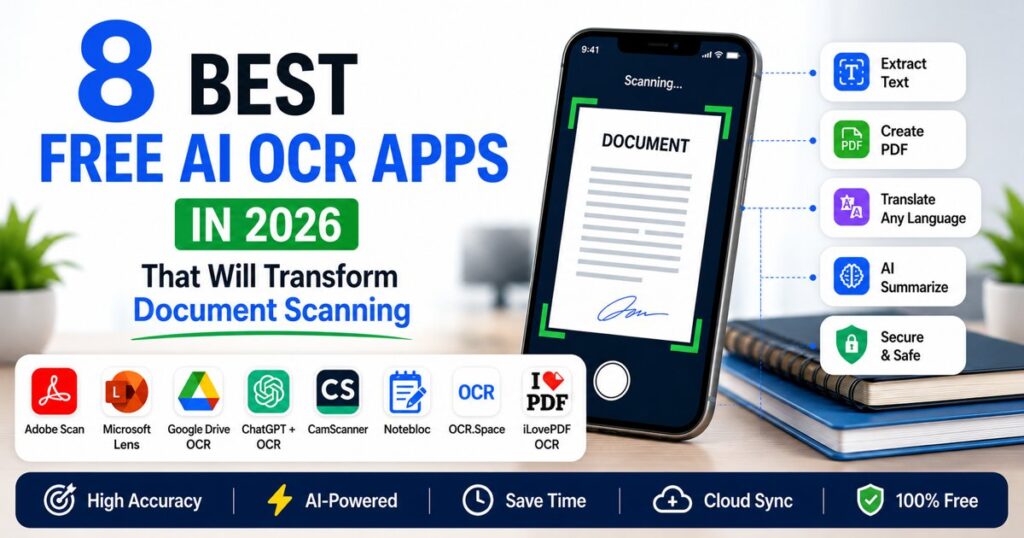
Before diving into each application, here’s a quick comparison of the Best Free AI OCR Apps in 2026. While every app on this list can extract text from documents, each one shines in different areas—from handwriting recognition to AI-powered document analysis.
| AI OCR App | Free Version | Handwriting Recognition | PDF OCR | AI Features | Best For | Overall Rating |
|---|---|---|---|---|---|---|
| Adobe Scan | Yes | AI Image Enhancement | Professionals | |||
| Microsoft Lens | Yes | Microsoft 365 Integration | Students & Office Users | |||
| Google Drive OCR | Yes | Google Workspace Integration | Everyday Users | |||
| ChatGPT + OCR Workflow | Limited | AI Summaries & Analysis | Researchers & Writers | |||
| CamScanner | Yes | Smart Document Detection | Business Users | |||
| Notebloc | Yes | Automatic Edge Detection | Students | |||
| OCR.Space | Yes | Cloud OCR API | Developers & Businesses | |||
| iLovePDF OCR | Yes | PDF Conversion Tools | PDF Users |
Free OCR Apps #1: Adobe Scan – The Best AI Document Scanner for Professionals
When discussing Free OCR Apps, Adobe Scan remains one of the strongest contenders in 2026. Developed by Adobe, the company behind PDF technology, this app combines reliable OCR with AI-enhanced image processing to deliver clean, professional-quality scans.
Unlike many basic scanning apps, Adobe Scan automatically detects document edges, corrects perspective, removes shadows, and enhances text clarity before applying OCR. The result is highly accurate text extraction, even from less-than-perfect images.
Key Features
- AI-powered automatic edge detection
- High-quality OCR for printed documents
- Scan directly to searchable PDF
- Intelligent image enhancement
- Automatic cloud backup
- Integration with Adobe Acrobat
- Multi-page document scanning
Pros
- Extremely accurate OCR
- Excellent PDF quality
- Easy-to-use interface
- Fast document processing
- Free for most everyday needs
Cons
- Some advanced PDF editing features require a premium subscription
- Handwriting recognition is good but not the best available
Best For
- Professionals
- Office workers
- Freelancers
- Legal documents
- Contracts
- Business reports
Why It Stands Out
Adobe has decades of experience with PDF technology, and that expertise is evident in Adobe Scan. The app consistently produces sharp scans while preserving layouts, making it ideal for users who regularly handle important business documents.
Free OCR Apps #2: Microsoft Lens – The Smartest AI OCR App for Students and Office Users
If you already use Microsoft Word, Excel, OneNote, or Outlook, Microsoft Lens is one of the smartest AI OCR Apps you can install.
Formerly known as Office Lens, Microsoft Lens has evolved into an intelligent document scanner that seamlessly integrates with the Microsoft ecosystem.
One standout feature is its ability to convert scanned documents directly into editable Word files while preserving much of the original formatting.
Key Features
- OCR for documents, receipts, and whiteboards
- Export to Word, PowerPoint, PDF, and OneNote
- AI image correction
- Automatic cropping
- Cloud synchronization via OneDrive
- Multi-page scanning
Pros
- Completely free
- Excellent integration with Microsoft Office
- Accurate OCR
- Great for classroom notes
- Fast processing
Cons
- Requires a Microsoft account for the best experience
- Some formatting may shift in complex documents
Best For
- Students
- Teachers
- Office workers
- Researchers
- Remote workers
Why It Stands Out
Microsoft Lens isn’t just another scanner—it acts as a bridge between physical paperwork and the Microsoft productivity suite. Students can scan lecture notes directly into OneNote, while professionals can turn paper documents into editable Office files within minutes.
Free OCR Apps #3: Google Drive OCR – The Hidden Productivity Tool Many People Already Have
One of the biggest surprises for many users is that they already have access to capable OCR Software without installing anything new.
Google Drive includes built-in OCR functionality through Google Docs.
Simply upload an image or scanned PDF, open it with Google Docs, and Google’s OCR engine automatically extracts the text into an editable document.
Because it operates within Google Workspace, it’s particularly useful for people who collaborate online.
Key Features
- Free OCR inside Google Drive
- Converts PDFs into editable Google Docs
- Supports multiple languages
- Cloud storage included
- No additional software installation required
- Works across devices
Pros
- Completely free
- Available from any browser
- Excellent cloud integration
- Supports collaborative editing
- Simple workflow
Cons
- Doesn’t preserve complex formatting as well as dedicated OCR tools
- Limited AI document analysis features
Best For
- Everyday users
- Students
- Bloggers
- Content creators
- Small businesses
Why It Stands Out
Google Drive OCR demonstrates that powerful document scanning doesn’t always require specialized software. For users already working within Google’s ecosystem, it offers a convenient, no-cost way to digitize and edit documents.
Free OCR Apps #4: ChatGPT + OCR Workflow – The Future of Intelligent Document Processing
Traditional OCR focuses on one task: converting images into text.
Modern AI takes things much further.
A growing trend in 2026 involves combining an AI Document Scanner with ChatGPT or another advanced AI assistant. After OCR extracts the text, the AI can summarize, rewrite, explain, translate, proofread, or even answer questions about the document.
This workflow transforms static documents into interactive sources of information.
Imagine scanning a 50-page research paper. Instead of reading every page manually, you can ask the AI to:
- Summarize the key findings
- Explain technical concepts in simple language
- Highlight important statistics
- Extract action items
- Generate study notes
- Translate the content into another language
This capability makes the combination of OCR and AI especially valuable for researchers, students, legal professionals, and business analysts.
Key Features
- AI-powered document summaries
- Question-and-answer interaction with scanned content
- Translation into multiple languages
- Grammar correction and rewriting
- Content organization and note generation
- Works with text extracted from virtually any OCR app
Pros
- Goes far beyond simple text recognition
- Saves significant time when reviewing long documents
- Ideal for research and knowledge work
- Enhances productivity with AI-driven insights
Cons
- Requires using an OCR tool first to extract text from images or PDFs
- Advanced AI features may depend on the platform or subscription used
Best For
- Researchers
- Students
- Writers
- Journalists
- Lawyers
- Consultants
- Business professionals
Why It Stands Out
Rather than replacing OCR, AI enhances what OCR can do. By pairing a reliable scanner with an intelligent assistant, users move beyond document digitization to document understanding—making this workflow one of the most transformative trends in document management for 2026.
Free OCR Apps #5: CamScanner – A Feature-Rich AI OCR App for Business and Everyday Use
For years, CamScanner has been one of the most recognizable names in document scanning, and in 2026 it continues to evolve with AI-powered capabilities that make it far more than a simple scanner.
If you frequently deal with invoices, contracts, receipts, certificates, or business paperwork, CamScanner is one of the most practical Free OCR Apps available today.
What makes CamScanner impressive is its intelligent document enhancement. The app automatically detects document borders, removes shadows, sharpens blurry text, and optimizes lighting before performing OCR. Even documents photographed under poor lighting conditions often become remarkably clear.
Key Features
- AI-powered OCR with editable text extraction
- Smart edge detection
- Automatic image enhancement
- Batch document scanning
- Multi-page PDF creation
- Document annotations
- Digital signatures
- Cloud synchronization
- QR code generation
- Password-protected PDFs
Pros
- Extremely fast scanning
- Excellent image enhancement
- Great for receipts and invoices
- Supports hundreds of languages
- Easy sharing options
Cons
- Free version includes advertisements
- Watermark appears on some exported files
- Premium subscription unlocks advanced AI features
Best For
- Small businesses
- Entrepreneurs
- Sales professionals
- Accountants
- Consultants
- Freelancers
Why It Stands Out
CamScanner combines speed, reliability, and AI-enhanced image processing, making it one of the most balanced solutions for users who regularly digitize business documents.
Free OCR Apps #6: Notebloc – The Best Free AI OCR App for Students
Students often scan handwritten lecture notes, textbook pages, assignments, and whiteboards. That’s exactly where Notebloc excels.
Unlike many document scanners that focus primarily on office paperwork, Notebloc is designed with education in mind. It automatically removes shadows, straightens pages, improves contrast, and creates clean digital copies of handwritten notes.
For anyone searching for the Best AI OCR Apps for Handwriting Recognition, Notebloc deserves serious consideration.
Key Features
- Unlimited document scanning
- OCR for printed text
- Automatic perspective correction
- Shadow removal
- Notebook-friendly scanning
- PDF export
- JPEG export
- Cloud storage integration
Pros
- Completely free
- No watermarks
- Simple interface
- Fast scanning
- Excellent for study notes
Cons
- Limited AI document analysis
- Handwriting accuracy depends on writing quality
- Fewer collaboration tools than enterprise apps
Best For
- University students
- High school students
- Teachers
- Researchers
- Online learners
Why Students Love Notebloc
Students generate enormous amounts of handwritten content every semester. Instead of carrying stacks of notebooks, they can digitize everything and build searchable digital archives.
Imagine preparing for final exams and instantly searching for a concept across hundreds of pages of notes. That’s the convenience Notebloc brings to academic life.

Free OCR Apps #7: OCR.Space – Powerful Cloud-Based OCR Software for Developers and Businesses
Not every OCR solution comes as a mobile app. OCR.Space offers a cloud-based OCR platform that is especially useful for businesses, developers, and advanced users who need to process large volumes of documents.
Unlike traditional scanning apps, OCR.Space provides both a web interface and an API, allowing organizations to automate document processing within their own applications and workflows.
For users looking for reliable OCR Software without installing complex desktop programs, OCR.Space is an excellent option.
Key Features
- Cloud-based OCR
- Free API access
- PDF OCR
- Multi-language support
- Batch processing
- High-resolution text extraction
- Table recognition
- Supports image uploads
Pros
- No installation required
- Developer-friendly
- API integration
- Fast processing
- Supports multiple file formats
Cons
- Interface is less beginner-friendly
- Designed more for productivity than casual scanning
- Advanced usage may require technical knowledge
Best For
- Developers
- Businesses
- Automation specialists
- Software companies
- Digital agencies
Why It Stands Out
OCR.Space demonstrates how OCR technology is moving beyond personal productivity into enterprise automation. Companies can process thousands of invoices, forms, and contracts with minimal human intervention.
Free OCR Apps #8: iLovePDF OCR – The Best Free AI OCR App for PDF Scanning
Millions of people already use iLovePDF for merging, compressing, splitting, and converting PDF files.
Its OCR feature has become one of the platform’s most valuable additions.
If your primary goal is Free AI OCR Apps for PDF Scanning, iLovePDF deserves a place near the top of your list.
Rather than focusing on image scanning, iLovePDF specializes in transforming scanned PDF files into searchable and editable documents.
Key Features
- OCR for scanned PDFs
- PDF to Word conversion
- PDF to Excel conversion
- Batch processing
- Cloud integration
- File compression
- PDF merging
- PDF splitting
- Digital signatures
Pros
- Extremely simple interface
- Excellent PDF tools
- High OCR accuracy
- Fast conversion
- Free for most users
Cons
- Daily usage limits on free accounts
- Advanced features require premium access
- Less suitable for handwritten notes
Best For
- Office workers
- Legal professionals
- HR departments
- Students
- Business owners
Why It Stands Out
Instead of being just another scanner, iLovePDF acts as a complete PDF productivity platform. Users can scan, edit, organize, convert, and secure documents from one place.
Which Free OCR App Is Right for You?
Choosing the right AI OCR App depends on how you work. A student scanning handwritten lecture notes has very different needs from an accountant processing invoices or a researcher reviewing lengthy reports.
Here’s a quick guide to help you decide:
| Your Need | Recommended App |
|---|---|
| Best overall OCR experience | Adobe Scan |
| Microsoft Office integration | Microsoft Lens |
| Google Workspace users | Google Drive OCR |
| AI document summaries and analysis | ChatGPT + OCR Workflow |
| Business receipts and invoices | CamScanner |
| Student notes and notebooks | Notebloc |
| Business automation and APIs | OCR.Space |
| PDF conversion and editing | iLovePDF OCR |
How to Choose the Best Free AI OCR Apps in 2026
With so many options available, selecting the right app can feel overwhelming. Instead of choosing based solely on popularity, evaluate each app based on your actual workflow.
1. Consider OCR Accuracy
Accuracy should always come first.
An OCR app that makes frequent recognition errors can cost more time correcting mistakes than typing the document manually.
Look for apps that consistently recognize:
- Printed documents
- Small fonts
- Tables
- Receipts
- Multi-column layouts
- Low-quality scans
2. Think About the Documents You Scan Most
Ask yourself:
- Do you mostly scan books?
- Handwritten notes?
- Contracts?
- Receipts?
- Identity cards?
- Whiteboards?
- Research papers?
Different apps excel in different situations.
3. Evaluate AI Features
Modern AI OCR Apps are no longer limited to text extraction.
Look for features such as:
- AI summaries
- Translation
- Smart search
- Keyword extraction
- Automatic categorization
- Table recognition
- Voice interaction
- Document explanation
These capabilities can dramatically improve productivity.
4. Check Export Options
The best OCR tools let you export documents in formats such as:
- Word (.docx)
- Excel (.xlsx)
- Plain Text (.txt)
- JPEG
- PNG
Flexible export options ensure compatibility with the software you already use.
5. Review Security Features
If you handle sensitive information, prioritize apps that offer:
- Encryption
- Password protection
- Secure cloud storage
- Privacy controls
- Compliance with recognized security standards
A good OCR app should protect your data while making it easier to access.
AI OCR Apps vs Traditional OCR Software: What’s the Difference?
The phrase OCR Software has been around for decades. Early OCR tools were revolutionary because they eliminated the need to manually retype printed documents. However, they had significant limitations. A slightly blurry image, unusual font, or handwritten note could easily confuse the software and produce inaccurate results.
Fast forward to 2026, and AI OCR Apps have redefined what document scanning can achieve.
Instead of merely recognizing letters and numbers, artificial intelligence understands the context of a document. It can identify headings, paragraphs, tables, signatures, logos, and even the intent behind certain types of documents. This leap in intelligence makes modern OCR not only faster but also far more useful for everyday productivity.
Traditional OCR Software
Traditional OCR software works by matching characters against predefined patterns. While effective for clean, printed text, it struggles when documents contain:
- Poor lighting
- Low-resolution images
- Handwritten notes
- Skewed pages
- Complex layouts
- Multiple columns
- Tables and charts
- Decorative fonts
Users often had to spend additional time correcting mistakes after the text was extracted.
AI OCR Apps
Modern AI OCR Apps use deep learning and machine learning models trained on millions of documents. Instead of recognizing isolated letters, they analyze the entire document structure.
This enables AI-powered OCR to:
- Understand document layouts
- Preserve formatting
- Detect tables
- Recognize handwriting
- Correct blurry scans
- Translate text
- Generate summaries
- Organize documents automatically
For professionals, students, and businesses, these improvements translate into significant time savings and greater accuracy.
Free OCR Apps vs Paid OCR Software
One of the biggest misconceptions is that expensive software always delivers better results.
In reality, many Free OCR Apps now offer features that were once exclusive to premium enterprise solutions.
What Free OCR Apps Typically Include
- Document scanning
- OCR text extraction
- PDF creation
- Multi-page scanning
- Cloud synchronization
- Automatic edge detection
- Basic handwriting recognition
- Searchable PDFs
Premium Features You May Encounter
Some paid plans introduce advanced capabilities such as:
- Unlimited cloud storage
- Bulk document processing
- Team collaboration
- AI-generated document insights
- Advanced security controls
- Workflow automation
- Enterprise integrations
For most individuals, however, a quality free OCR application provides more than enough functionality for daily use.
Common Mistakes to Avoid When Using Free OCR Apps
Even the best OCR application cannot deliver perfect results if the source document is poorly captured. Following a few best practices can dramatically improve accuracy.
1. Taking Blurry Photos
OCR relies on clear images. If your document is out of focus, the software may misread letters or omit entire words.
Tip: Hold your device steady and ensure the camera has focused before capturing the image.
2. Ignoring Proper Lighting
Shadows and uneven lighting reduce OCR accuracy.
Best Practice:
- Scan near natural light
- Avoid harsh reflections
- Keep the document flat
- Minimize shadows
3. Cropping Documents Incorrectly
If part of a page is cut off, valuable information may be lost during OCR processing.
Always ensure:
- All four corners are visible
- No text is cropped
- The page is properly aligned
4. Using Low-Resolution Images
Screenshots or compressed images often reduce recognition quality.
Whenever possible:
- Scan directly with the OCR app
- Use the highest available camera resolution
- Avoid repeatedly compressing images
5. Forgetting to Proofread
Although modern AI OCR Apps are remarkably accurate, no OCR system is perfect.
Always review:
- Names
- Dates
- Currency values
- Technical terms
- Email addresses
- Phone numbers
A quick proofread can prevent costly errors.
Who Can Benefit Most from AI OCR Apps?
The beauty of AI-powered OCR is its versatility. Almost anyone who works with paper documents can benefit from it.
Students
Students can:
- Digitize lecture notes
- Convert textbook pages into searchable text
- Organize assignments
- Create digital study materials
- Archive handwritten notes
Teachers
Teachers can:
- Scan classroom materials
- Digitize worksheets
- Archive student submissions
- Share editable learning resources
Business Owners
Businesses can streamline document management by scanning:
- Invoices
- Receipts
- Contracts
- Purchase orders
- Tax documents
- Employee records
Researchers
Researchers often work with hundreds of journal articles and reports.
OCR makes it possible to:
- Search within documents
- Highlight important findings
- Build digital archives
- Summarize lengthy reports with AI
Lawyers
Legal professionals can quickly search large contracts, court filings, and case documents instead of reading every page manually.
Healthcare Professionals
Hospitals and clinics increasingly use OCR to digitize patient records, prescriptions, laboratory reports, and medical forms while reducing paper storage.

Frequently Asked Questions About Free OCR Apps
Are Free OCR Apps safe to use?
Most reputable OCR apps use encrypted connections and secure cloud infrastructure. However, if you regularly scan confidential documents, always review the app’s privacy policy and security practices before uploading sensitive information.
Which Free OCR App has the highest accuracy?
Adobe Scan and Microsoft Lens consistently rank among the most accurate for printed documents, while AI-assisted workflows excel at understanding and processing extracted text.
Can AI OCR Apps recognize handwriting?
Yes. Many modern Best AI OCR Apps for Handwriting Recognition can accurately interpret neat handwritten notes. Recognition quality improves when handwriting is clear and well-spaced.
Can OCR convert scanned PDFs into editable Word documents?
Yes. Many Free AI OCR Apps for PDF Scanning allow scanned PDFs to be converted into editable Word, Excel, or plain text documents while preserving much of the original formatting.
Do Free OCR Apps work offline?
Some applications support offline scanning and OCR, while others rely on cloud-based AI processing for advanced features. Check the app’s capabilities if offline access is important to you.
Can OCR recognize multiple languages?
Yes. Many leading OCR solutions support dozens or even hundreds of languages, making them suitable for multilingual documents and international users.
The Future of AI OCR Apps Beyond 2026
The evolution of OCR is far from over. As artificial intelligence continues to advance, document scanning will become increasingly intelligent and automated.
Several trends are expected to shape the future through 2027 and beyond:
AI Agents for Document Workflows
Instead of simply scanning documents, AI agents will be able to organize files, classify them by topic, extract important data, schedule follow-up tasks, and integrate with productivity platforms automatically.
Real-Time Translation
Future OCR applications will translate scanned documents instantly while preserving formatting, making cross-language collaboration much easier.
Smarter Handwriting Recognition
AI models are expected to improve significantly in reading cursive writing, historical manuscripts, and complex handwritten notes.
Voice-Based Document Interaction
Rather than searching manually, users will be able to ask questions such as:
- “Summarize this report.”
- “What are the payment terms?”
- “Highlight all deadlines.”
- “List every invoice amount.”
The AI will provide answers directly from scanned documents.
Greater Automation for Businesses
Organizations will increasingly automate invoice processing, contract analysis, compliance checks, and record management, reducing manual administrative work and improving efficiency.
Final Verdict
Choosing the best Free OCR Apps ultimately depends on your specific needs.
- Adobe Scan is ideal for professionals seeking reliable document scanning and PDF creation.
- Microsoft Lens is an excellent choice for students and Microsoft 365 users.
- Google Drive OCR offers unmatched convenience for those already using Google Workspace.
- ChatGPT + OCR workflows represent the future of intelligent document analysis and productivity.
- CamScanner remains a dependable option for business users.
- Notebloc shines in educational settings with itss s notebook-friendly design.
- OCR.Space is well-suited for developers and organizations requiring cloud-based OCR.
- iLovePDF OCR excels in PDF conversion and document management.
The good news is that you don’t have to choose just one. Many users combine two or three of these tools to create a workflow that fits their personal or professional needs.
Conclusion
Paper documents are not disappearing anytime soon, but the way we interact with them is changing rapidly.
The latest generation of AI OCR Apps has transformed document scanning from a basic text-recognition task into a powerful productivity tool. Whether you’re digitizing lecture notes, organizing business records, editing scanned PDFs, or extracting information from handwritten pages, today’s Free OCR Apps make the process faster, smarter, and more accessible than ever.
As AI continues to evolve, OCR technology will move beyond simply converting images into text. It will become an intelligent assistant capable of understanding, organizing, and helping users interact with information in ways that were unimaginable just a few years ago.
If you’re looking for the Best Free AI OCR Apps in 2026, the eight tools featured in this guide provide an excellent starting point. Explore their features, identify the one that aligns with your workflow, and take advantage of the efficiency that AI-powered document scanning can bring to your daily life.
For readers who want to explore OCR technology and document standards further:
- Adobe Acrobat OCR Guide (DoFollow): https://www.adobe.com/acrobat/resources/ocr.html
- Tesseract OCR by Google (DoFollow): https://github.com/tesseract-ocr/tesseract