
productivity software
Productivity Software Is No Longer Optional in 2026
Think about how much time disappears during a normal workday.
You answer emails, attend meetings, organize files, search for information, create reports, summarize documents, write social media posts, update spreadsheets, and somehow still have dozens of unfinished tasks waiting before the day ends.
For many professionals, entrepreneurs, freelancers, students, and business owners, the biggest challenge isn’t working hard—it’s managing time effectively.
That is exactly why productivity software has become one of the fastest-growing technology categories in the world.
The rapid advancement of artificial intelligence has completely transformed how people work. Instead of spending hours performing repetitive tasks, modern AI productivity tools can now draft emails, summarize lengthy documents, automate workflows, organize projects, generate presentations, analyze data, and even help make better decisions in minutes.
The difference is remarkable.
Tasks that previously required an entire afternoon can now be completed during a short coffee break.
This shift explains why businesses across every industry are investing heavily in AI tools. From startups to Fortune 500 companies, organizations are adopting intelligent software to reduce costs, improve efficiency, and allow employees to focus on creative and strategic work instead of repetitive administration.
If you’re still relying on traditional methods, you’re probably spending far more time than necessary on everyday tasks.
The good news?
You don’t need to become an AI expert to work smarter.
Today’s best AI automation tools are designed with simplicity in mind. Most require little or no technical knowledge, and many integrate seamlessly with software you already use every day.
In this comprehensive guide, you’ll discover ten powerful AI-powered productivity applications that deserve a place in your workflow. Some are widely recognized, while others remain surprisingly underrated despite offering incredible value.
Whether you’re a content creator, software developer, marketer, student, project manager, consultant, or business owner, these tools can help you reclaim more than ten hours every single week.
Let’s explore the software that’s quietly changing the future of work.

Why Productivity Software Matters More Than Ever
Artificial intelligence is no longer a futuristic concept.
It has become part of everyday work.
Businesses are under constant pressure to accomplish more with fewer resources. Employees face increasing workloads while clients expect faster responses, better service, and higher-quality results.
This environment makes efficient productivity software essential rather than optional.
Some of the biggest workplace challenges include:
- Information overload
- Endless meetings
- Email management
- Content creation
- Project coordination
- Data organization
- Team collaboration
- Repetitive administrative work
Modern AI productivity tools address these problems by automating repetitive processes and assisting with knowledge-intensive work.
Instead of replacing human creativity, AI amplifies it.
For example, imagine writing a detailed proposal.
Traditionally, you would spend hours researching, drafting, proofreading, formatting, and refining the document.
With modern AI tools, you can generate a professional first draft within minutes, allowing you to focus on improving ideas rather than starting from a blank page.
The same principle applies to project management, customer support, meeting notes, coding assistance, marketing campaigns, and business analysis.
The result isn’t just saved time.
It’s better work produced with less stress.
What Makes Great Productivity Software in 2026?
Not every AI application deserves your attention.
Many promise revolutionary features but deliver very little practical value.
The best productivity software shares several important characteristics.
| Feature | Why It Matters |
|---|---|
| Automation | Eliminates repetitive manual work |
| AI Assistance | Speeds up writing, planning and research |
| Collaboration | Makes teamwork seamless |
| Integrations | Connects with existing business tools |
| Security | Protects sensitive company information |
| Ease of Use | Reduces learning time |
| Customization | Fits different workflows |
| Reliability | Performs consistently every day |
When evaluating software, don’t focus solely on the number of AI features.
Instead, ask yourself one simple question:
Will this tool genuinely save me time every week?
If the answer is yes, it’s worth considering.
The 10 Best Productivity Software and AI Tools That Will Save You 10+ Hours Every Week
Choosing the right productivity software isn’t about downloading every trending app you come across. It’s about finding tools that solve real problems in your daily workflow. The best AI productivity tools don’t just add features—they remove friction, automate repetitive work, and help you focus on tasks that genuinely require your expertise.
Below are ten powerful tools that consistently stand out in 2026 for their ability to save time, improve collaboration, and increase overall productivity.
1. Notion AI – The All-in-One Productivity Software for Modern Teams
If there is one platform that has successfully combined note-taking, project management, documentation, databases, and artificial intelligence into one workspace, it’s Notion AI.
For many professionals, switching between five or six different applications wastes valuable time. One app stores notes, another manages projects, another handles documents, while yet another is used for brainstorming.
Notion AI eliminates much of this fragmentation.
Instead of juggling multiple tools, you can organize almost every aspect of your work inside one intelligent workspace.
Why professionals love it
Notion AI can:
- Write meeting summaries
- Generate blog outlines
- Create project plans
- Rewrite emails
- Brainstorm ideas
- Translate content
- Summarize lengthy documents
- Build knowledge bases
Imagine attending a one-hour meeting.
Instead of manually writing notes afterward, Notion AI can instantly summarize the discussion, identify action items, assign responsibilities, and organize everything neatly inside your workspace.
That alone can save several hours every month.
Best for
- Content creators
- Marketing teams
- Agencies
- Remote workers
- Startups
- Students
- Small businesses
Pros
- Clean interface
- Excellent collaboration tools
- Powerful document organization
- AI integrated naturally
- Huge template library
Cons
- Advanced databases require some learning
- AI features require a paid subscription
Estimated time saved: 2–5 hours weekly
2. ChatGPT – One of the Most Versatile AI Productivity Tools Available
Few AI tools have transformed professional work as dramatically as ChatGPT.
Initially known for answering questions, it has evolved into a comprehensive work assistant capable of handling an incredible range of tasks.
Whether you’re drafting reports, brainstorming business ideas, writing code, analyzing data, or preparing presentations, ChatGPT dramatically reduces the time required to complete complex work.
Instead of staring at a blank document wondering where to begin, professionals now use AI to generate strong first drafts that they can refine and personalize.
What makes it valuable?
ChatGPT helps with:
- Writing reports
- Email drafting
- Proposal creation
- Coding assistance
- Spreadsheet formulas
- Marketing content
- Business planning
- Research summaries
- Learning new skills
Rather than replacing human thinking, it acts as a collaborative assistant that speeds up the creative process.
For professionals who write regularly, this is easily one of the AI tools that save time at work.
Best for
- Writers
- Developers
- Consultants
- Entrepreneurs
- Students
- Researchers
- Customer support teams
Pros
- Extremely versatile
- Easy to use
- Fast responses
- Supports multiple industries
- Excellent brainstorming partner
Cons
- Still requires fact-checking for important information
- Advanced capabilities may require a subscription
Estimated time saved: 3–8 hours every week
3. Motion – Productivity Software That Plans Your Entire Day
Planning your schedule sounds simple until unexpected meetings, urgent tasks, and shifting priorities constantly interrupt your workflow.
Motion solves this problem using artificial intelligence.
Instead of relying on static calendars, Motion dynamically reorganizes your schedule throughout the day.
If a meeting gets cancelled, Motion automatically fills the gap with another priority task.
If an urgent deadline appears, it adjusts your workload accordingly.
This creates a realistic schedule that actually adapts to real life.
Motion automatically manages
- Daily planning
- Task prioritization
- Calendar scheduling
- Deadline tracking
- Focus sessions
- Meeting optimization
For busy professionals juggling multiple clients or projects, this intelligent scheduling can significantly reduce planning fatigue.
Best for
- Consultants
- Executives
- Freelancers
- Project managers
- Agency owners
Pros
- Excellent calendar automation
- Smart prioritization
- Minimal manual planning
- Great user interface
Cons
- Higher price than basic planners
- Best suited for busy professionals
Estimated time saved: 3–6 hours weekly
4. Perplexity AI – Smarter Research Without Information Overload
Research often becomes one of the biggest productivity killers.
Opening dozens of browser tabs, comparing conflicting sources, and verifying information can consume hours.
Perplexity AI changes that experience.
Instead of simply generating answers, it provides summarized responses alongside source citations, making it much easier to verify information quickly.
For professionals conducting market research, academic research, competitive analysis, or industry monitoring, this dramatically reduces research time.
Great for
- Journalists
- Researchers
- Students
- Consultants
- Analysts
- Business owners
Key advantages
- Faster online research
- Source citations
- Follow-up questions
- Real-time information
- Easy summaries
Unlike traditional search engines, Perplexity presents organized answers rather than forcing users to visit dozens of websites.
That translates directly into saved time.
Estimated time saved: 2–5 hours weekly
5. Grammarly – More Than Just Grammar Checking
Many people still think Grammarly is simply a spell checker.
In reality, it has evolved into intelligent productivity software that improves communication across virtually every writing task.
Whether you’re preparing client proposals, responding to emails, writing reports, or publishing articles, Grammarly provides real-time suggestions that improve clarity, tone, readability, and professionalism.
Recent AI-powered features can even rewrite paragraphs, shorten long sentences, adjust writing tone, and generate replies.
Grammarly helps you
- Write faster
- Reduce editing time
- Improve grammar
- Strengthen clarity
- Maintain professional tone
- Avoid embarrassing mistakes
Professionals who write hundreds of emails every month often recover several hours simply by reducing editing and proofreading.
Best for
- Remote teams
- Business professionals
- Students
- Bloggers
- Copywriters
- Marketing teams
Pros
- Works almost everywhere
- Easy integration
- Excellent writing suggestions
- AI rewriting features
Cons
- Premium features require a subscription
- Sometimes overly formal suggestions
Estimated time saved: 2–4 hours weekly
Comparison Table: Top AI Productivity Tools
| Productivity Software | Primary Use | Best For | Estimated Time Saved Per Week |
|---|---|---|---|
| Notion AI | Workspace & Documentation | Teams, Students, Businesses | 2–5 Hours |
| ChatGPT | Writing & Brainstorming | Professionals, Developers | 3–8 Hours |
| Motion | Scheduling & Planning | Executives, Freelancers | 3–6 Hours |
| Perplexity AI | Research | Researchers, Consultants | 2–5 Hours |
| Grammarly | Writing Assistance | Writers, Professionals | 2–4 Hours |
A Common Trait Shared by the Best AI Productivity Tools
Although each tool serves a different purpose, they all have one thing in common: they reduce repetitive work.
That’s the true value of modern AI automation tools. Instead of asking you to work harder, they help you work smarter by taking over routine tasks such as organizing information, drafting content, scheduling work, and improving communication.
As businesses continue embracing automation, these solutions are becoming essential rather than optional. Investing in the right productivity software today can free up hours every week, allowing you to focus on creative thinking, strategic planning, and high-impact work that AI cannot replace.
6. ClickUp AI – Productivity Software That Keeps Every Project Under Control
Managing several projects at the same time can quickly become overwhelming. Deadlines overlap, tasks get buried in email threads, and important updates are easily missed. This is where ClickUp AI proves its value.
ClickUp has long been recognized as one of the most comprehensive project management platforms available. In 2026, its AI capabilities have transformed it into much more than a task manager. It now acts as an intelligent work assistant that helps teams plan projects, summarize discussions, generate documentation, and automate repetitive workflows.
Instead of spending valuable time organizing projects manually, ClickUp AI keeps everything connected in one workspace.
What Can ClickUp AI Do?
Some of its most useful features include:
- Generate meeting notes automatically
- Summarize lengthy project updates
- Create project briefs
- Draft Standard Operating Procedures (SOPs)
- Write marketing content
- Prioritize tasks using AI
- Automate recurring workflows
- Generate action items from conversations
Imagine finishing a one-hour project meeting. Rather than assigning tasks manually, writing notes, and sending follow-up emails, ClickUp AI completes most of those tasks within minutes.
For growing businesses, this level of automation can save several hours every week.
Best For
- Large teams
- Marketing agencies
- Software companies
- Project managers
- Operations managers
- Business owners
Advantages
- Powerful project management features
- Excellent collaboration tools
- Extensive automation options
- Hundreds of third-party integrations
- Custom dashboards
Limitations
- Rich feature set may feel overwhelming for beginners
- Requires some initial setup
Estimated Time Saved: 3–6 hours weekly
7. Otter.ai – Never Take Meeting Notes Again
Meetings are essential, but documenting them often consumes almost as much time as the meetings themselves.
Otter.ai solves this problem by automatically recording, transcribing, and summarizing conversations in real time.
Instead of typing notes throughout a meeting, you can stay engaged while Otter captures every important detail.
After the meeting ends, AI generates:
- Key discussion points
- Action items
- Speaker identification
- Searchable transcripts
- Meeting summaries
For professionals who attend multiple meetings each week, this is one of the most practical AI tools that save time at work.
Why It Stands Out
Many businesses lose valuable information because meeting notes are incomplete or never written.
Otter eliminates this problem by creating an organized record that can be searched later.
This becomes incredibly valuable for:
- Sales meetings
- Client consultations
- Internal planning sessions
- Online classes
- Interviews
- Webinars
Best For
- Sales professionals
- Consultants
- HR teams
- Journalists
- Students
- Remote teams
Pros
- Accurate transcription
- AI-generated summaries
- Supports remote collaboration
- Saves hours of manual note-taking
Cons
- Accuracy depends on audio quality
- Premium plans unlock advanced features
Estimated Time Saved: 2–4 hours weekly
8. Zapier AI – Connect Hundreds of Apps Without Coding
One of the biggest productivity killers is repetitive work.
Think about how many times you:
- Copy information from one app to another
- Send repetitive notifications
- Update spreadsheets manually
- Save email attachments
- Create recurring tasks
These activities seem small individually, but together they consume countless hours.
Zapier has become one of the leading AI automation tools because it removes these repetitive processes.
Instead of manually moving information between applications, Zapier creates automated workflows known as “Zaps.”
For example:
When someone submits a contact form:
- Save their information in Google Sheets
- Create a CRM contact
- Send a welcome email
- Notify your sales team in Slack
- Schedule a follow-up reminder
All of this happens automatically.
Popular Automations
- Gmail → Slack
- Forms → CRM
- Shopify → Accounting software
- WordPress → Social media
- Calendar → Task manager
Businesses using workflow automation often recover several hours every week simply by eliminating repetitive administrative work.
Best For
- Entrepreneurs
- Digital marketers
- Agencies
- Small businesses
- Customer support teams
Pros
- Thousands of integrations
- No coding required
- Easy automation builder
- Reliable performance
Cons
- Complex workflows may require paid plans
- Premium integrations can increase costs
Estimated Time Saved: 4–8 hours weekly
9. Gamma – AI Presentations in Minutes Instead of Hours
Creating professional presentations has traditionally been a time-consuming task.
You gather information, design slides, choose layouts, insert graphics, and adjust formatting until everything looks polished.
Gamma dramatically simplifies this process.
Instead of designing presentations from scratch, you simply describe what you want.
Within minutes, Gamma generates:
- Complete presentations
- Professional layouts
- Interactive documents
- Visual storytelling
- AI-generated images
- Speaker-ready slides
Because AI handles most of the formatting, you spend your time refining ideas rather than arranging text boxes.
Ideal For
- Consultants
- Trainers
- Business executives
- Teachers
- Startup founders
- Marketing professionals
Why Professionals Love It
It removes one of the most frustrating aspects of presentation design.
Instead of asking:
“How should I design these slides?”
You can focus on:
“How can I communicate my ideas better?”
That shift alone improves both productivity and presentation quality.
Estimated Time Saved: 2–5 hours weekly
10. Fireflies.ai – Intelligent Meeting Assistant for Busy Professionals
The final tool on this list may be one of the most underrated.
Fireflies.ai automatically joins meetings, records conversations, creates searchable transcripts, and produces AI-powered summaries.
Unlike traditional recording software, Fireflies organizes conversations intelligently.
It identifies:
- Important decisions
- Action items
- Questions
- Deadlines
- Follow-up tasks
Instead of replaying an hour-long meeting to find one important detail, you can search keywords instantly.
Why It’s Among the Best Hidden AI Software for Productivity
Many professionals don’t realize how much time they spend reviewing meetings.
Fireflies removes that burden almost entirely.
It integrates with platforms like:
- Zoom
- Google Meet
- Microsoft Teams
Making it especially useful for remote and hybrid workplaces.
Best For
- Executives
- Recruiters
- Sales teams
- Consultants
- Remote organizations
Pros
- Automatic meeting recording
- AI summaries
- Excellent search functionality
- Team collaboration features
Cons
- Requires permission for recordings
- Premium features offer the best value
Estimated Time Saved: 2–5 hours weekly
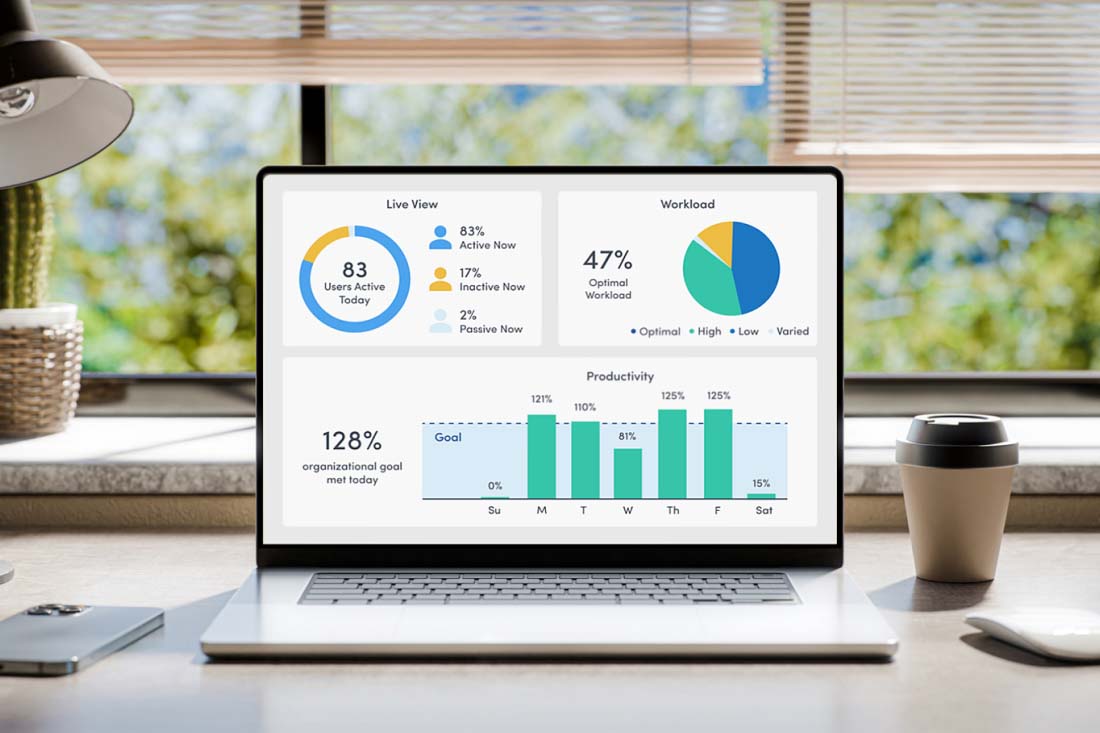
Quick Comparison of All 10 Productivity Software Tools
| Productivity Software | Primary Strength | Best For | Weekly Time Saved |
|---|---|---|---|
| Notion AI | Workspace Management | Teams & Businesses | 2–5 hrs |
| ChatGPT | Writing & Research | Professionals | 3–8 hrs |
| Motion | Smart Scheduling | Executives | 3–6 hrs |
| Perplexity AI | AI Search | Researchers | 2–5 hrs |
| Grammarly | Writing Assistant | Writers | 2–4 hrs |
| ClickUp AI | Project Management | Teams | 3–6 hrs |
| Otter.ai | Meeting Notes | Remote Workers | 2–4 hrs |
| Zapier AI | Workflow Automation | Businesses | 4–8 hrs |
| Gamma | Presentation Creation | Professionals | 2–5 hrs |
| Fireflies.ai | Meeting Intelligence | Remote Teams | 2–5 hrs |
How to Choose the Right Productivity Software for Your Needs
With so many excellent AI productivity tools available, it’s tempting to install them all. In reality, the most effective approach is to choose software that solves your biggest bottlenecks rather than adding unnecessary complexity.
Before committing to any tool, ask yourself these questions:
- Which tasks consume the most time every week?
- Are those tasks repetitive enough to automate?
- Will the software integrate with my existing workflow?
- Is it easy enough for me or my team to adopt?
- Does the time it saves justify the subscription cost?
Here are a few recommendations based on common roles:
For Content Creators
- ChatGPT
- Grammarly
- Notion AI
- Gamma
For Business Owners
- ClickUp AI
- Zapier AI
- Motion
- ChatGPT
For Students
- Perplexity AI
- Notion AI
- Grammarly
- ChatGPT
For Remote Teams
- Fireflies.ai
- Otter.ai
- ClickUp AI
- Notion AI
The goal isn’t to use the most software—it’s to use the right productivity software. Start with one or two tools that address your biggest challenges, master them, and then expand your toolkit only when it adds real value. This approach keeps your workflow efficient while ensuring each AI solution genuinely saves you time instead of creating another system to manage.

Common Mistakes That Reduce the Value of Productivity Software
Investing in the best productivity software is only half the equation. The other half is knowing how to use it effectively. Surprisingly, many professionals adopt advanced AI productivity tools but never unlock their full potential because of a few avoidable mistakes.
If your goal is to save 10 or more hours every week, avoid the following pitfalls.
1. Using Too Many AI Tools at Once
One of the biggest mistakes people make is downloading every new AI application they discover.
While it may seem like having more tools will make you more productive, the opposite often happens.
Instead of simplifying your workflow, you end up managing multiple dashboards, duplicate notifications, and overlapping features.
A better approach is to identify your biggest productivity challenge first.
For example:
- Struggling with writing? Use ChatGPT and Grammarly.
- Managing several projects? Choose ClickUp AI.
- Spending hours scheduling work? Motion is a better investment.
- Constantly researching information? Perplexity AI may be all you need.
Start with one or two tools, master them, and expand only when necessary.
2. Expecting AI to Replace Human Judgment
Artificial intelligence is incredibly capable, but it is not infallible.
The best AI productivity tools are designed to assist—not replace—your expertise.
Always review AI-generated content before sending it to clients, publishing it online, or making important business decisions.
Check for:
- Accuracy
- Tone
- Context
- Brand consistency
- Sensitive information
- Current facts
Think of AI as a skilled assistant rather than an autonomous decision-maker.
3. Ignoring Automation Opportunities
Many users only scratch the surface of what modern AI automation tools can do.
For example, someone may use Zapier solely to move data between apps, while overlooking opportunities to automate onboarding emails, invoice creation, customer follow-ups, and reporting.
Spend time exploring automation templates and integrations. A single automated workflow can eliminate hours of repetitive work each month.
4. Failing to Train Your Team
The most advanced software won’t deliver results if your team doesn’t know how to use it.
Schedule regular training sessions and encourage employees to share productivity tips and successful workflows.
When everyone understands the tools, collaboration becomes smoother, and the benefits multiply across the organization.
5. Neglecting Data Security
Many AI tools process documents, emails, and business information.
Before uploading sensitive files:
- Read the provider’s privacy policy.
- Understand how your data is stored and used.
- Enable multi-factor authentication.
- Use strong, unique passwords.
- Restrict access based on roles where possible.
Protecting your data should always be part of your productivity strategy.
Expert Tips to Get the Most Out of AI Productivity Tools
Using productivity software effectively is about building habits, not just installing apps. Here are practical strategies that can help you maximize the value of your AI toolkit.
Build a Daily AI Workflow
Create a routine where AI supports different stages of your workday:
- Morning: Use Motion to organize your schedule.
- Research: Use Perplexity AI to gather reliable information.
- Writing: Draft content with ChatGPT.
- Editing: Refine it with Grammarly.
- Documentation: Store everything in Notion AI.
- Automation: Let Zapier handle repetitive tasks.
- Meetings: Capture notes with Fireflies.ai or Otter.ai.
This structured approach minimizes context switching and keeps your workflow consistent.
Review Your Workflow Monthly
Your needs evolve over time. Every month, ask yourself:
- Which tool saves me the most time?
- Which features am I not using?
- Can I replace two apps with one?
- Are there new integrations worth exploring?
Regular reviews ensure your software continues to support your goals rather than becoming digital clutter.
Focus on Outcomes
Don’t measure success by how many AI tools you use. Measure it by:
- Time saved
- Tasks completed
- Improved work quality
- Reduced stress
- Better collaboration
These are the metrics that truly matter.
Frequently Asked Questions About Productivity Software
1. What is productivity software?
Productivity software refers to applications that help individuals and teams complete tasks more efficiently. This includes document editors, project management platforms, note-taking apps, communication tools, and AI-powered assistants that automate repetitive work.
2. Are AI productivity tools suitable for small businesses?
Yes. Many AI productivity tools are designed with small businesses in mind. They can automate administrative work, improve communication, streamline project management, and reduce operational costs without requiring a large IT team.
3. Can AI tools really save more than 10 hours every week?
They can, especially if you regularly perform repetitive tasks. Writing emails, organizing schedules, creating reports, managing meetings, and conducting research are all areas where AI can significantly reduce manual effort.
4. Is productivity software expensive?
Not necessarily. Many providers offer free plans with generous features, while paid subscriptions typically scale based on usage and team size. The time saved often outweighs the subscription cost for professionals and businesses.
5. Which productivity software is best for remote teams?
Remote teams often benefit from tools such as Notion AI for documentation, ClickUp AI for project management, Fireflies.ai or Otter.ai for meeting summaries, and ChatGPT for writing and brainstorming. The best choice depends on your team’s workflow and communication style.
6. Are AI automation tools difficult to learn?
Most modern AI automation tools are built for non-technical users. Many provide templates, drag-and-drop interfaces, and step-by-step tutorials, making it possible to create useful automations without writing code.
7. Will AI replace human workers?
AI is more likely to change how people work than replace them entirely. It excels at repetitive and time-consuming tasks, allowing professionals to focus on creativity, problem-solving, relationship building, and strategic decision-making.
Final Thoughts
The way we work has changed dramatically, and it’s continuing to evolve.
The most successful professionals in 2026 aren’t necessarily the ones working the longest hours—they’re the ones using technology to work more intelligently.
The right productivity software doesn’t just help you finish tasks faster. It helps you reduce mental fatigue, organize information more effectively, collaborate with confidence, and focus on work that creates real value.
Whether you’re a freelancer managing multiple clients, a student balancing assignments, a business owner leading a growing team, or a corporate professional handling complex projects, today’s AI productivity tools can transform your daily routine.
The key is to start small.
Choose one or two tools that address your biggest productivity challenges. Learn them well, integrate them into your workflow, and gradually expand your toolkit as your needs grow.
Small improvements, repeated consistently, lead to remarkable gains over time.
Conclusion
Artificial intelligence is no longer a novelty—it’s becoming an essential part of modern work. The productivity software featured in this guide demonstrates how AI tools, AI automation tools, and other AI tools that save time at work can eliminate repetitive tasks, improve collaboration, and help professionals reclaim valuable hours every week.
From intelligent writing assistants and project management platforms to workflow automation and meeting transcription services, these solutions offer practical ways to work more efficiently without sacrificing quality.
As AI continues to evolve through 2026 and beyond, professionals who embrace the best AI productivity tools for professionals in 2026 will be better positioned to adapt, innovate, and stay competitive. The future of work isn’t about doing more—it’s about achieving more with the right tools.
Start with the software that solves your biggest challenge today, and you’ll likely wonder how you ever managed without it.