AI Note-Taking Apps
Something interesting happened over the last few years.
People stopped treating note-taking as a simple productivity habit and started seeing it as a competitive advantage.
In 2026, information moves faster than ever. Students attend online lectures while managing side hustles. Remote workers jump between Zoom calls, Slack messages, and project dashboards. Creators juggle brainstorming, scripting, research, and client communication simultaneously.
The problem is no longer “How do I take notes?”
The real question has become:
How do I avoid drowning in information?
That is exactly why AI note-taking apps have become one of the hottest categories in modern productivity software.
Today’s smart note-taking software does far more than store text. These tools can:
- Automatically summarize meetings
- Turn voice into organized notes
- Create action items instantly
- Generate study guides
- Build searchable knowledge databases
- Connect ideas intelligently
- Transcribe Zoom and Google Meet calls
- Organize research automatically
And honestly, once you use a good AI productivity tool, it becomes difficult to go back to traditional note-taking.
This guide explores the best AI note-taking apps for students and remote teams in 2026, including tools built for meetings, online classes, knowledge management, and creative work.
We’ll compare:
- Notion AI
- Obsidian
- NotebookLM
- Otter.ai
- Fireflies.ai
- Mem.ai
- Evernote AI
- ClickUp AI
- Reflect Notes
- Tana
- Fathom
We’ll also look at:
- Which tool works best for students
- Which app dominates remote meetings
- Which platform is ideal for creators
- Which AI meeting notes app works best with Zoom and Google Meet
- Which software offers the best value for money
If you’ve been overwhelmed by endless productivity app recommendations online, this article will help you cut through the noise.

What Makes AI Note-Taking Apps Different From Traditional Note Apps?
Traditional note apps were basically digital notebooks.
AI note-taking apps behave more like intelligent assistants.
That difference changes everything.
Instead of manually organizing every thought, AI systems now help users process information automatically.
Key Features That Define Smart Note-Taking Software
1. AI Summarization
Modern AI tools can instantly summarize:
- Meetings
- Lectures
- Research documents
- Brainstorm sessions
- Podcasts
This saves hours every week.
2. Intelligent Search
Instead of scrolling endlessly through folders, AI tools understand context.
You can search:
- “The marketing strategy discussed last Tuesday”
- “That lecture about machine learning ethics”
- “The meeting where pricing was discussed”
And the app can actually find it.
3. Automatic Transcription
Many of the best AI meeting notes apps for Zoom and Google Meet now transcribe conversations in real time.
This is especially useful for:
- Remote teams
- Online students
- Journalists
- Coaches
- Agencies
4. Smart Organization
AI productivity tools automatically:
- Categorize notes
- Detect themes
- Link related ideas
- Suggest tags
- Build knowledge maps
5. AI Writing Assistance
Some apps can:
- Rewrite notes
- Improve clarity
- Generate summaries
- Create to-do lists
- Draft emails
This transforms note-taking into workflow automation.
Why Students and Remote Teams Are Rapidly Adopting AI Productivity Tools
The popularity of AI productivity tools is not just hype.
These tools solve real modern problems.
For Students
Students face:
- Information overload
- Online learning fatigue
- Distractions
- Complex research
- Fast-paced lectures
AI note-taking apps help students:
- Review lessons faster
- Organize research efficiently
- Create summaries instantly
- Improve study retention
Instead of spending four hours rewriting lecture notes, students can focus on understanding concepts.
For Remote Teams
Remote work created another challenge:
Too many meetings.
People now spend massive portions of their workday:
- Attending calls
- Writing follow-ups
- Reviewing conversations
- Updating project notes
AI meeting assistants reduce this burden dramatically.
That’s why businesses increasingly rely on:
- AI transcription
- Meeting summaries
- Action-item detection
- Collaborative documentation
The result?
Less administrative work and more actual productivity.
AI Note-Taking Apps Comparison Table (2026)
| App | Best For | Key Strength | AI Features | Pricing |
|---|---|---|---|---|
| Notion AI | Teams & creators | All-in-one workspace | AI writing, summaries, databases | Freemium |
| Obsidian | Knowledge management | Deep linking system | AI plugins, graph view | Freemium |
| NotebookLM | Research & students | AI document understanding | AI summaries, Q&A | Free |
| Otter.ai | Meetings | Live transcription | Meeting summaries | Freemium |
| Fireflies.ai | Remote teams | Meeting automation | AI meeting notes | Freemium |
| Mem.ai | Fast thinkers | AI organization | Smart categorization | Paid |
| Evernote AI | General productivity | Simplicity | AI search & summaries | Paid |
| ClickUp AI | Businesses | Project integration | AI workflows | Freemium |
| Reflect Notes | Personal knowledge | Minimalism | AI writing assistant | Paid |
| Tana | Power users | Structured thinking | AI supertags | Paid |
| Fathom | Video meetings | Free AI summaries | Zoom transcription | Free |
Notion AI: The Most Popular AI Note-Taking App for Teams
Why Notion AI Dominates the Productivity Market
Few apps have influenced digital productivity like Notion AI.
It evolved from a simple workspace tool into a complete productivity ecosystem.
In 2026, Notion AI remains one of the best AI note-taking apps because it combines:
- Notes
- Databases
- Project management
- AI writing
- Team collaboration
into one platform.
Best Features
AI Writing Assistant
Notion AI can:
- Rewrite content
- Generate outlines
- Summarize documents
- Brainstorm ideas
- Create meeting notes
Collaborative Workspaces
Teams can collaborate in real time while AI organizes information automatically.
Database Power
This is where Notion becomes truly powerful.
You can create:
- Content calendars
- Research hubs
- Team wikis
- CRM systems
- Study dashboards
Who Should Use Notion AI?
Best for:
- Remote teams
- Agencies
- Content creators
- Startup founders
- Students managing multiple projects
Downsides
- Can feel overwhelming initially
- Heavy customization takes time
- Large workspaces may become cluttered
Still, for versatility, Notion AI is incredibly difficult to beat.
Obsidian: The Best Smart Note-Taking Software for Deep Thinkers
Why Obsidian Feels Different
Obsidian is not designed for casual note-taking.
It is built for building a “second brain.”
Unlike traditional apps, Obsidian focuses heavily on connected thinking.
The app allows users to link ideas together like a web.
This makes it incredibly powerful for:
- Researchers
- Writers
- Students
- Developers
- Knowledge workers
What Makes Obsidian Special?
Graph View
Obsidian visually maps relationships between notes.
Over time, your notes become an interconnected knowledge network.
Offline Ownership
Your notes stay on your device.
No forced cloud dependency.
AI Plugins
The Obsidian ecosystem now includes advanced AI plugins that can:
- Summarize notes
- Generate insights
- Connect ideas
- Assist writing workflows
Best Use Cases
Obsidian works best for:
- Long-term learning
- Research-heavy work
- Academic knowledge systems
- Personal knowledge management
Weaknesses
- Steeper learning curve
- Less beginner-friendly
- Requires customization
But for serious thinkers, Obsidian feels unmatched.
NotebookLM: Google’s AI Research Assistant Is Shockingly Good
Why Students Love NotebookLM
Google’s NotebookLM surprised many people.
Instead of acting like a normal note app, NotebookLM behaves more like a personalized AI research assistant.
You upload sources:
- PDFs
- Research papers
- Google Docs
- Lecture notes
Then the AI helps analyze them.
Incredible Features
AI-Powered Q&A
You can literally ask questions about your documents.
Example:
“What were the main arguments in chapter three?”
And the AI answers contextually.
Smart Summaries
NotebookLM generates:
- Key insights
- Study notes
- Topic summaries
- Research breakdowns
Perfect for Academic Work
Students especially benefit because NotebookLM reduces research friction dramatically.
Best For
- University students
- Researchers
- Academic writers
- Analysts
Weaknesses
- Limited collaboration features
- Not ideal for complex team workflows
Still, NotebookLM may be the best AI note-taking app for students in 2026.
Otter.ai: One of the Best AI Meeting Notes Apps for Zoom and Google Meet
Remote meetings created a massive productivity problem:
People stopped listening because they were busy typing notes.
Otter.ai solves that beautifully.
Why Otter.ai Is So Popular
Otter automatically:
- Records meetings
- Transcribes conversations
- Creates summaries
- Detects speakers
- Highlights key moments
It works especially well for:
- Zoom
- Google Meet
- Microsoft Teams
Best Features
Live Transcription
Real-time transcription is surprisingly accurate.
AI Summaries
Instead of replaying entire meetings, users receive concise summaries instantly.
Collaboration
Teams can:
- Comment on transcripts
- Highlight sections
- Share notes easily
Best Users
- Remote teams
- Journalists
- Agencies
- Online educators
- Podcasters
Otter.ai remains one of the top AI apps for automatic meeting transcription and summaries in 2026.
Fireflies.ai: Meeting Automation on Another Level
If Otter focuses on transcription, Fireflies focuses on workflow automation.
Fireflies.ai integrates deeply into business workflows.
What Makes Fireflies Powerful?
Automatic Meeting Capture
It joins meetings automatically and records discussions.
AI Action Items
The app identifies:
- Tasks
- Deadlines
- Decisions
- Responsibilities
CRM Integration
Huge advantage for sales teams.
Fireflies integrates with:
- Salesforce
- HubSpot
- Slack
- Asana
Best For
- Sales teams
- Agencies
- Operations managers
- Remote businesses
Weaknesses
- Can feel business-heavy
- Less ideal for students
Still, it is among the best meeting notes apps currently available.
Mem.ai: The AI Productivity Tool Designed for Fast Thinkers
Mem.ai is fascinating because it removes much of the manual organization process.
The philosophy is simple:
“Stop organizing everything manually.”
Instead, AI organizes notes automatically.
Why Mem.ai Stands Out
Automatic Categorization
Mem intelligently structures notes without complex folders.
Fast Capture
Excellent for:
- Quick thoughts
- Brainstorming
- Creative ideation
AI Retrieval
Finding old information feels remarkably natural.
Best For
- Entrepreneurs
- Creators
- Fast-paced thinkers
Weaknesses
- Less customizable
- Smaller ecosystem
But the simplicity feels refreshing.
Evernote AI: The Veteran Productivity App Reinvents Itself
Evernote has existed for years, but AI revitalized the platform.
What Changed?
The app now includes:
- AI search
- Smart summaries
- Writing assistance
- Improved organization
Strengths
Simplicity
Evernote remains beginner-friendly.
Multi-Device Sync
Still excellent across devices.
Reliable Note Organization
A strong balance between power and usability.
Best For
- Everyday professionals
- Students
- Casual productivity users
It may not feel as advanced as Obsidian or Notion, but it remains dependable.
ClickUp AI: Project Management Meets Smart Note-Taking Software
ClickUp combines productivity management with AI-powered workflows.
Why Businesses Love It
Instead of separating:
- Notes
- Tasks
- Meetings
- Projects
ClickUp centralizes everything.
Best AI Features
AI Task Generation
Meeting notes can automatically become tasks.
Workflow Automation
Teams save enormous time.
Team Collaboration
Excellent for remote companies.
Best For
- Businesses
- Agencies
- Project managers
Weaknesses
- Complex interface
- Learning curve for beginners
Still, for operational productivity, ClickUp is extremely powerful.
Reflect Notes and Tana: The Future of Personal Knowledge Management
These tools target advanced users who want intelligent thinking systems.
Reflect Notes
Reflect combines:
- Minimal design
- AI writing
- Linked thinking
Perfect for journaling and deep reflection.
Tana
Tana feels futuristic.
Its “supertag” system allows users to structure information dynamically.
Best for:
- Researchers
- Systems thinkers
- Power users
Best AI Note-Taking Apps for Students and Remote Teams in 2026
Best for Students
- NotebookLM
- Notion AI
- Obsidian
Best for Remote Teams
- Otter.ai
- Fireflies.ai
- ClickUp AI
Best for Creators
- Notion AI
- Mem.ai
- Reflect Notes
Best Free AI Note-Taking App
- NotebookLM
- Fathom
- Obsidian
Notion AI vs Obsidian vs NotebookLM Comparison for Productivity
This comparison matters because these three apps dominate different productivity styles.
| Feature | Notion AI | Obsidian | NotebookLM |
|---|---|---|---|
| Ease of Use | Easy | Moderate | Very Easy |
| Collaboration | Excellent | Limited | Moderate |
| AI Writing | Excellent | Plugin-based | Strong |
| Research Capability | Good | Excellent | Outstanding |
| Knowledge Linking | Moderate | Excellent | Moderate |
| Student Use | Excellent | Strong | Outstanding |
| Team Use | Outstanding | Weak | Moderate |
| Offline Access | Limited | Excellent | Limited |
Final Verdict
- Choose Notion AI for collaborative productivity.
- Choose Obsidian for deep knowledge systems.
- Choose NotebookLM for research and studying.
The Biggest Mistakes People Make When Choosing AI Productivity Tools
1. Choosing Based on Hype Alone
A viral app may not fit your workflow.
2. Ignoring Workflow Compatibility
Students need different tools than remote sales teams.
3. Overcomplicating Productivity
Sometimes simpler tools improve consistency.
4. Not Testing Free Versions
Always experiment first before paying.
How AI Note-Taking Apps Will Evolve Beyond 2026
The next generation of AI productivity tools will likely include:
- Voice-first interfaces
- Real-time knowledge mapping
- Personalized AI assistants
- Predictive workflow automation
- Context-aware reminders
Eventually, AI note systems may become digital thinking partners rather than simple productivity tools.
And honestly, we are already heading in that direction.
AI Note-Taking Apps Are Changing How Students Learn in 2026
The modern student faces a challenge that previous generations never experienced on this scale: information overload.
Between online classes, digital textbooks, recorded lectures, research papers, assignments, group chats, and endless notifications, students in 2026 are consuming more information in a single semester than many students handled across entire academic years in the past.
The problem is not access to information anymore.
The real problem is organizing, understanding, and remembering it all.
That is exactly why AI note-taking apps have become essential tools for students worldwide. These platforms are no longer simple digital notebooks. They now function as intelligent study assistants capable of summarizing lectures, organizing research, generating study guides, transcribing classes, and even helping students understand difficult concepts faster.
For many students, these tools are becoming the difference between constantly feeling overwhelmed and finally studying with clarity and confidence.
Why Traditional Note-Taking Methods Are No Longer Enough
For years, students relied on:
- Handwritten notebooks
- Basic note apps
- Highlighting textbooks
- Manual summaries
While these methods still have value, they struggle to keep up with the speed of modern education.
Today’s students often:
- Attend virtual lectures
- Watch recorded lessons
- Switch between multiple devices
- Collaborate remotely
- Learn from YouTube, PDFs, slides, and AI tutors simultaneously
Trying to manually organize all that information can quickly become exhausting.
Many students spend more time rewriting notes than actually learning.
This is where smart note-taking software completely changes the experience.
How AI Note-Taking Apps Help Students Study Smarter
One of the biggest advantages of AI productivity tools is that they reduce “busy work.”
Instead of spending hours organizing information manually, students can focus on understanding ideas and improving performance.
1. AI Lecture Summaries Save Students Hours Every Week
Long lectures are one of the biggest pain points in education.
Students often struggle to:
- Keep up with fast lecturers
- Write detailed notes
- Listen carefully at the same time
- Capture important concepts accurately
AI note-taking apps solve this problem by automatically summarizing lectures in real time.
Apps like:
can instantly:
- Transcribe spoken lectures
- Highlight key points
- Generate concise summaries
- Create searchable notes
This means students no longer need to panic about missing important information during class.
Instead of multitasking aggressively during lectures, students can focus on listening and understanding.
That alone improves comprehension dramatically.
AI Productivity Tools Improve Study Retention
Taking notes is not just about recording information.
It is about helping the brain retain and process knowledge.
Modern AI note-taking apps help students retain information better through several intelligent features.
Smart Organization Makes Revision Easier
One reason students forget information quickly is poor organization.
Traditional folders become cluttered over time.
AI tools automatically organize notes using:
- Tags
- Categories
- Context recognition
- Topic grouping
- Intelligent search
For example, a student studying biology can search:
- “Cell respiration notes”
- “Lecture about DNA replication”
- “Professor discussion on enzymes”
And the AI instantly retrieves the relevant material.
This creates a smoother revision process before exams.
Students Can Create Study Guides Instantly
One of the most powerful features in modern AI productivity tools is automatic study guide generation.
Instead of manually turning lecture notes into revision materials, students can now ask AI to generate:
- Flashcards
- Summaries
- Quiz questions
- Key concepts
- Exam preparation notes
This drastically reduces study preparation time.
For students balancing:
- School
- Freelancing
- Part-time jobs
- Remote work
- Side hustles
that time-saving advantage is incredibly valuable.
Best AI Note-Taking Apps for Students in 2026
Different students learn differently.
Some prefer visual learning.
Others need deep research tools.
Some want simplicity.
Here are some of the best AI note-taking apps for students and why they stand out.
| App | Best For | Student Advantage |
|---|---|---|
| NotebookLM | Research & studying | AI document analysis |
| Notion AI | Organization | All-in-one study workspace |
| Obsidian | Deep learning | Linked knowledge systems |
| Otter.ai | Lectures | Real-time transcription |
| Mem.ai | Quick capture | Fast note organization |
NotebookLM Is Becoming a Favorite Among University Students
Among all AI productivity tools, NotebookLM stands out because it feels specifically designed for academic learning.
Students can upload:
- Lecture slides
- PDFs
- Research papers
- Study notes
- Reading materials
The AI then becomes a research assistant that helps students:
- Understand difficult topics
- Ask questions about documents
- Generate summaries
- Find key insights
Imagine uploading a 60-page research paper and simply asking:
“What are the main conclusions?”
That level of convenience is changing how students approach studying.
Notion AI Helps Students Build Complete Academic Systems
Many students love Notion AI because it combines multiple tools into one workspace.
Students can manage:
- Class schedules
- Assignments
- Study notes
- Research projects
- Group collaboration
- Exam preparation
all from one platform.
Its AI assistant also helps students:
- Rewrite messy notes
- Create outlines
- Summarize chapters
- Generate study plans
This is especially useful for students handling multiple courses simultaneously.
Obsidian Is Perfect for Students Who Learn Deeply
Not every student learns by memorization alone.
Some students need to connect ideas deeply across subjects.
That is where Obsidian becomes powerful.
Its linked-note system helps students create relationships between concepts.
For example:
A psychology student can connect notes about:
- Memory
- Cognitive behavior
- Learning theories
- Neuroscience
into one interconnected knowledge network.
Over time, this creates a “second brain” that becomes incredibly valuable for long-term learning.
AI Meeting Notes Apps Are Also Helping Online Students
Remote education continues to grow rapidly in 2026.
Many students now attend:
- Zoom lectures
- Google Meet classes
- Online seminars
- Virtual workshops
This created demand for the best AI meeting notes apps for Zoom and Google Meet.
Apps like:
- Otter.ai
- Fireflies.ai
- Fathom
allow students to:
- Record classes automatically
- Generate transcripts
- Review missed lessons
- Extract important points
This is especially useful for:
- International students
- Students with packed schedules
- Students learning in non-native languages
AI tools help reduce the stress of trying to capture every detail manually.
AI Note-Taking Apps Help Reduce Academic Burnout
Student burnout is becoming increasingly common.
Many students feel mentally exhausted from:
- Constant deadlines
- Digital overload
- Academic pressure
- Information fatigue
AI productivity tools reduce mental strain by automating repetitive tasks.
Instead of spending hours:
- Formatting notes
- Rewriting lectures
- Organizing folders
- Searching for information
students can focus more energy on:
- Critical thinking
- Understanding concepts
- Creative problem-solving
That shift matters more than many people realize.
Are AI Note-Taking Apps Making Students Too Dependent?
This is an important conversation.
Some educators worry that excessive AI assistance could reduce:
- Active learning
- Memory retention
- Independent thinking
And honestly, that concern is understandable.
AI tools should enhance learning, not replace thinking.
The best students use AI as:
- A support system
- An organizer
- A productivity assistant
—not as a shortcut for avoiding effort.
Students still need to:
- Analyze ideas critically
- Practice problem-solving
- Understand concepts deeply
AI works best when combined with intentional learning habits.
The Future of AI-Powered Learning Looks Incredible
The future of education is likely to become even more personalized.
Soon, AI note-taking apps may:
- Predict study weaknesses
- Recommend revision schedules
- Adapt learning styles automatically
- Create personalized quizzes in real time
- Detect confusion during lectures
Education itself is evolving from static learning into adaptive learning.
And students who learn how to use AI productivity tools effectively today may have a major advantage tomorrow.
Thoughts
AI note-taking apps are doing far more than replacing notebooks.
They are transforming how students:
- Learn
- Organize ideas
- Process information
- Collaborate
- Prepare for exams
The best AI note-taking apps for students in 2026 are not simply productivity tools anymore.
They are becoming intelligent learning companions.
Whether a student chooses NotebookLM for research, Notion AI for organization, or Obsidian for deep knowledge management, the real value lies in reducing mental clutter and making learning feel more manageable.
Because at the end of the day, students do not just need more information.
They need better ways to understand and use it.
Best AI Meeting Notes Apps for Zoom, Google Meet & Remote Work Collaboration
Remote work changed the modern workplace forever.
What started as a temporary adjustment during global disruptions eventually evolved into a long-term shift in how businesses operate. In 2026, millions of professionals now work remotely, attend virtual classes, collaborate across time zones, and manage projects almost entirely online.
But while remote work created flexibility, it also introduced a major productivity problem:
Too many meetings.
For many remote workers, a typical day now includes:
- Zoom meetings
- Google Meet calls
- Team check-ins
- Client presentations
- Brainstorm sessions
- Online training
- Virtual collaboration
And during all these conversations, people are expected to:
- Listen carefully
- Participate actively
- Take detailed notes
- Remember action items
- Follow up afterward
That combination is mentally exhausting.
This is exactly why AI meeting notes apps have become some of the most important AI productivity tools in modern work culture.
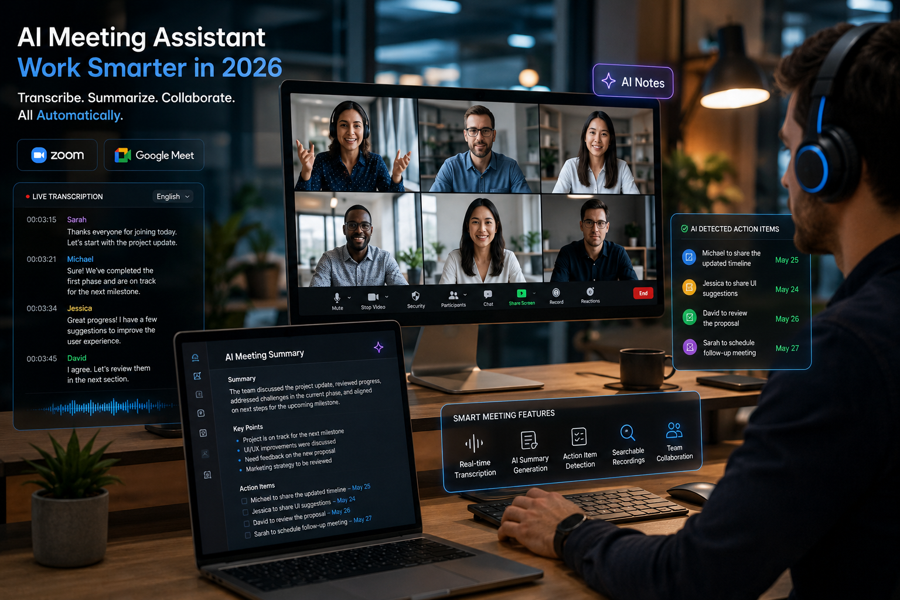
These tools do much more than record conversations. They now act like intelligent meeting assistants capable of:
- Transcribing discussions automatically
- Summarizing meetings instantly
- Detecting tasks and deadlines
- Highlighting key moments
- Organizing searchable records
- Improving team collaboration
For remote teams, students, creators, agencies, and businesses, these AI tools are becoming essential.
Why Traditional Meeting Notes No Longer Work Efficiently
Manual note-taking during online meetings creates several problems.
1. People Stop Listening Properly
When someone is focused on writing every detail, they are not fully engaged in the conversation.
Important ideas often get missed because attention becomes divided.
This affects:
- Communication
- Creativity
- Decision-making
- Team collaboration
AI meeting assistants solve this by capturing information automatically.
Participants can focus on discussion instead of frantic typing.
2. Human Notes Are Often Incomplete
Traditional meeting notes usually:
- Miss important details
- Skip context
- Ignore side discussions
- Forget action items
In fast-paced meetings, this becomes a serious issue.
Especially for:
- Sales calls
- Client discussions
- Academic seminars
- Team strategy meetings
AI note-taking apps help create complete records that can be reviewed anytime.
3. Remote Teams Need Better Documentation
Remote collaboration depends heavily on documentation.
Unlike physical offices where quick clarifications happen naturally, remote teams rely on written records to stay aligned.
Poor documentation leads to:
- Miscommunication
- Repeated meetings
- Confusion
- Missed deadlines
This is why businesses increasingly rely on smart note-taking software for workflow management.
What Makes AI Meeting Notes Apps So Powerful in 2026?
The best AI meeting notes apps for Zoom and Google Meet now feel incredibly advanced compared to earlier tools.
Instead of simply recording audio, these apps understand conversations contextually.
Many can now:
- Identify speakers automatically
- Detect action items
- Generate summaries
- Highlight decisions
- Organize searchable transcripts
- Sync with productivity software
Some even analyze:
- Sentiment
- Conversation patterns
- Speaking time
- Team participation
This transforms meetings from temporary conversations into valuable searchable knowledge.
Key Features That Define the Best AI Meeting Notes App
Before choosing an app, it is important to understand what separates average tools from exceptional ones.
Real-Time Transcription
This feature converts speech into text instantly during meetings.
The best AI note-taking apps now offer highly accurate transcription even during:
- Fast discussions
- Multi-speaker conversations
- Technical discussions
This is especially useful for:
- Students attending online lectures
- International teams
- Journalists
- Researchers
AI Meeting Summaries
This may be the most valuable feature of all.
Instead of reviewing one-hour recordings, AI creates concise summaries containing:
- Main discussion points
- Decisions made
- Tasks assigned
- Important insights
This saves enormous amounts of time.
Action Item Detection
Modern AI productivity tools can automatically identify:
- Deadlines
- Responsibilities
- Follow-up tasks
- Meeting outcomes
This reduces confusion after meetings.
Everyone leaves with clarity.
Searchable Meeting Archives
Imagine searching:
“Pricing discussion from last Thursday”
and instantly finding the exact moment from a previous meeting.
That capability dramatically improves productivity for remote teams.
Otter.ai: One of the Most Popular AI Meeting Notes Apps in 2026
Otter.ai remains one of the biggest names in AI-powered meeting transcription.
Its popularity comes from simplicity and reliability.
Why Remote Teams Love Otter.ai
Otter automatically:
- Joins meetings
- Records discussions
- Creates transcripts
- Generates summaries
- Organizes searchable notes
The platform integrates smoothly with:
- Zoom
- Google Meet
- Microsoft Teams
This makes it incredibly convenient for busy professionals.
Otter.ai’s Best Features
Live Notes
Users can view transcripts in real time during meetings.
Speaker Recognition
The AI identifies different speakers automatically.
Summary Generation
Meetings are condensed into digestible key points.
Collaboration Features
Teams can:
- Highlight sections
- Add comments
- Share transcripts
This improves collaboration significantly.
Best Users for Otter.ai
Otter works especially well for:
- Remote teams
- Students
- Agencies
- Journalists
- Content creators
It remains one of the top AI apps for automatic meeting transcription and summaries in 2026.
Fireflies.ai: The Smart Meeting Assistant Built for Businesses
Fireflies.ai takes meeting automation even further.
Instead of focusing only on transcription, Fireflies is designed to integrate deeply into business workflows.
What Makes Fireflies.ai Different?
AI-Powered Workflow Automation
Fireflies automatically detects:
- Tasks
- Decisions
- Important moments
- Client requests
This helps businesses avoid manual follow-ups.
Powerful Integrations
One major advantage is integration support.
Fireflies connects with:
- Slack
- HubSpot
- Salesforce
- Asana
- Trello
This allows meeting insights to flow directly into team workflows.
Best for Sales and Client Teams
Sales professionals particularly benefit because:
- Client conversations are documented automatically
- Follow-up tasks become easier
- Team collaboration improves
For agencies and businesses handling multiple clients, this saves countless hours weekly.
Fathom: The Free AI Meeting Assistant That’s Surprisingly Powerful
Many people overlook Fathom because it offers a generous free plan.
But the tool is remarkably capable.
Why Fathom Is Growing Rapidly
Fathom automatically:
- Records Zoom meetings
- Creates AI summaries
- Highlights important moments
- Shares meeting recaps instantly
Its clean interface makes it beginner-friendly.
Best Feature: Instant Shareable Summaries
After meetings, Fathom generates polished summaries users can send immediately to:
- Teams
- Clients
- Stakeholders
This dramatically improves communication speed.
Best AI Meeting Notes Apps for Different Types of Users
Not every user needs the same features.
Here’s a clearer breakdown.
| User Type | Best AI Meeting Notes App | Why It Works |
|---|---|---|
| Students | Otter.ai | Lecture transcription |
| Remote Teams | Fireflies.ai | Workflow automation |
| Freelancers | Fathom | Simplicity & free features |
| Agencies | Fireflies.ai | CRM integrations |
| Creators | Otter.ai | Content transcription |
| Businesses | ClickUp AI | Project management integration |
How AI Meeting Notes Apps Improve Remote Team Collaboration
Remote collaboration often suffers because information becomes fragmented across:
- Emails
- Chat apps
- Meetings
- Shared documents
AI note-taking apps help centralize communication.
Better Accountability
AI-generated action items reduce confusion about:
- Who handles what
- Deadlines
- Next steps
This improves team alignment.
Reduced Repetitive Meetings
One hidden productivity problem in remote work is unnecessary follow-up meetings.
Clear AI summaries reduce the need to:
- Re-explain discussions
- Repeat decisions
- Clarify tasks repeatedly
This saves teams valuable time.
Easier Onboarding for New Employees
New team members can quickly review:
- Previous meetings
- Project history
- Client discussions
without relying entirely on coworkers for explanations.
AI Meeting Notes Apps Are Becoming Essential for Online Learning
The rise of virtual education created demand for better digital learning tools.
Students attending:
- Zoom lectures
- Online seminars
- Virtual workshops
benefit enormously from AI transcription apps.
Instead of struggling to capture everything manually, students can:
- Focus during lessons
- Review transcripts later
- Search lecture content instantly
This is especially valuable for:
- International students
- Students with learning challenges
- Busy working students
AI tools help make learning more accessible.
Potential Downsides of AI Meeting Notes Apps
While these tools are incredibly useful, they are not perfect.
Privacy Concerns
Some users worry about:
- Recording conversations
- Data storage
- Sensitive discussions
Businesses handling confidential information should review security policies carefully.
Occasional Transcription Errors
Even advanced AI still struggles with:
- Heavy accents
- Technical terminology
- Overlapping conversations
Human review remains important for critical discussions.
Overdependence on Automation
Some people become less engaged during meetings because they assume AI will capture everything.
But active listening still matters.
AI should support communication, not replace attention.
The Future of AI Meeting Assistants Looks Massive
AI meeting tools are evolving rapidly.
In the near future, these apps may:
- Predict tasks before meetings end
- Generate project timelines automatically
- Analyze team productivity patterns
- Detect meeting inefficiencies
- Suggest smarter collaboration workflows
Eventually, meetings themselves may become far shorter because AI systems handle much of the organizational work automatically.
And honestly, many businesses are already moving in that direction.
Thoughts
The best AI meeting notes apps are no longer optional productivity tools.
For many remote teams, they are becoming essential infrastructure.
These tools help people:
- Communicate better
- Reduce manual work
- Stay organized
- Improve collaboration
- Save time
- Focus more effectively
Whether you choose:
- Otter.ai for transcription
- Fireflies.ai for automation
- Fathom for simplicity
- ClickUp AI for workflow integration
the biggest advantage remains the same:
AI reduces information overload so people can focus on meaningful work instead of administrative chaos.
And in a world dominated by online collaboration, that advantage is incredibly valuable.
Notion AI vs Obsidian vs NotebookLM: Which AI Productivity Tool Fits Your Workflow Best?
The rise of AI productivity tools has completely transformed the way people organize information, learn new skills, collaborate remotely, and manage digital workflows.
But as the market becomes crowded with smart note-taking software, many users face a frustrating question:
Which AI note-taking app is actually worth using?
This question becomes even more confusing because different tools are designed for different thinking styles.
Some apps focus on:
- Collaboration
- Team productivity
- Simplicity
Others focus on:
- Deep research
- Knowledge management
- Connected thinking
Among all the platforms dominating the productivity world in 2026, three names consistently stand above the rest:
- Notion AI
- Obsidian
- NotebookLM
Each of these tools approaches productivity differently.
And honestly, choosing the wrong one can make your workflow feel unnecessarily complicated.
That is why understanding their strengths, weaknesses, and ideal use cases matters so much.
This detailed comparison will help students, creators, professionals, and remote teams decide which AI productivity tool best matches their personal workflow.
Why This Comparison Matters in 2026
A few years ago, note-taking apps were mostly simple storage tools.
Today, they function more like intelligent digital assistants.
Modern AI note-taking apps now help users:
- Organize information
- Generate summaries
- Connect ideas
- Manage projects
- Conduct research
- Build knowledge systems
- Automate workflows
The challenge is that no single app excels at everything.
For example:
- A university student may need AI research assistance.
- A remote team may need collaboration tools.
- A writer may need connected knowledge management.
That is why the Notion AI vs Obsidian vs NotebookLM comparison for productivity has become one of the most searched discussions in the AI productivity space.
Quick Overview of the Three AI Productivity Giants
Before diving deeper, here’s a simplified overview.
| Tool | Best For | Biggest Strength | Main Weakness |
|---|---|---|---|
| Notion AI | Teams & creators | All-in-one productivity | Can feel overwhelming |
| Obsidian | Deep thinkers & researchers | Linked knowledge system | Steeper learning curve |
| NotebookLM | Students & research | AI document analysis | Limited collaboration |
Each platform serves a completely different productivity philosophy.
Understanding those philosophies is the key to choosing correctly.
Notion AI: The All-in-One Productivity Powerhouse
Why Notion AI Became So Popular
Notion AI exploded in popularity because it solved a major modern problem:
People were tired of switching between multiple apps.
Before Notion, users often needed separate tools for:
- Notes
- Tasks
- Wikis
- Databases
- Team collaboration
- Project management
Notion combined all these systems into one workspace.
Then AI made it even more powerful.
What Makes Notion AI Special?
1. AI Writing Assistance
Notion AI helps users:
- Generate content
- Rewrite notes
- Create summaries
- Brainstorm ideas
- Build outlines
- Simplify complex text
This dramatically speeds up workflow creation.
For students and creators, this feature alone can save hours weekly.
2. Extremely Flexible Workspace Design
One reason Notion dominates modern productivity culture is flexibility.
Users can create:
- Study dashboards
- Company wikis
- Content calendars
- CRM systems
- Research hubs
- Team workspaces
all inside one platform.
This adaptability makes Notion useful for almost anyone.
3. Excellent Collaboration Features
Unlike Obsidian, Notion was designed heavily around teamwork.
Remote teams can:
- Edit pages together
- Assign tasks
- Leave comments
- Track projects
- Share documentation instantly
That makes it one of the best AI productivity tools for businesses and agencies.
Best Users for Notion AI
Notion AI works especially well for:
- Remote teams
- Content creators
- Startup founders
- Students managing multiple projects
- Freelancers
- Agencies
It is ideal for users who want everything centralized.
Weaknesses of Notion AI
Despite its popularity, Notion is not perfect.
Can Feel Overwhelming
New users sometimes feel lost because the platform is highly customizable.
Without structure, workspaces can become messy quickly.
Requires Internet for Best Performance
Offline functionality still feels limited compared to Obsidian.
Too Broad for Some Users
People who only want simple note-taking may find Notion unnecessarily complex.
Still, for versatility, it remains incredibly powerful.
Obsidian: The Best AI Note-Taking App for Deep Thinkers
Obsidian feels completely different from Notion.
While Notion focuses on collaboration and organization, Obsidian focuses on connected thinking.
It is designed around the concept of building a “second brain.”
What Makes Obsidian Unique?
Linked Notes System
This is Obsidian’s defining feature.
Instead of isolated notes, users create interconnected knowledge networks.
For example:
A psychology student studying memory can connect notes about:
- Learning theories
- Neuroscience
- Behavior
- Cognitive psychology
These connections create long-term intellectual structure.
Over time, the knowledge system becomes incredibly powerful.
Graph View
Obsidian visually maps relationships between notes.
This allows users to literally see how ideas connect.
For researchers, writers, and analysts, this becomes invaluable.
Full Ownership of Notes
Unlike cloud-heavy systems, Obsidian stores notes locally.
This offers:
- Better privacy
- Offline access
- Faster performance
- Long-term control
Many advanced users strongly prefer this approach.
AI Features in Obsidian
Obsidian’s AI capabilities mostly come through plugins.
These plugins can:
- Summarize notes
- Generate content
- Suggest connections
- Improve writing workflows
The ecosystem is extremely customizable.
Best Users for Obsidian
Obsidian works best for:
- Researchers
- Writers
- Developers
- Graduate students
- Long-term learners
- Knowledge workers
It is ideal for people who think deeply and manage large amounts of information.
Weaknesses of Obsidian
Steeper Learning Curve
Beginners often find Obsidian intimidating initially.
The flexibility comes with complexity.
Limited Collaboration
Unlike Notion, Obsidian is not naturally built for team collaboration.
It works better as a personal knowledge system.
Plugin Dependency
Some advanced features require community plugins, which may overwhelm casual users.
Still, many users believe Obsidian offers one of the most powerful knowledge-management systems ever created.
NotebookLM: Google’s AI Research Assistant for Students and Learners
NotebookLM approaches productivity differently from both Notion and Obsidian.
Instead of focusing heavily on databases or linked thinking, NotebookLM focuses on AI-assisted understanding.
This makes it particularly attractive for students and researchers.
What Makes NotebookLM So Powerful?
AI-Powered Document Understanding
Users can upload:
- PDFs
- Lecture slides
- Articles
- Research papers
- Notes
Then ask the AI questions directly.
For example:
- “Summarize this chapter”
- “What are the key arguments?”
- “Explain this concept simply”
The experience feels almost like having a personal tutor.
Incredible Research Assistance
NotebookLM excels at helping users process complex information quickly.
This is especially valuable for:
- University students
- Researchers
- Analysts
- Writers
Instead of manually searching through documents, users interact conversationally with their sources.
Simplicity
Compared to Obsidian and Notion, NotebookLM feels very approachable.
The learning curve is minimal.
Users can start benefiting almost immediately.
Best Users for NotebookLM
NotebookLM works best for:
- Students
- Academic researchers
- Writers
- Learners
- Information-heavy professions
It is especially useful for people who spend large amounts of time reading and analyzing documents.
Weaknesses of NotebookLM
Limited Team Collaboration
NotebookLM is not designed for large-scale team productivity.
Less Flexible Workspace Design
Unlike Notion, customization options are limited.
Not Ideal for Complex Workflow Management
It excels at research assistance but is weaker for operational productivity.
Still, for AI-assisted studying and document analysis, it is remarkably effective.
Notion AI vs Obsidian vs NotebookLM Comparison Table
| Feature | Notion AI | Obsidian | NotebookLM |
|---|---|---|---|
| Ease of Use | Easy | Moderate | Very Easy |
| Collaboration | Excellent | Limited | Moderate |
| Research Support | Good | Excellent | Outstanding |
| AI Assistance | Excellent | Plugin-Based | Outstanding |
| Knowledge Linking | Moderate | Excellent | Moderate |
| Team Productivity | Outstanding | Weak | Moderate |
| Offline Access | Limited | Excellent | Limited |
| Best For | Teams & creators | Deep thinkers | Students & researchers |
Which AI Productivity Tool Is Best for Students?
Best Overall for Students: NotebookLM
Why?
Because it simplifies research and understanding faster than most tools.
Students can:
- Upload documents
- Generate summaries
- Ask AI questions
- Create study materials instantly
This reduces academic stress significantly.
Best for Organized Students: Notion AI
Students managing:
- Multiple classes
- Projects
- Deadlines
- Group work
often benefit from Notion’s structured workspace system.
Best for Deep Academic Learning: Obsidian
Students in:
- Medicine
- Law
- Psychology
- Research-heavy fields
may prefer Obsidian’s long-term knowledge-building system.
Which AI Productivity Tool Is Best for Remote Teams?
Without question, Notion AI dominates here.
Why?
Because remote teams need:
- Collaboration
- Shared documentation
- Task management
- Workflow systems
Notion combines all these elements effectively.
Obsidian and NotebookLM are much more individual-focused.
Which AI Productivity Tool Is Best for Creators?
Creators often need:
- Research
- Content planning
- Idea storage
- Writing assistance
This makes the choice more personal.
Best for Content Systems: Notion AI
Great for organizing:
- Editorial calendars
- Scripts
- Client projects
- Research
Best for Intellectual Creativity: Obsidian
Ideal for:
- Writers
- Essayists
- Researchers
- Deep thinkers
The Hidden Truth About Productivity Apps Most People Ignore
Many people waste time constantly switching productivity systems.
They spend more time optimizing tools than actually doing meaningful work.
The truth is:
No app will magically make someone productive.
The best AI note-taking apps simply reduce friction.
The real value comes from:
- Consistency
- Clear thinking
- Organized workflows
- Sustainable habits
That matters far more than trendy software.
Final Verdict: Which AI Note-Taking App Should You Choose?
After comparing all three tools, the answer becomes surprisingly simple.
Choose Notion AI if:
- You work with teams
- You want an all-in-one workspace
- You value collaboration
- You manage projects regularly
Choose Obsidian if:
- You think deeply
- You manage large knowledge systems
- You value long-term learning
- You prefer privacy and offline access
Choose NotebookLM if:
- You are a student
- You work heavily with research
- You want AI-assisted understanding
- You prefer simplicity
Thoughts
The AI productivity revolution is not slowing down.
In fact, AI note-taking apps are quickly becoming essential digital tools for:
- Students
- Creators
- Researchers
- Businesses
- Remote teams
But the best app is not necessarily the most popular one.
The best tool is the one that fits naturally into your thinking process and helps you manage information without creating additional stress.
Because ultimately, productivity is not about collecting apps.
It is about creating clarity in a world overflowing with information.
The Future of Smart Note-Taking Software: How AI Productivity Tools Will Evolve Beyond 2026
The way people capture, organize, and use information is changing faster than most realize.
Just a few years ago, digital note-taking simply meant replacing paper notebooks with apps. People typed reminders, stored lecture notes, and organized folders manually. Productivity tools were mostly passive storage systems.
But in 2026, AI note-taking apps have already evolved into intelligent assistants capable of:
- Summarizing meetings
- Generating study guides
- Transcribing conversations
- Organizing research automatically
- Connecting ideas intelligently
- Assisting with writing and brainstorming
And honestly, this is only the beginning.
The next phase of AI productivity tools will likely transform how humans think, learn, communicate, and collaborate altogether.
The future of smart note-taking software is not just about taking notes faster.
It is about creating systems that actively help people think better.
That shift is massive.
Why AI Productivity Tools Are Evolving So Rapidly
Several major trends are accelerating the evolution of AI note-taking apps.
1. Information Overload Is Becoming a Global Problem
Modern life is saturated with information.
People now consume:
- Emails
- Notifications
- Meetings
- Online courses
- Research
- Podcasts
- Messages
- Videos
- Documents
every single day.
The human brain was never designed to process this level of constant digital input.
This is why AI productivity tools are becoming essential rather than optional.
Their role is shifting from “organization tools” to “cognitive support systems.”
2. Remote Work Is Expanding Permanently
Remote and hybrid work are no longer temporary trends.
Businesses increasingly rely on:
- Virtual collaboration
- Online communication
- Cloud-based workflows
As a result, the demand for:
- AI meeting notes apps
- Automated transcription
- Workflow automation
- Collaborative knowledge systems
continues growing rapidly.
3. AI Models Are Becoming Dramatically Smarter
Modern AI systems can already:
- Understand context
- Analyze documents
- Generate summaries
- Recognize speech
- Interpret meaning
Future AI models will likely become even more personalized and adaptive.
This will fundamentally change how productivity software works.
The Future of AI Note-Taking Apps Will Be More Personalized
Today’s AI tools already adapt slightly to users.
But future systems may become deeply personalized.
Imagine an AI note-taking app that:
- Understands your learning style
- Predicts what information matters most to you
- Detects knowledge gaps automatically
- Remembers how you organize ideas
- Learns your work habits over time
Instead of generic productivity software, users may have AI systems that function more like personal cognitive assistants.
That changes everything.
Voice-First AI Productivity Tools Will Become Mainstream
Typing may become less important in future productivity workflows.
Voice interaction is improving rapidly.
Soon, people may interact with smart note-taking software conversationally throughout the day.
Imagine saying:
- “Summarize my morning meetings.”
- “Turn this brainstorming session into action items.”
- “Create study notes from today’s lecture.”
- “Find the conversation where we discussed marketing budgets.”
and receiving instant, organized results.
This will make productivity tools feel far more natural and frictionless.
AI Meeting Notes Apps Will Become Fully Autonomous
The best AI meeting notes apps for Zoom and Google Meet already automate transcription and summaries.
But future systems may handle entire collaboration workflows automatically.
Imagine AI systems that:
- Schedule follow-ups
- Assign responsibilities
- Detect unresolved tasks
- Generate project timelines
- Identify productivity bottlenecks
- Suggest meeting improvements
without manual input.
Meetings themselves may become shorter because AI systems manage much of the administrative work behind the scenes.
This could dramatically improve workplace efficiency.
AI Productivity Tools May Become “Second Brains”
One of the most fascinating ideas emerging in productivity culture is the concept of a digital “second brain.”
Apps like:
- Obsidian
- Notion AI
- Reflect Notes
- Mem.ai
are already moving toward this idea.
In the future, AI note-taking apps may evolve into intelligent memory systems that:
- Remember conversations
- Connect past ideas automatically
- Surface forgotten insights
- Suggest relevant information proactively
Imagine discussing a new project and your AI instantly saying:
“Three months ago, you explored a similar idea during a client meeting.”
That level of contextual intelligence could dramatically improve creative thinking and decision-making.
Students Will Experience a Completely Different Learning System
Education may transform significantly because of AI-powered learning tools.
Future AI note-taking apps for students may:
- Detect confusion during lectures
- Generate personalized quizzes instantly
- Recommend revision schedules automatically
- Adapt explanations to learning styles
- Identify weak areas before exams
Instead of one-size-fits-all education, students may experience highly adaptive learning environments.
This could improve:
- Retention
- Engagement
- Academic performance
- Accessibility
especially for students who struggle with traditional learning systems.
Smart Note-Taking Software Will Become More Visual
Future AI productivity tools will likely rely less on static text-based systems.
Instead, information may become:
- Interactive
- Visual
- Contextual
Users may navigate ideas through:
- Knowledge maps
- Visual graphs
- AI-generated timelines
- Interactive summaries
rather than traditional folders and lists.
This could make complex information much easier to understand.
AI Will Help Creators Generate Ideas Faster
Creators already use AI for:
- Brainstorming
- Research
- Content planning
- Script writing
But future AI productivity tools may act more like creative collaborators.
Imagine AI systems that:
- Detect emerging content trends
- Suggest topic ideas automatically
- Connect unrelated concepts creatively
- Build outlines instantly
- Analyze audience engagement patterns
This could significantly accelerate creative workflows.
For writers, marketers, YouTubers, podcasters, and entrepreneurs, that advantage could become enormous.
Workplace Collaboration Will Become More Intelligent
Modern workplaces often suffer from:
- Information silos
- Miscommunication
- Repeated meetings
- Poor documentation
Future AI productivity systems may help solve these problems automatically.
AI tools may soon:
- Detect communication gaps
- Organize company knowledge intelligently
- Recommend relevant documents automatically
- Summarize team activity daily
- Reduce unnecessary meetings
Remote collaboration may become dramatically smoother because AI systems act as organizational layers between teams.
Privacy and Ethical Concerns Will Become Bigger Conversations
As AI note-taking apps become more powerful, privacy concerns will grow.
Many future tools may store:
- Conversations
- Personal notes
- Work discussions
- Research
- Behavioral patterns
This raises important questions:
- Who owns the data?
- How secure are AI systems?
- Can sensitive information remain private?
- Will companies misuse behavioral insights?
Users will likely demand:
- Strong encryption
- Local storage options
- Greater transparency
- Better AI ethics policies
Apps that prioritize trust may gain significant competitive advantages.
The Risk of Becoming Overdependent on AI Productivity Tools
While AI tools offer incredible convenience, there is also a potential downside.
People may become too dependent on automation.
For example:
- Relying on AI summaries instead of active listening
- Depending on AI organization instead of memory
- Using AI-generated ideas without critical thinking
This could weaken certain cognitive skills over time if users become passive consumers of AI assistance.
The healthiest approach will likely involve balance.
AI should enhance human thinking—not replace it.
Which Companies Are Leading the Future of AI Productivity?
Several major platforms are shaping the future of smart note-taking software.
Notion AI
Leading all-in-one productivity ecosystems.
Obsidian
Leading connected knowledge management.
NotebookLM
Leading AI-assisted research and learning.
Otter.ai & Fireflies.ai
Leading meeting automation and transcription.
Mem.ai & Reflect Notes
Leading AI-powered personal knowledge systems.
The competition between these platforms will likely drive massive innovation through 2027 and beyond.
The Future Workplace May Depend on AI Knowledge Systems
One of the most important long-term shifts is this:
Knowledge itself is becoming a competitive advantage.
Businesses increasingly depend on:
- Faster information access
- Better collaboration
- Smarter organization
- Reduced cognitive overload
AI note-taking apps may eventually become core business infrastructure similar to email and cloud storage today.
Companies that manage information efficiently may outperform those buried under digital chaos.
The Future of AI Productivity Tools Beyond 2027
Looking ahead, future AI systems may eventually:
- Understand emotional context
- Predict workflow patterns
- Act proactively without prompts
- Build personalized learning models
- Become fully multimodal (voice, video, text, images)
The line between “productivity app” and “digital assistant” may disappear entirely.
At some point, AI systems may function less like software and more like collaborative thinking partners.
And honestly, that future may arrive sooner than many people expect.
Thoughts
The future of smart note-taking software is not just about faster note organization.
It is about transforming how humans interact with information itself.
AI productivity tools are evolving into systems that:
- Reduce mental clutter
- Improve learning
- Enhance collaboration
- Accelerate creativity
- Support decision-making
For students, creators, businesses, and remote teams, these tools may soon become as essential as smartphones and internet access.
But the most important thing to remember is this:
Technology works best when it empowers human intelligence rather than replacing it.
The future of productivity will not belong to people who simply use AI.
It will belong to people who learn how to think better with AI.
Final Thoughts: Which AI Note-Taking App Is Actually Worth It?
After comparing all these tools, one thing becomes clear:
There is no universal “best” app.
The best AI note-taking app depends entirely on:
- Your workflow
- Your learning style
- Your collaboration needs
- Your information habits
If you want:
- A flexible all-in-one workspace → choose Notion AI
- Deep thinking and research systems → choose Obsidian
- AI-powered studying and research → choose NotebookLM
- Automatic meeting summaries → choose Otter.ai or Fireflies.ai
The important thing is not finding the perfect app.
It is finding the tool that helps you think more clearly, learn faster, and work with less friction.
Because in 2026, productivity is no longer about working harder.
It is about managing information intelligently.