
Understanding how to build AI workflow automation without coding
The digital world in 2026 is not just evolving—it is accelerating at a pace where automation is no longer optional. Whether you’re a freelancer, entrepreneur, content creator, or business owner, understanding how to build AI workflow automation without coding has become a crucial skill.
Today, artificial intelligence is no longer limited to engineers or data scientists. With the rise of no-code AI tools, anyone can design smart systems that handle repetitive tasks, manage data, send emails, generate reports, and even run entire business processes.
This guide will walk you through a complete, practical, and beginner-friendly roadmap on how to create powerful automation systems using AI workflows, even if you have zero coding experience.

Step 1: Understanding how to build AI workflow automation without coding in modern AI systems
Before building anything, you need to understand what you’re actually creating.
AI workflow automation is a system where AI tools perform tasks automatically based on triggers and conditions.
For example:
- When someone fills a form → AI sends a personalized email
- When a customer buys a product → AI updates your spreadsheet and sends confirmation
- When content is posted → AI repurposes it for social media
This is the foundation of no-code AI automation systems.
Recommended reading:
Zapier explains automation workflows in detail: https://zapier.com/learn/automation
Step 2: Choosing tools for how to build AI workflow automation without coding
The success of your system depends heavily on the tools you choose.
Here are the most popular automation tools in 2026:
No-Code AI Platforms:
- Zapier (best for beginners)
- Make (advanced visual workflows)
- n8n (open-source automation power)
- Pabbly Connect (budget-friendly automation)
- Notion AI (workflow + content automation)
AI-powered automation is expanding rapidly through platforms like
OpenAI → https://openai.com
Step 3: Mapping your AI workflows before building
One major mistake beginners make is jumping into tools without planning.
To master how to build AI workflow automation without coding, you must first map your workflow:
Ask yourself:
- What task do I want to automate?
- What triggers the process?
- What action should follow?
- What result do I expect?
Example workflow:
- Trigger: New email subscriber
- Action: Add to CRM
- Action: Send welcome email
- Action: Notify team
This mapping stage is critical because it prevents confusion later.
Step 4: Building your first no-code AI workflow automation system
Now comes the practical part.
Using tools like Zapier or Make, you can build workflows visually using drag-and-drop blocks.
Example setup:
- Trigger: Google Forms submission
- AI Action: Generate personalized response
- Output: Email sent automatically
This is where no-code AI automation tools for beginners 2026 shine.
You are essentially connecting apps like LEGO blocks.
Step 5: Adding AI intelligence to your workflows
Basic automation is powerful—but AI takes it to another level.
You can integrate:
- AI text generation
- AI summarization
- AI classification
- AI decision-making
This transforms your workflow into a smart system instead of a simple rule-based automation.
Example:
Instead of sending the same email to everyone, AI personalizes each message based on user behavior.
Step 6: Testing your AI workflow automation before deployment
Never skip testing.
Run your workflow multiple times to ensure:
- No broken triggers
- No missing data
- No duplicate actions
- Correct AI outputs
Testing ensures your AI workflows behave reliably under real conditions.
Step 7: Optimizing efficiency in how to build AI workflow automation without coding
Once your workflow is live, optimization becomes essential.
Optimization tips:
- Remove unnecessary steps
- Reduce API calls
- Improve trigger conditions
- Use caching where possible
- Combine workflows
A well-optimized automation saves time, money, and system resources.
Step 8: Scaling your no-code AI automation systems
Once you understand how to build AI workflow automation without coding, scaling is the next level.
You can expand automation into:
- Full business systems
- Marketing funnels
- Customer support systems
- Content creation pipelines
Example scaling idea:
- AI generates blog posts
- AI formats SEO content
- AI publishes automatically
This is where automation becomes a business engine.
Step 9: Real-world applications of AI workflows in business
Here’s how businesses use automation today:
| Business Area | AI Workflow Use Case |
|---|---|
| Marketing | Automated email campaigns |
| Sales | Lead scoring and follow-ups |
| HR | Resume screening |
| Customer Support | AI chatbots |
| Finance | Invoice generation |
These systems reduce workload and increase efficiency dramatically.
Step 10: Future of how to build AI workflow automation without coding in 2026 and beyond
The future is heading toward fully autonomous AI systems.
Expect:
- AI agents running entire businesses
- Self-optimizing workflows
- Fully automated content creation systems
- Smart decision-making pipelines
This shift makes no-code AI automation tools one of the most important skills of the decade.
Comparison Table: AI Workflow Tools Overview
| Tool | Best For | Difficulty | Pricing |
|---|---|---|---|
| Zapier | Beginners | Easy | Medium |
| Make | Advanced workflows | Medium | Low |
| n8n | Developers + control | Advanced | Free/Open-source |
| Pabbly Connect | Budget automation | Easy | Low |
| OpenAI API | AI intelligence layer | Medium | Pay-per-use |
Key Benefits of AI Workflow Automation
- Saves hours of manual work
- Reduces human error
- Increases productivity
- Scales business operations
- Enables passive systems
Common Mistakes to Avoid
- Overcomplicating workflows
- Ignoring testing phase
- Using too many tools at once
- Not optimizing triggers
- Lack of documentation
Beginner-Friendly No-Code AI Workflow Setup for First-Time Users
Starting your journey into AI automation can feel overwhelming at first, especially if you assume you need technical or programming skills. The truth in 2026 is much simpler: you don’t need to code to build powerful systems. With today’s no-code AI platforms, anyone can design functional, intelligent workflows in just a few hours.
This section breaks down how beginners can confidently build their first AI workflows using simple, visual tools—without writing a single line of code.
Understanding the Basics of No-Code AI Workflow Setup
Before jumping into tools, it’s important to understand what you are actually building.
A no-code AI workflow is a sequence of automated steps where different apps and AI tools work together based on triggers and actions.
For example:
- A customer fills a form → AI sends a personalized email
- A new order is placed → data is stored automatically in a spreadsheet
- A message is received → AI generates a response
This is the foundation of how to build AI workflow automation without coding. Instead of manually doing repetitive tasks, you are creating a system that works on its own.
Step 1: Start with a Simple Automation Goal
One of the biggest mistakes beginners make is trying to build complex systems too early.
Instead, start small.
Ask yourself:
- What repetitive task do I do daily?
- What slows me down the most?
- What can I automate immediately?
Simple beginner-friendly ideas:
- Auto-saving email attachments
- Sending welcome emails to new subscribers
- Organizing Google Sheets entries
- Posting content across platforms
These small wins help you understand AI automation without frustration.
Step 2: Choose Beginner-Friendly No-Code AI Automation Tools
To build your first system, you need tools that are easy to understand and visually intuitive.
Here are popular options for beginners:
- Zapier – Best for simple automation between apps
- Make (formerly Integromat) – Visual workflow builder with more flexibility
- Pabbly Connect – Budget-friendly alternative for automation
- Notion AI – Useful for content and productivity workflows
These platforms are designed specifically for no-code AI automation tools for beginners 2026, meaning you can connect apps like Gmail, Google Sheets, Slack, and more without programming.
Step 3: Learn the “Trigger + Action” Concept
Every automation is built on a simple logic:
- Trigger: Something happens
- Action: Something responds automatically
Example:
- Trigger: New email received
- Action: Save attachment to Google Drive
Once you understand this structure, you already know 70% of AI workflows.
This concept is the backbone of all modern automation tools, and mastering it makes building systems much easier.
Step 4: Build Your First Simple AI Workflow
Now let’s put theory into practice.
Example beginner workflow:
- Trigger: New form submission (Google Forms)
- Action: Add data to Google Sheets
- AI Step: Generate a confirmation message
- Action: Send email automatically
This is a real-world example of how to build AI workflow automation without coding in its simplest form.
You are connecting apps like building blocks—no programming required.
Step 5: Add AI Intelligence to Your Workflow
Once you are comfortable with basic automation, the next step is adding intelligence.
This is where no-code AI becomes powerful.
You can integrate AI tools to:
- Write personalized messages
- Summarize data automatically
- Classify customer responses
- Generate reports or insights
Instead of static automation, your workflow becomes adaptive and smart.
For example:
Instead of sending the same email to every user, AI can adjust tone and message based on user behavior.
Step 6: Test Your Workflow Before Going Live
Testing is essential.
Before relying on your automation, always check:
- Are triggers working correctly?
- Are actions executing in order?
- Is data being stored properly?
- Are AI outputs accurate?
Even simple AI workflows can fail if not tested properly.
Step 7: Improve and Expand Gradually
Once your first automation works, don’t stop there.
You can improve it by:
- Adding more steps
- Connecting additional apps
- Improving AI prompts
- Reducing unnecessary actions
Over time, your simple workflow becomes part of a larger AI automation system that supports your personal or business productivity.
Why This Matters in 2026
The rise of AI automation is reshaping how work gets done. People who learn how to build AI workflow automation without coding are gaining a massive advantage in:
- Business efficiency
- Freelancing opportunities
- Content creation
- Digital entrepreneurship
Even beginners can now build systems that used to require developers.
You don’t need technical skills to enter the world of automation anymore. With the right tools and understanding, anyone can start building AI workflows that save time and increase productivity.
The key is simple: start small, stay consistent, and let no-code AI automation tools for beginners 2026 do the heavy lifting for you.

Best Tools for Building Smart Automation Systems in 2026
Choosing the right tools is one of the most important steps when setting up digital automation systems. In 2026, there are many platforms designed to help users create efficient workflows without needing programming skills. These tools make it possible to connect apps, manage tasks, and streamline processes using simple visual interfaces.
Instead of relying on complex technical setups, most modern platforms focus on accessibility and ease of use, making them suitable for beginners as well as advanced users.
Simple tools for getting started
For those just entering this space, beginner-friendly platforms are usually the best place to start. They allow users to connect everyday applications like email, spreadsheets, and messaging tools in a few clicks.
Some of these tools are designed with simplicity in mind, offering drag-and-drop features that make it easy to understand how different actions work together. This helps users build confidence while learning how automation flows are structured.
More advanced platforms for flexibility
As users become more comfortable, they often move toward tools that offer greater control. These platforms allow more detailed customization, including conditional logic, multi-step processes, and deeper integrations.
They are especially useful for larger projects where simple setups are not enough. With these systems, users can design more complex workflows that handle multiple tasks at once.
Open and customizable solutions
There are also platforms that provide full control over how systems are built and hosted. These are often used by more experienced users who want flexibility and independence.
Such tools allow advanced customization and can be adjusted to fit very specific requirements. While they may require more learning, they offer a high level of freedom for building tailored systems.
Budget-friendly options for small projects
Not everyone needs expensive or complex tools. There are also affordable solutions designed for individuals and small businesses. These platforms offer essential features without high costs, making them suitable for testing ideas or managing simple workflows.
They provide a good balance between functionality and affordability, especially for users who are just starting out.
The right tool depends on your goals, experience level, and the complexity of the systems you want to build. Beginners often benefit from simple platforms, while more advanced users may prefer flexible or customizable solutions.
Understanding the strengths of each option helps you build more effective systems and avoid unnecessary complexity as your automation setup grows.
Choosing the right automation tools is one of the most important steps in learning how to build AI workflow automation without coding. Each platform serves a different purpose, but all of them empower you to create systems that save time, reduce manual work, and increase efficiency.
Start simple, experiment with different tools, and gradually move toward more advanced no-code AI automation systems as your confidence grows.
How AI Workflows Improve Business Productivity and Save Time in 2026
As more businesses adopt digital systems, one of the most noticeable changes is how much faster and smoother daily operations have become. In 2026, automation is no longer just a convenience—it is becoming a core part of how modern companies function. With the rise of intelligent systems and easy-to-use platforms, even small teams can now simplify their workload and focus on more meaningful tasks.
At the center of this shift are structured digital processes that help reduce manual effort and improve consistency across operations.
Reducing repetitive work in daily operations
Many businesses still spend a large portion of their time on routine tasks such as updating records, sorting emails, or managing schedules. These activities may seem small, but they quickly add up and take away valuable working hours.
By introducing automated systems, these repetitive tasks can run in the background without constant attention. This allows teams to redirect their energy toward planning, decision-making, and growth-related activities.
Improving communication speed and consistency
Fast communication plays a major role in customer satisfaction and business efficiency. Instead of responding manually to every message, automated systems can handle common inquiries, send confirmations, and organize incoming requests.
This ensures that customers receive timely responses while reducing pressure on support teams. It also helps maintain a consistent tone and quality in communication.
Supporting marketing and content processes
Digital marketing often involves multiple steps, including posting content, sending emails, and managing campaigns. Automation helps streamline these processes so that content can be distributed across different platforms without manual repetition.
For example:
- Scheduled posting across social channels
- Automatic email campaign delivery
- Repurposing content for different platforms
This creates a smoother workflow and reduces the time spent on execution.
Real impact on business performance
When these systems are applied correctly, businesses often notice significant improvements in productivity. Tasks that once required several hours can now be completed in minutes or handled entirely in the background.
This doesn’t just improve efficiency—it also helps teams stay focused on strategic goals rather than routine work.
The biggest advantage of automation is not just speed, but the ability to create a more organized and predictable workflow. As businesses continue to adopt these systems, the way work is done is becoming more streamlined and less dependent on manual effort.
Over time, this shift allows individuals and teams to operate more effectively while maintaining better control over their time and resources.
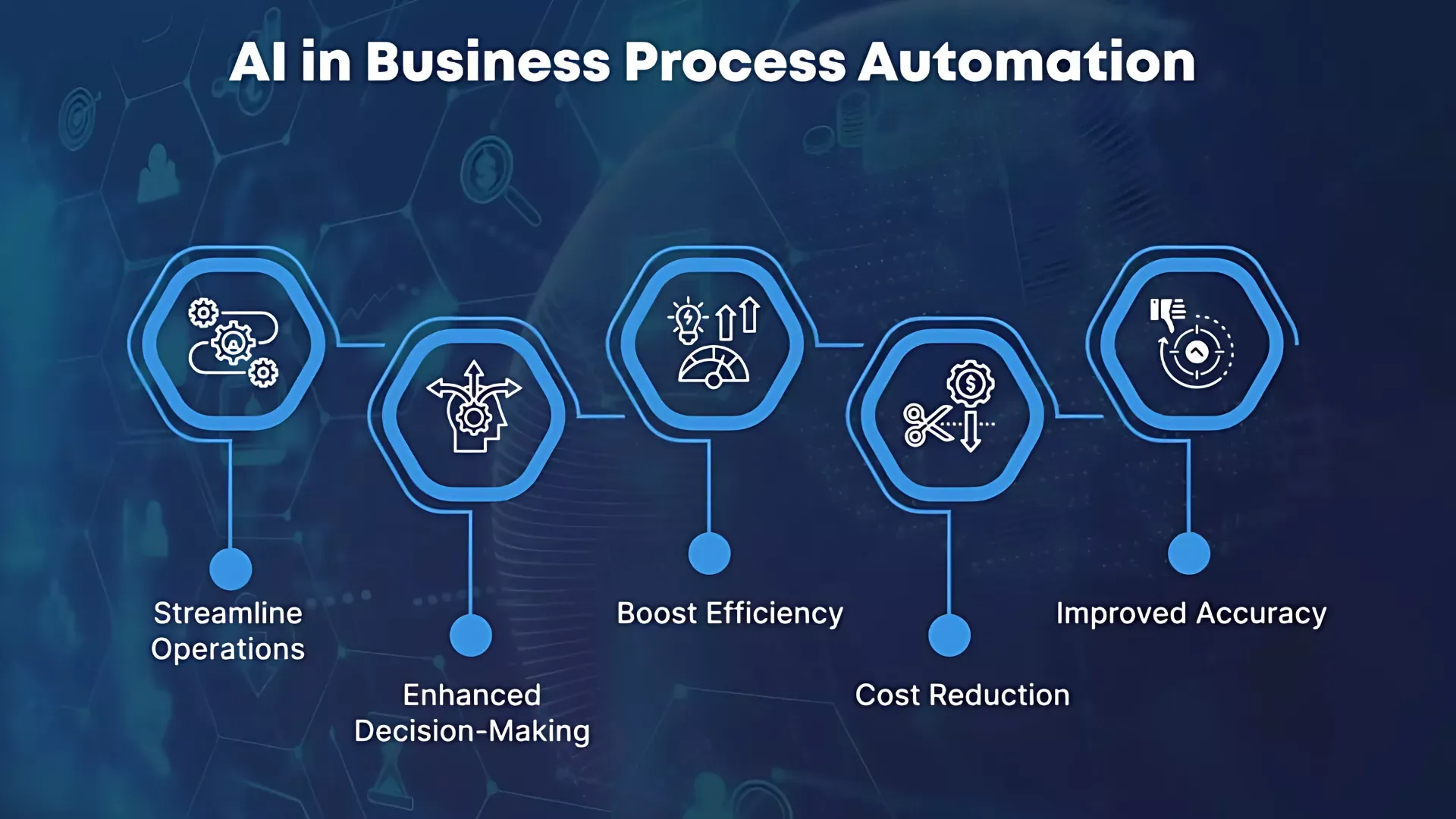
How to Build AI Workflow Automation Without Coding for Business Use
If you’re applying how to build AI workflow automation without coding, here is a simplified business-focused approach:
- Identify repetitive business tasks
- Choose the right automation tools
- Map out workflow steps
- Connect apps using no-code platforms
- Add AI intelligence where needed
- Test and optimize continuously
This approach ensures your AI workflows actually solve real business problems instead of creating unnecessary complexity.
The Future of AI Workflows in Business Productivity
Looking ahead, AI automation is evolving toward:
- Fully autonomous business systems
- AI-powered decision-making engines
- Self-managing marketing systems
- End-to-end workflow orchestration
This means businesses that adopt no-code AI automation tools for beginners 2026 today will have a significant competitive advantage in the future.
The impact of AI workflows on business productivity cannot be overstated. From saving time to reducing costs and increasing efficiency, AI automation is reshaping how work gets done across industries.
By learning how to build AI workflow automation without coding, you are not just learning a skill—you are building a system that works continuously to support and grow your business.
Advanced Strategies to Scale No-Code AI Automation Systems in 2026
After building your first few automations, the next challenge is not just creating more workflows—but making them work together efficiently at a larger scale. In 2026, many individuals and businesses are discovering that simple setups are no longer enough. The real value comes from turning basic systems into fully connected, intelligent operations that can run with minimal supervision.
This is where scaling becomes important. It’s the stage where your automation setup evolves from isolated tasks into a structured system that supports real growth.
Connecting your workflows into a unified system
Instead of managing separate automations, the goal is to link them so they function as one continuous process.
For example:
- A new lead enters your system
- Their details are automatically stored
- A follow-up message is triggered
- Data is updated in your CRM
When combined, these steps form a smooth operational flow that reduces manual effort and improves consistency.
This approach helps your system feel less like individual tools and more like a coordinated structure.
Adding intelligence through AI decision-making
As your system grows, you can introduce smarter behavior. Instead of fixed actions, your automations can begin to respond differently based on conditions or data patterns.
For instance:
- Adjusting responses based on user behavior
- Prioritizing certain leads automatically
- Customizing messages depending on engagement
This makes your setup more adaptive and improves overall performance without requiring constant manual updates.
Centralizing control for better management
When multiple automations are running, managing them separately can become overwhelming. Centralizing your workflows into a single dashboard or system helps you maintain visibility and control.
This allows you to:
- Monitor performance in one place
- Identify errors faster
- Make updates without disrupting everything
- Keep systems organized as they grow
A structured setup is essential once your automation becomes more complex.
Improving efficiency by simplifying processes
As systems expand, they often become unnecessarily complicated. One of the most important scaling strategies is removing anything that slows things down or adds confusion.
This may include:
- Redundant steps
- Overlapping workflows
- Unnecessary triggers
- Repeated data handling
Simplifying your system helps it run faster and reduces the chance of errors over time.
Expanding across different platforms
A scalable system should not be limited to one tool or platform. Instead, it should connect different environments such as email, social media, CRM systems, and customer support tools.
By spreading your automation across multiple areas, you create a more complete digital system that supports different parts of your work or business.
Scaling automation is less about adding complexity and more about improving structure and intelligence. Once you understand how to connect workflows, introduce smarter decision-making, and keep everything organized, your system becomes far more powerful and reliable.
At this stage, automation is no longer just about saving time—it becomes a foundation for building efficient, self-running digital operations that support long-term growth.
Conclusion: Mastering how to build AI workflow automation without coding
Learning how to build AI workflow automation without coding is no longer optional—it is a competitive advantage.
With the rise of no-code AI systems, anyone can now design intelligent workflows that replace repetitive tasks and unlock productivity at scale.
Start small, build gradually, and scale intelligently. The future belongs to those who automate early.